In addition to searching for vessels under your account, you may also perform advance vessel searches across the entire registry of vessels in the database.
-
Navigate to Search → Vessel Search (Advanced):
-
A new window will open, where you can add the criteria of your search → click on Search:

Vessel Search (Advanced)

a. Note: You can save the search by clicking on Save → click on the Search button.
-
The results will appear in under the Search Results with several columns (up to 10), which can be edited by clicking on the Edit Columns:
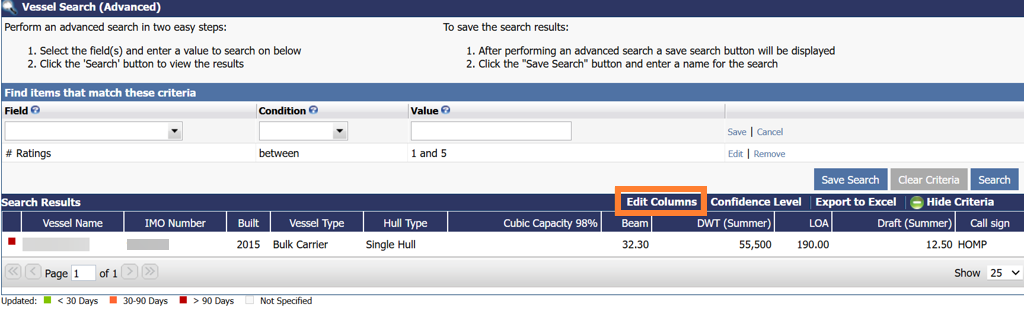
Edit Columns
a. The following window will appear to select the specific columns you want to appear in the search results:
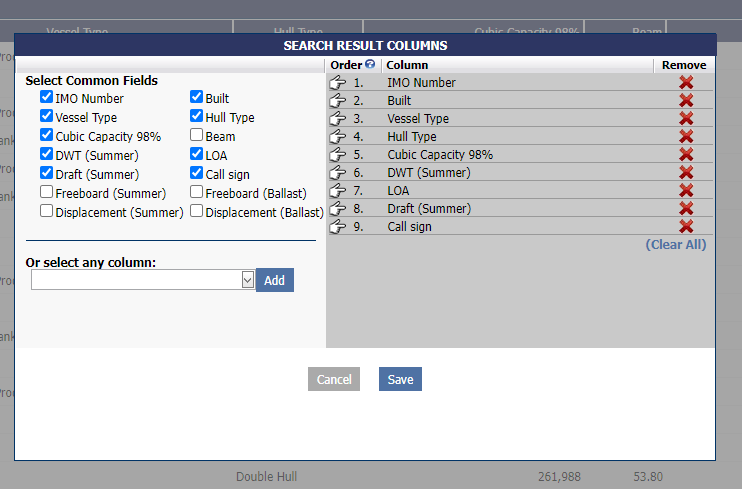
b. To Remove a Column: Click on the red X button.
c. To add a Column: Either enter a check under the Select Common Fields or select a new column from the dropdown → click on the Add button → click Save.
-
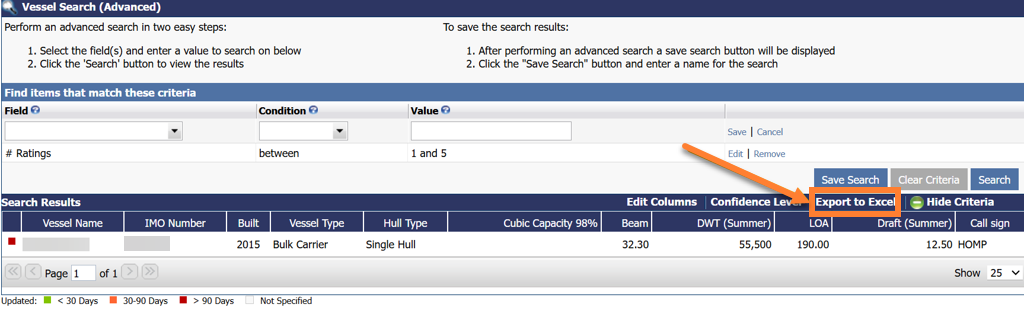
The data can be exported into an excel spreadsheet by clicking on Export to Excel: