-
What does "In Transit" mean?
In IMOS and in common shipping practice, the time the vessel spends passing a canal is called "transit". IMOS allows you to include "In transit" time in the voyage itinerary as well as in laytime calculations when that is necessary.
-
"In Transit" in the Noon Report.
The Master sends out a Noon Report every day, and there is an "In Transit" option in the IMOS Noon Report form, as shown hereunder:
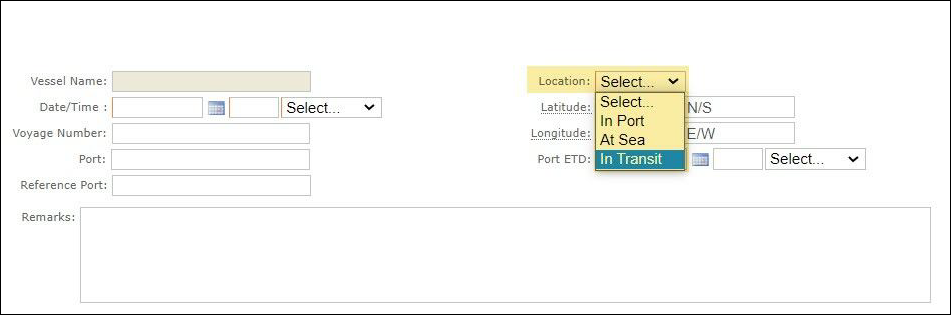
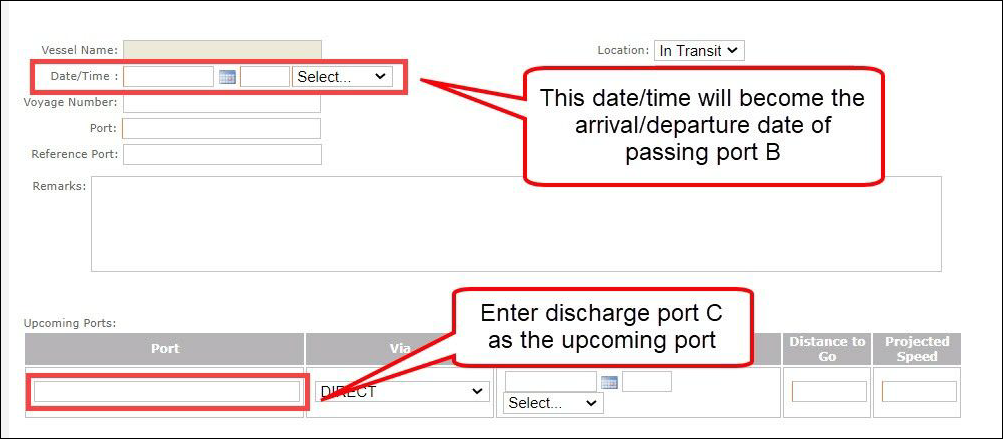
The “In transit” option would be used in a noon report while the vessel is navigating the passing point or canal B, whereas the option "At Sea“ is used when the vessel is navigating in the open sea from port A to port B.
Consider the following sequence in an itinerary: Load port A, navigate a passage/ canal B, and discharge port C.
-
Can I disable the "In Transit" option?
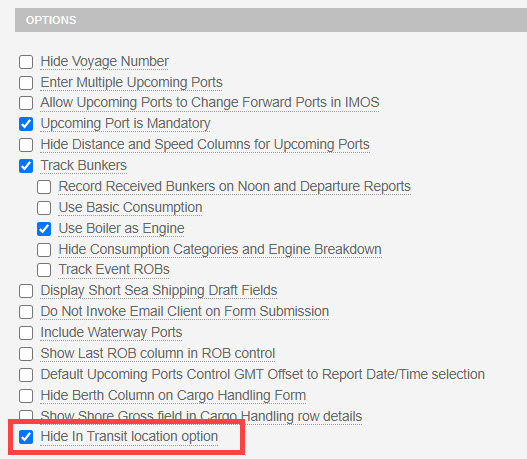
To disable the "In transit" option in a noon report, enable the "Hide In Transit location option" in the setting of the relevant form group(s).