
This article demonstrates how to use VMS's ‘Drifting at Sea’ feature. This feature allows VMS clients to select a location at sea using the vessel's coordinates rather than picking an arbitrary nearby port, which could add a distance between the vessel's actual location and the available nearby port.

-
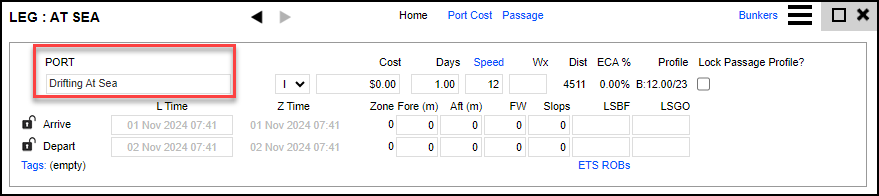
To use this feature, add a new leg on the voyage screen.
-
Add the port ‘Drifting At Sea’ and any other information relevant to this location, such as arrival and departure information. Then close this box.
-
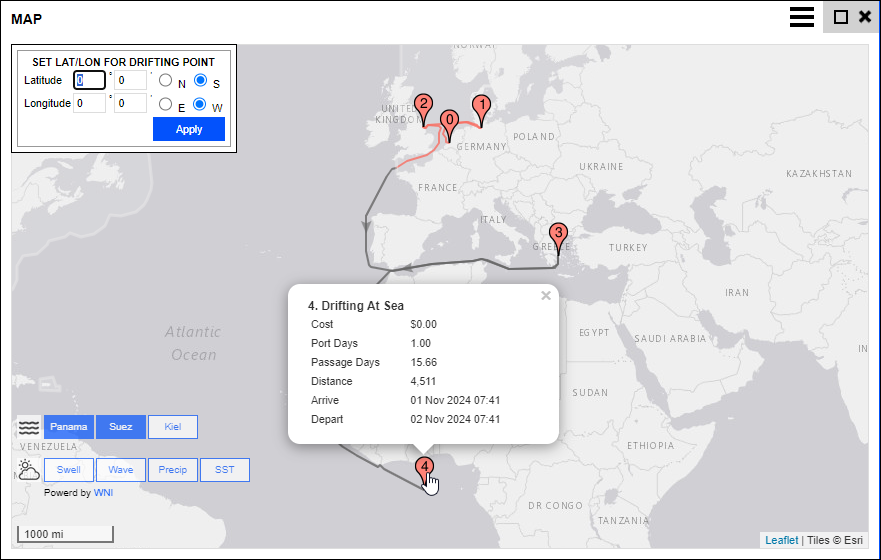
Click the location icon to enter the vessel coordinates on the map view, then click Apply.
Drifting At Sea is strictly designed for when a vessel has stopped at sea, and it allows vessel messages to be applied to it’s position as of March 2026.