
We're excited to introduce a refreshed, modernized look for Milbros. We’re improving your experience of these tools with a cleaner, more intuitive interface designed to make everyday work faster and clearer to navigate.
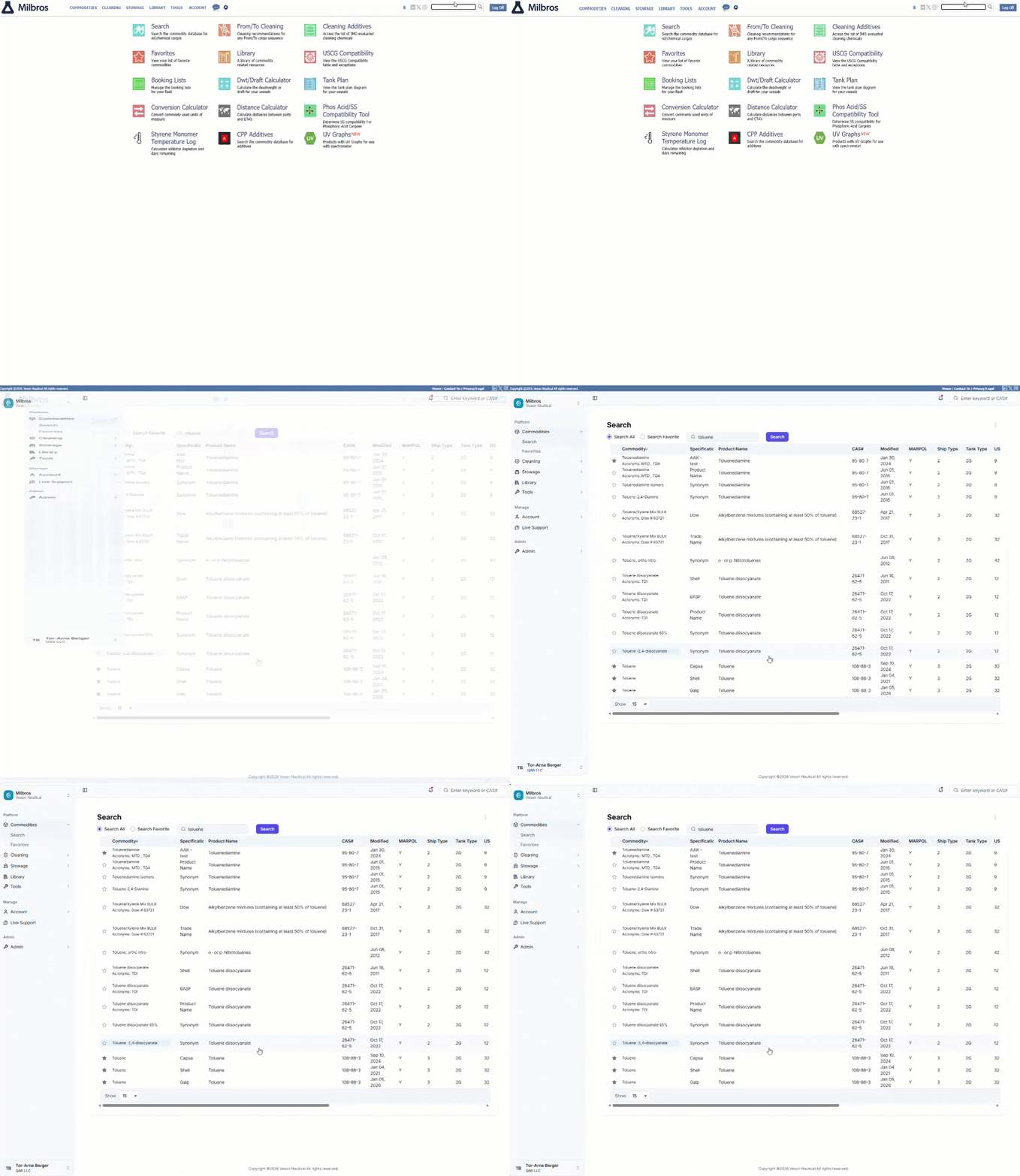
Everything you know and depend on is still here. Throughout the transition, you'll have detailed help articles available for every area throughout the transition, guiding you through the new navigation and pointing you to the tools you already know.
Here's a look at what's new
A clearer, always-available menu
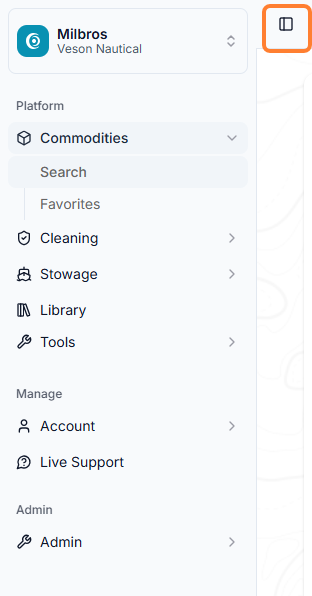
Your menu now lives in an organized side panel, so wherever you are in Milbros it stays visible and one click away.
-
The new side panel uses a simple, tree-style structure. Click a menu header to reveal its options, then click any option to open that page.
Prefer a little more screen space? You can collapse or expand the panel at any time using the toggle.
A refreshed home dashboard
Your home page is now a modernized version of the dashboard introduced a few years ago, giving you a clearer, at-a-glance view of what matters most the moment you sign in.
-
Your tools now appear in a stacked, over-under layout that's easier to scan than the previous side-by-side view.
-
Jump straight into any area by clicking its header on the dashboard.
-
Select a vessel from the dropdown list at the top to focus on a specific ship.
Note: The earlier Classic home page has been retired in favor of this richer dashboard experience.
As with the rest of the product, the workflow you know is unchanged; the look and feel have been modernized to match the refreshed experience.
Have questions? We're here to help.
We're confident these updates will make your day-to-day work in Milbros smoother and more enjoyable. As you get comfortable with the new experience, the fastest ways to find what you’re looking for are right at your fingertips:
-
Start with our FAQs. Get answers to common questions on the Modernized Q88 FAQs page.
-
Chat with Live Support. Ask Fin a question in plain language and get an instant, guided answer, any time of day.
-
Explore the Help Center. Our library of step-by-step articles covers every area shown here, from navigating the new layout to locating the tools and menus you use most. It's the best place to go deeper at your own pace.
-
Follow the in-product guidance. Look for tooltips and informational messages built right into the new interface to help you get oriented as you go.
-
Raise a Veson Support ticket. If you come across a bug, something isn't working as it should, or you've checked the resources above and still need a hand, raise a Veson Support ticket.