
How to Access the Questionnaire Module
-
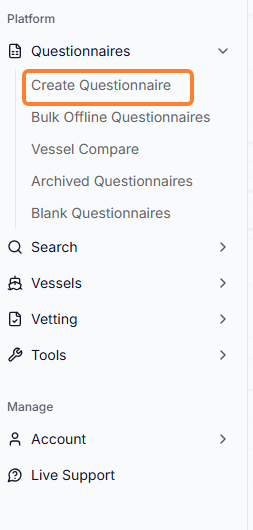
From the Home Page, select Questionnaires on the sidebar menu → click Create Questionnaire.
How to Create a Questionnaire
-
Once you are on the Create Questionnaire page, you will need to select the Fleet and the specific Vessel.
-
Vessel name: select the dropdown for vessel and load line (if multiple).
-
Questionnaire: select the questionnaire type(s) either by typing in the yellow text box or expanding the dropdown → then click on the Create button.
-
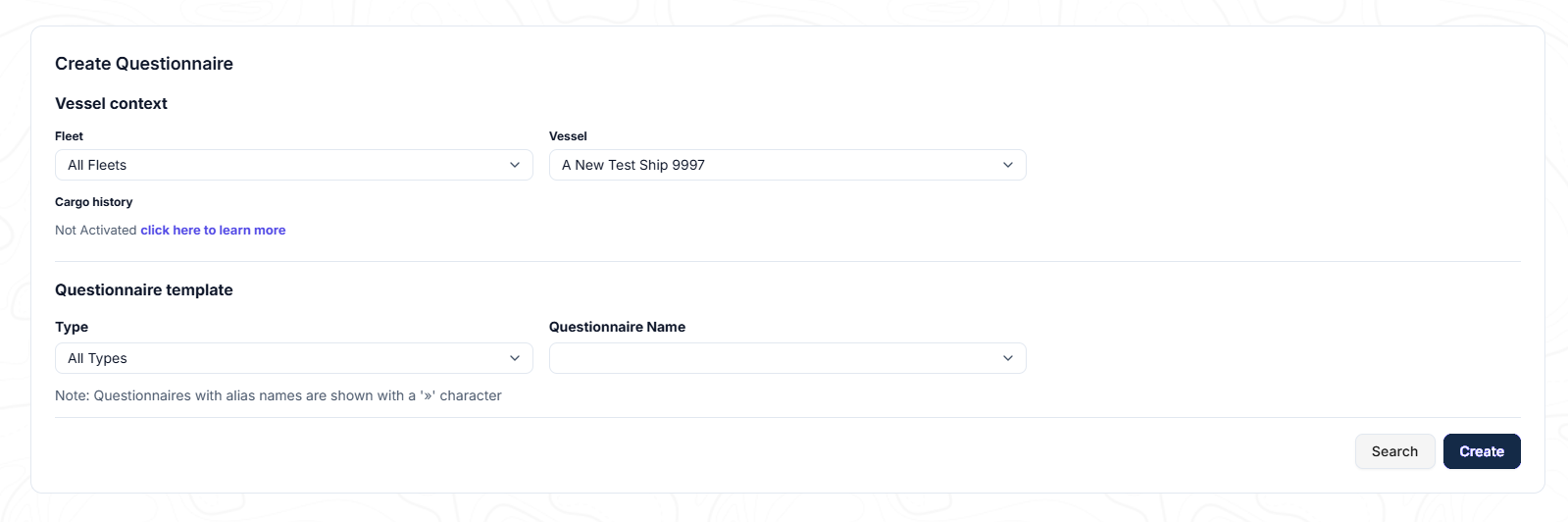
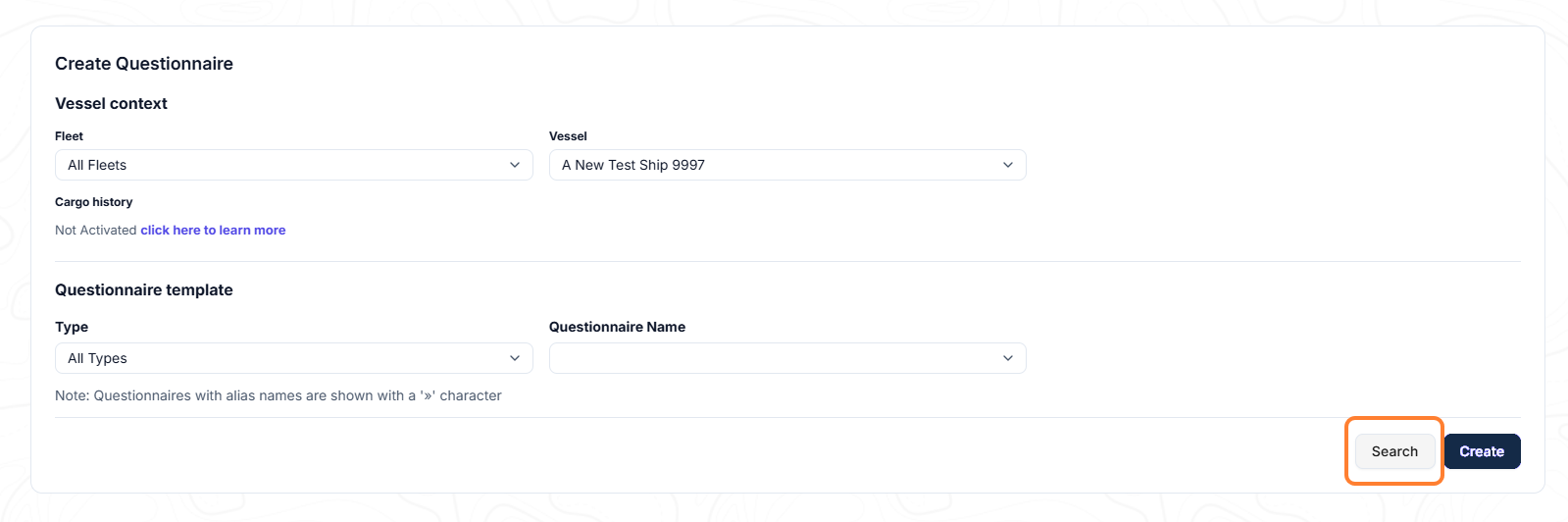
c. You can also search the database to find a questionnaire by clicking on the Search button:
-
Complete the questionnaire with the missing information or update an existing one.
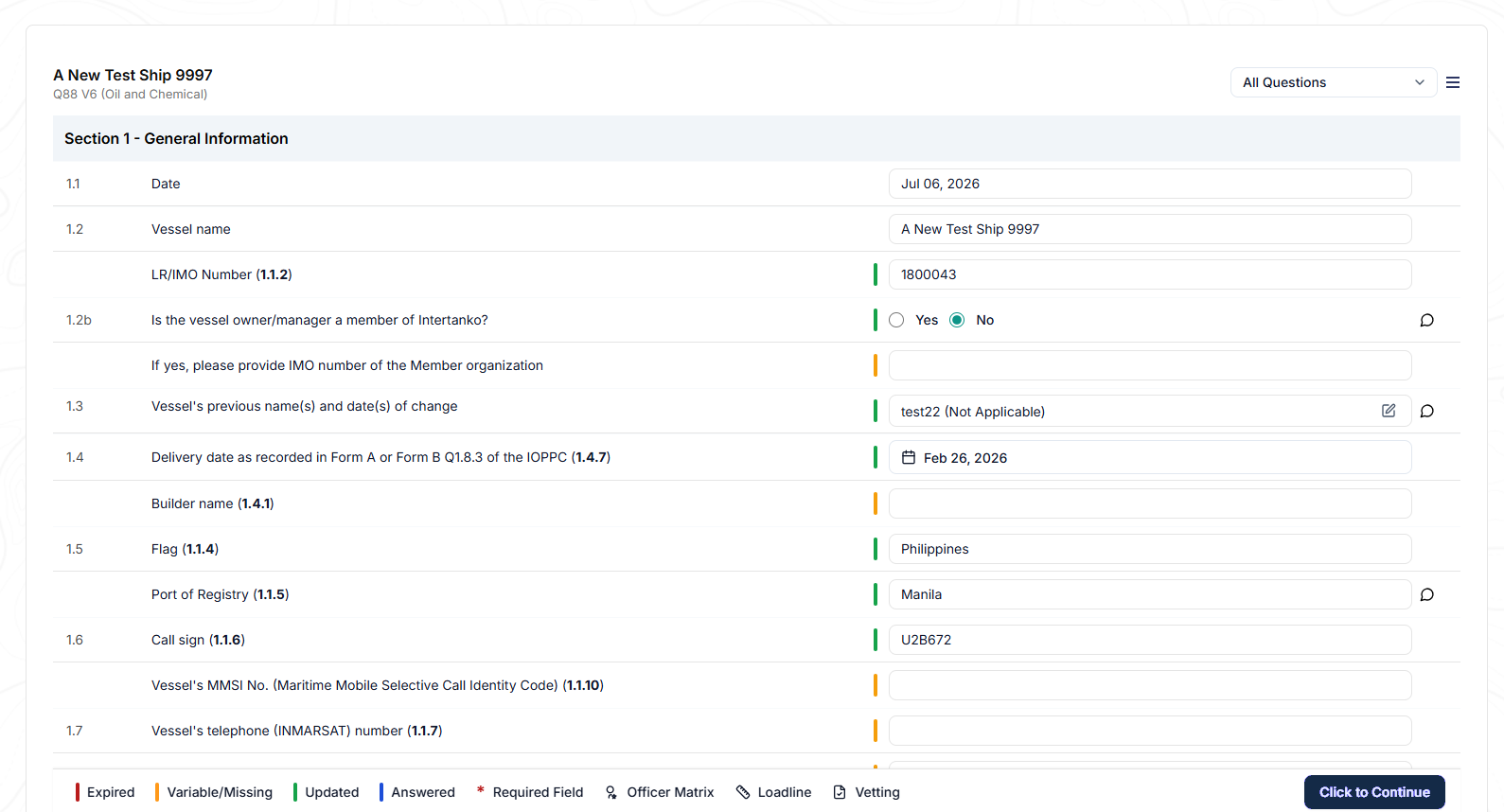
There is a legend at the bottom of the page with an explanation for each icon.

-
To select the next action click on the Click to Continue button.
Note: Questionnaires must be created in the Q88 platform, they cannot be uploaded.