
See all of the latest product updates for Q88.
Q4 2026
October 2026
SIRE 2.0 JSON Import Functionality Update
We are pleased to announce that Q88 now supports SIRE 2.0 inspection reports in JSON format, in addition to PDF.
You can import JSON reports in either of two ways:
-
Through Q88: Use the Vetting > Import Data menu option.
-
By email: Send the report to download@q88.com.
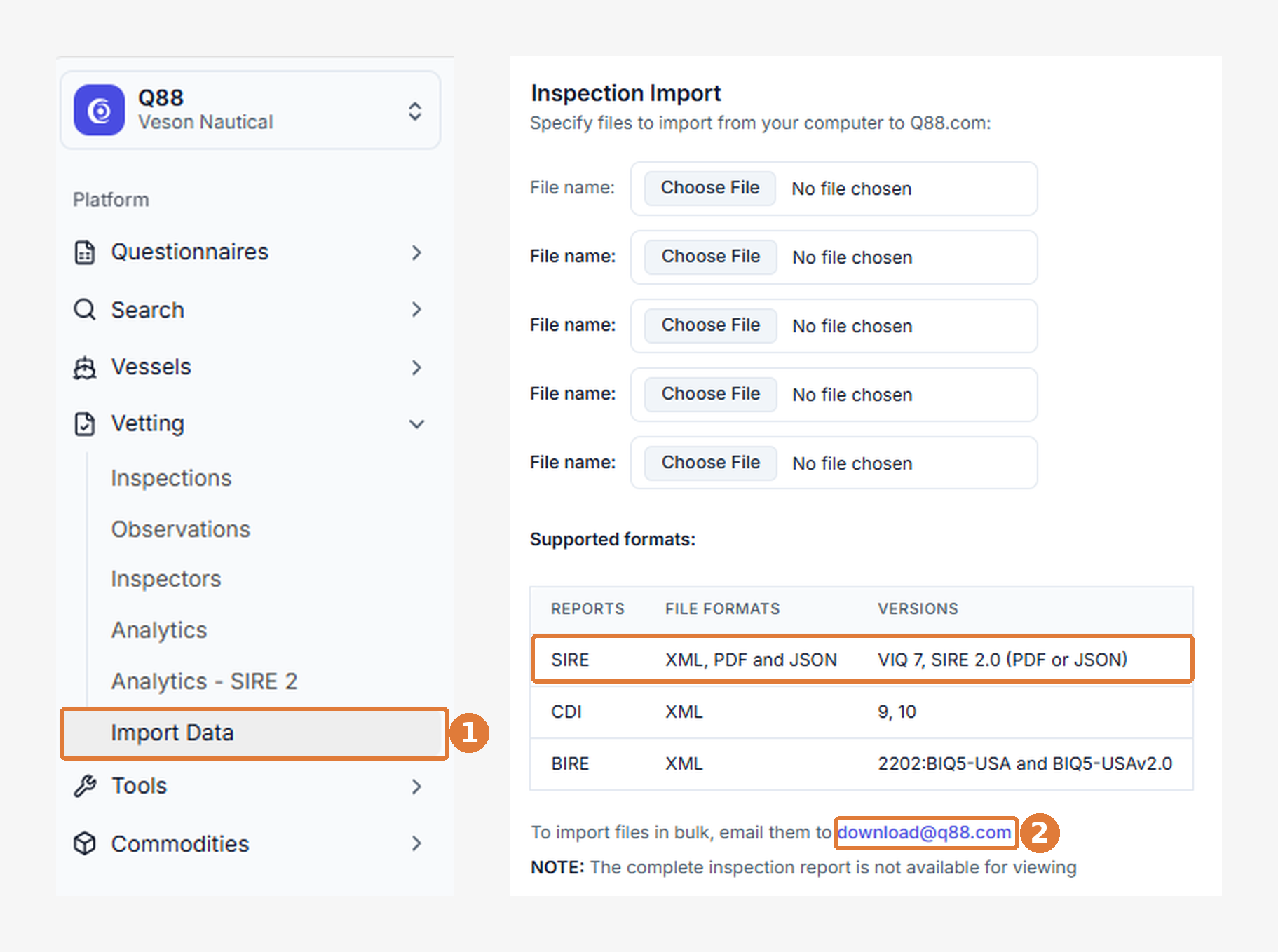
PDF reports remain supported, so you can continue using your current process if you prefer.
If you have any questions, please contact our support team.
Q88: Grid Question Enhancement Update
Grid questions in Q88 are now faster and easier to work with, especially for long or wide tables like heating coil and tank details. You can now edit, reorder, and duplicate rows directly in the grid, and switch to a new card view when a table has more columns than fit on screen.
What’s New
-
Inline row editing: Click any row to edit it in place. Press Enter to save or Esc to cancel.
-
Drag to reorder. Drag a row by its handle to move it. The row briefly highlights where it lands so you can confirm the new position.
-
Duplicate row. Click Copy to insert a duplicate directly below the original, already open for editing.
-
Card view. A new Table/Cards toggle shows each row as a card, which makes wide grids and narrow screens easier to read.
-
Drag in card view. Reorder cards the same way as rows. Cards shift along into the new slot, just as they do in table view.
-
Duplicate in card view. A duplicated card opens as a form, so you only need to type what is different.
Also in this release
-
You no longer need to save a row before saving the answer. Saving the answer now includes any row you are still editing, so nothing you have typed is lost.
-
You can no add new rows from the bottom of the grid, right where you list ends.
-
Card view remembers your choice and opens as cards automatically on smaller screens.
-
Reorder handles and row actions stay in view when you scroll across wide grids, so you do not need to scroll back to use them.
Q3 2026
September 2026
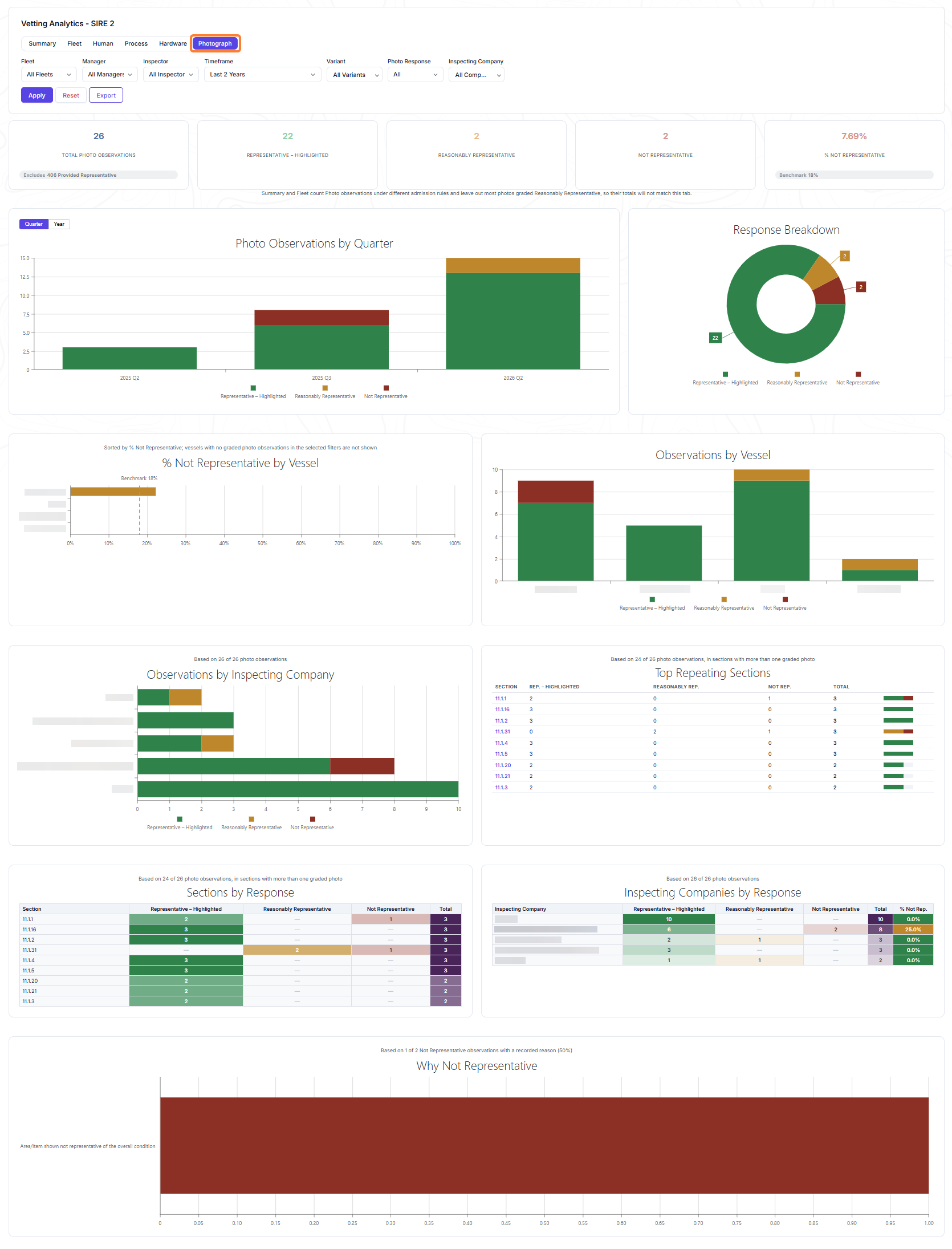
Photograph Tab in SIRE 2.0 Analytics Update
Get a clearer view of photograph observations with the new Photograph tab in SIRE 2.0 Analytics. See how the Chapter 11 photographs for your vessels are graded as Representative - Highlighted, Reasonably Representative, or Not Representative, and compare the percentage of Not Representative photographs for each vessel with the industry benchmark. The tab supports the existing filters, drill-down, and export.
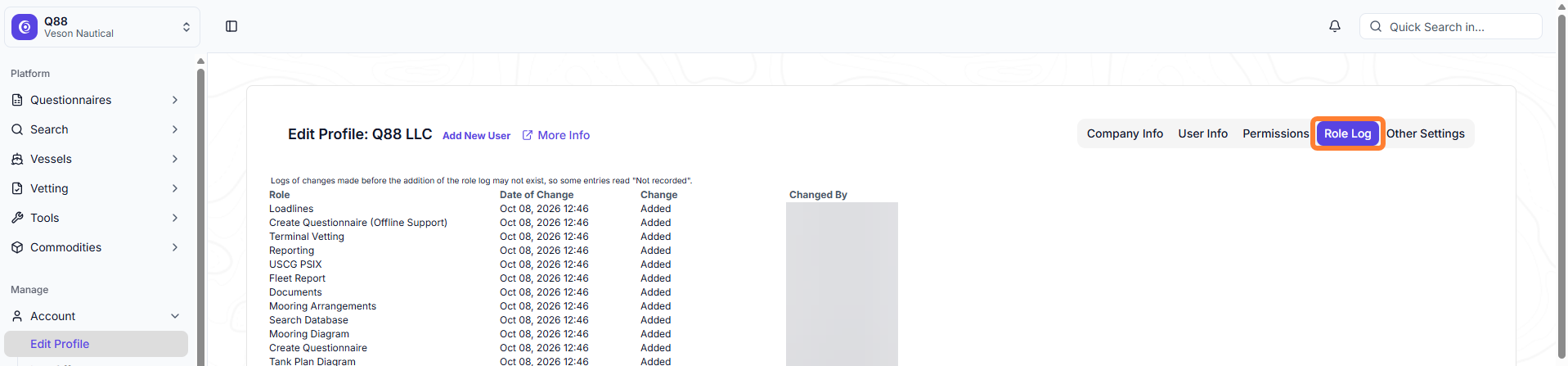
Role Log in User Management Update
You can now review the role history of a user on the new Role Log tab under Account → Manage Users. The grid shows the role name, the date of the change, whether the role was added or removed, and who made the change, which helps with compliance and security audits.
Note: The Role Log is visible only to users with the Company Admin or Administrator role and any changes made before the Role Log was added may not appear.
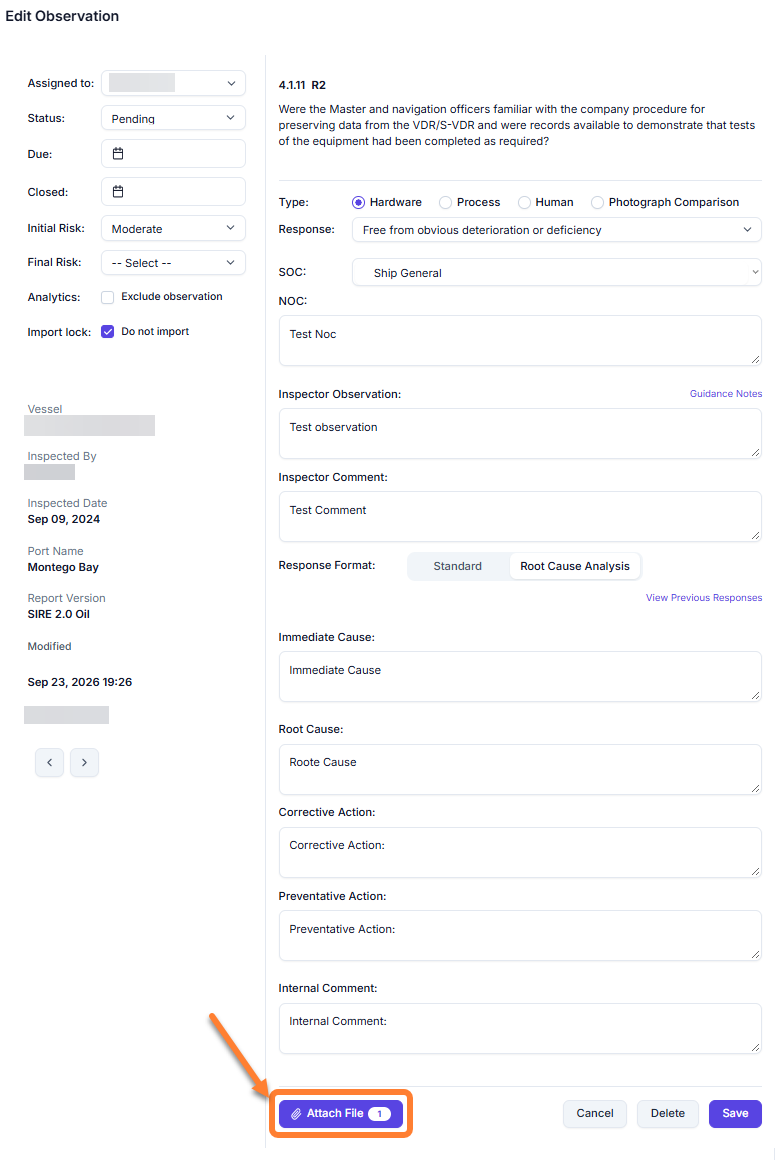
Attachment Count on Observations Update
A badge next to the Attach file button on the observation page now shows how many files are attached, so you no longer need to open the attachments window to check.
Hardware Tab in SIRE 2.0 Analytics Update
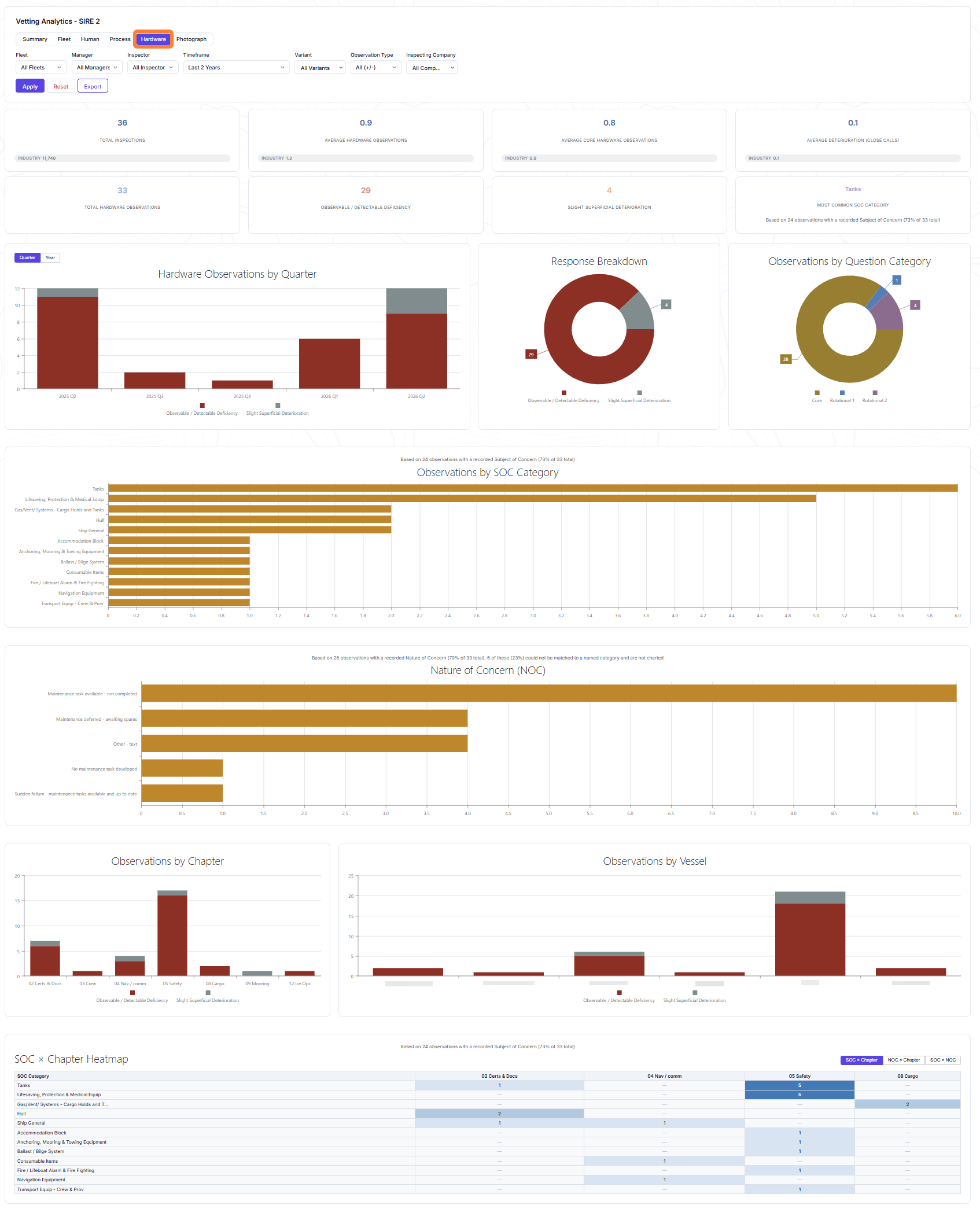
Get a clearer view of hardware observations with the new Hardware tab in SIRE 2.0 Analytics. See how observations break down by response, Subject of Concern category, Nature of Concern, chapter, and vessel, then try it out yourself.
Process Tab in SIRE 2.0 Analytics Update
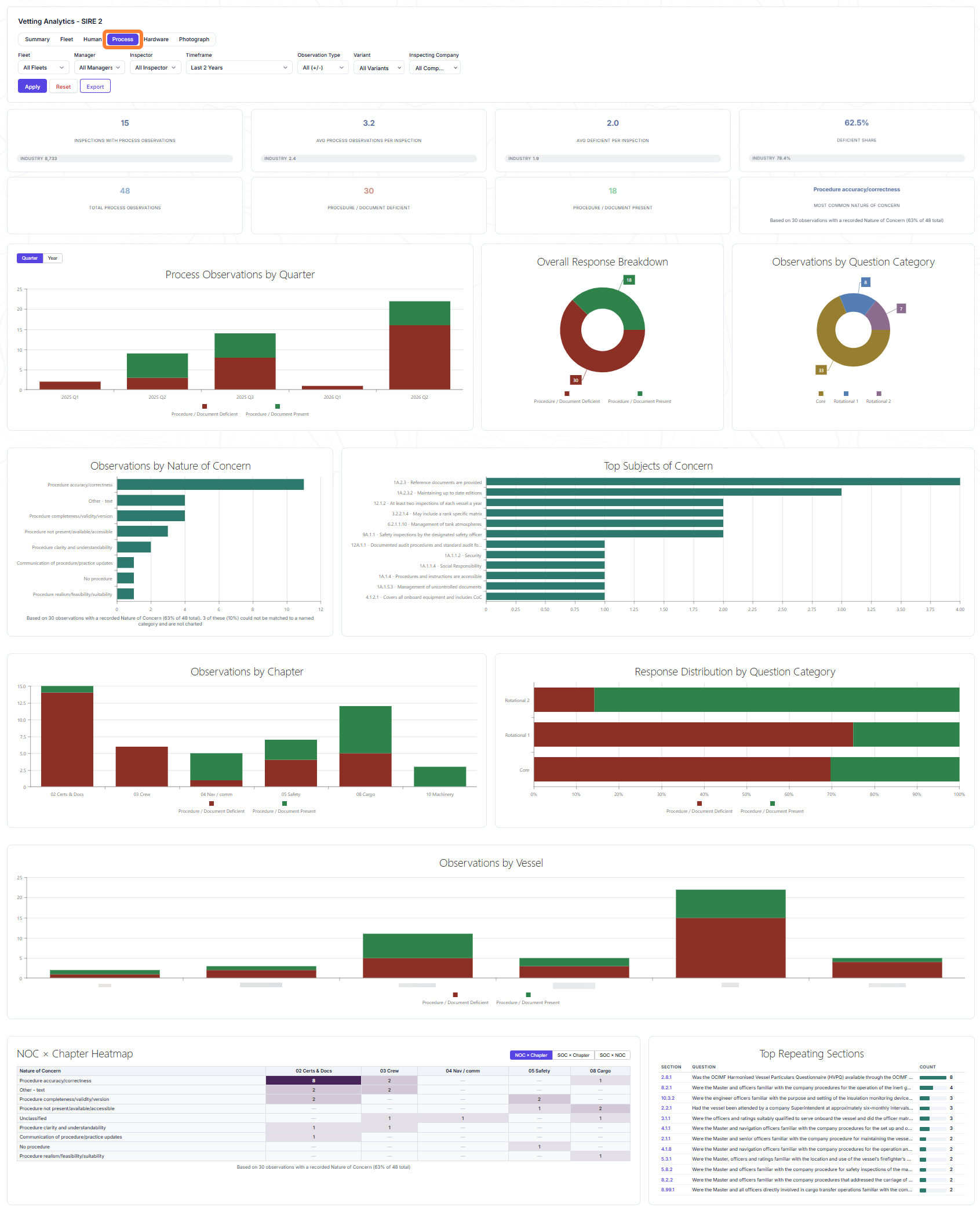
SIRE 2.0 Analytics now includes a Process tab that gives you targeted visibility into process observations. See the attached screenshot or try it out yourself.
August 2026
Questionnaires: Improved variable grid editing on Q88 forms Update
We improved the usability of the variable grid popup windows for questions like “9.1 Provide details for Mooring Ropes, Wires, Tails and Shackles” on the Q88 (HVPQ question 10.1.7). Improvements include more visible rows, better calendar controls, smaller edit boxes where appropriate, wrapping column headers for better width spacing, clearer highlighting of the active row during editing, validation errors displayed in red, and the top two rows frozen during scrolling.
Q2 2026
June 2026
CDI Inspection XML Import – Version 10.5 Support Update
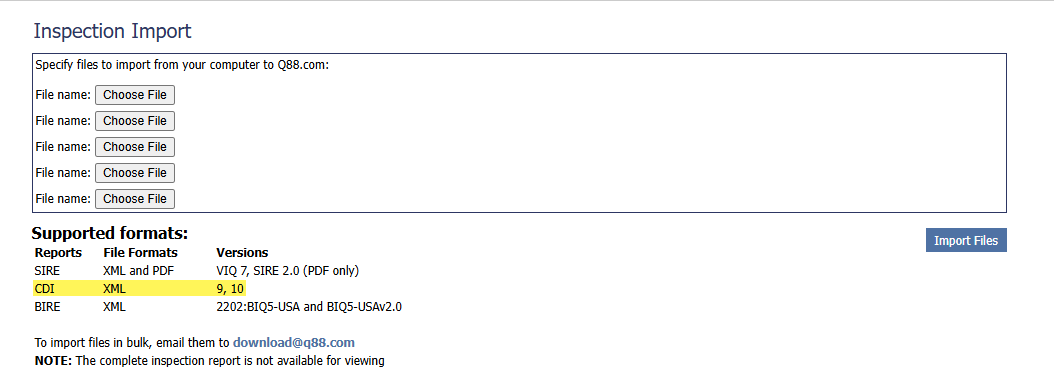
Q88 now supports CDI inspection XML files, version 10.5, the latest available format. In the Inspection Import module, you can import CDI inspection files directly into the platform. This reduces manual effort and helps keep your records accurate and up to date.
April 2026
SIRE 2.0 Analytics: Fleet Tab Enhancements Update
A fifth summary card has been added to the Fleet tab, displaying Average Close Calls alongside the existing cards above the charts.
In addition, industry-wide inspection counts and averages have been incorporated into all summary cards, providing a broader benchmarking context for fleet performance.
Please note that when filters are applied that result in a significantly reduced population size, the industry benchmark figures will be automatically hidden, as they may no longer be statistically relevant or materially meaningful at that sample size.
-20260501-190055.png?cb=b8ac0546593629e2d8b39de6d9591b69)
Q1 2026
March 2026
SIRE 2.0 Analytics: Drill Down Update
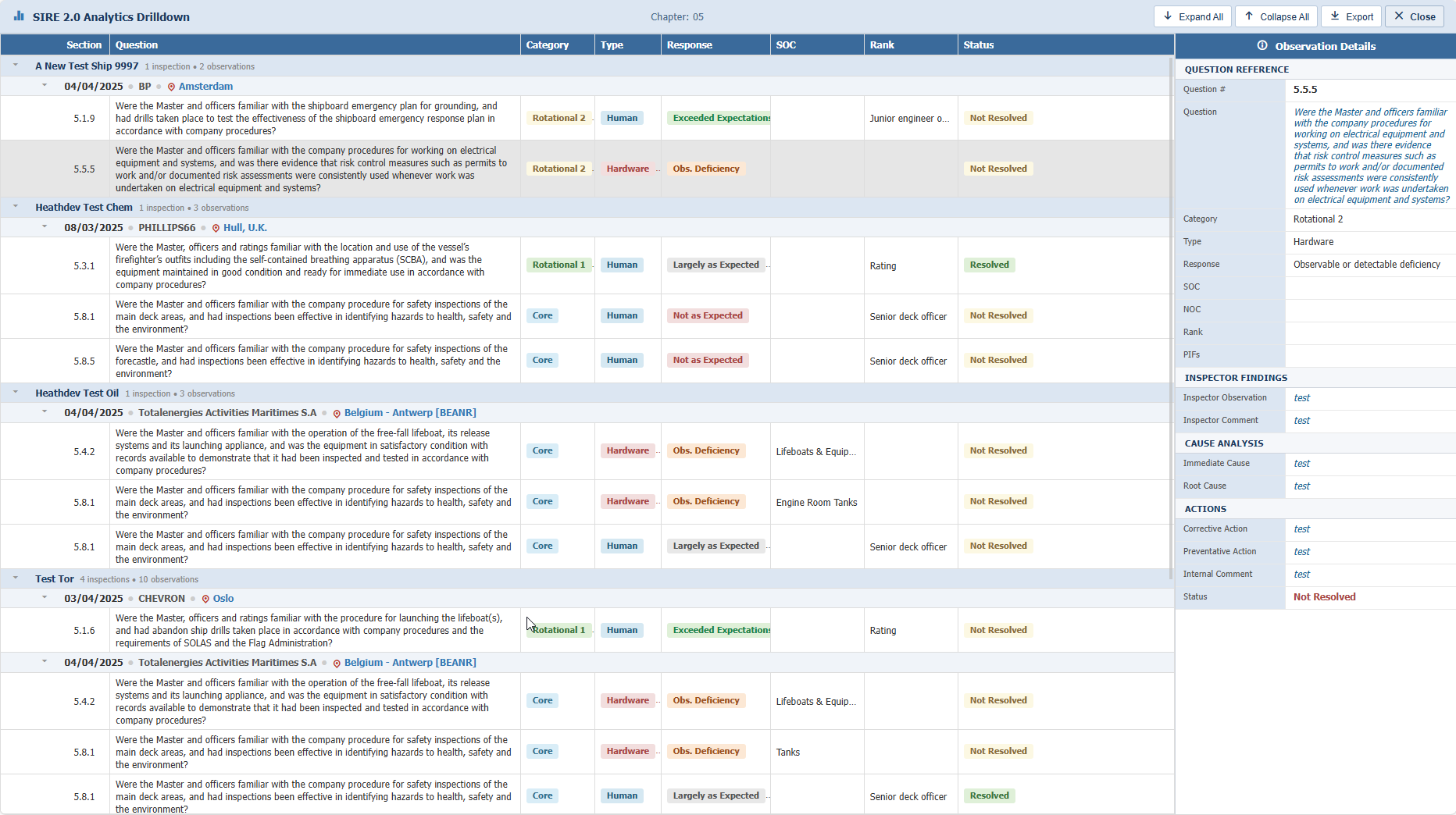
When using SIRE 2.0 Analytics, you can now double-click any chart bar representing your company's data to drill into the underlying observations. In the drill-down view, observations are displayed in a grid organized by vessel and inspection. Click any observation to view its details in the panel on the right. To export, use the Export button in the top-right corner. To return to the analytics page, click Close in the top-right corner. This feature is available across all SIRE 2.0 Analytics tabs.
Note: The chart bar you double-click acts as the filter that determines which observations appear in the drill-down view.
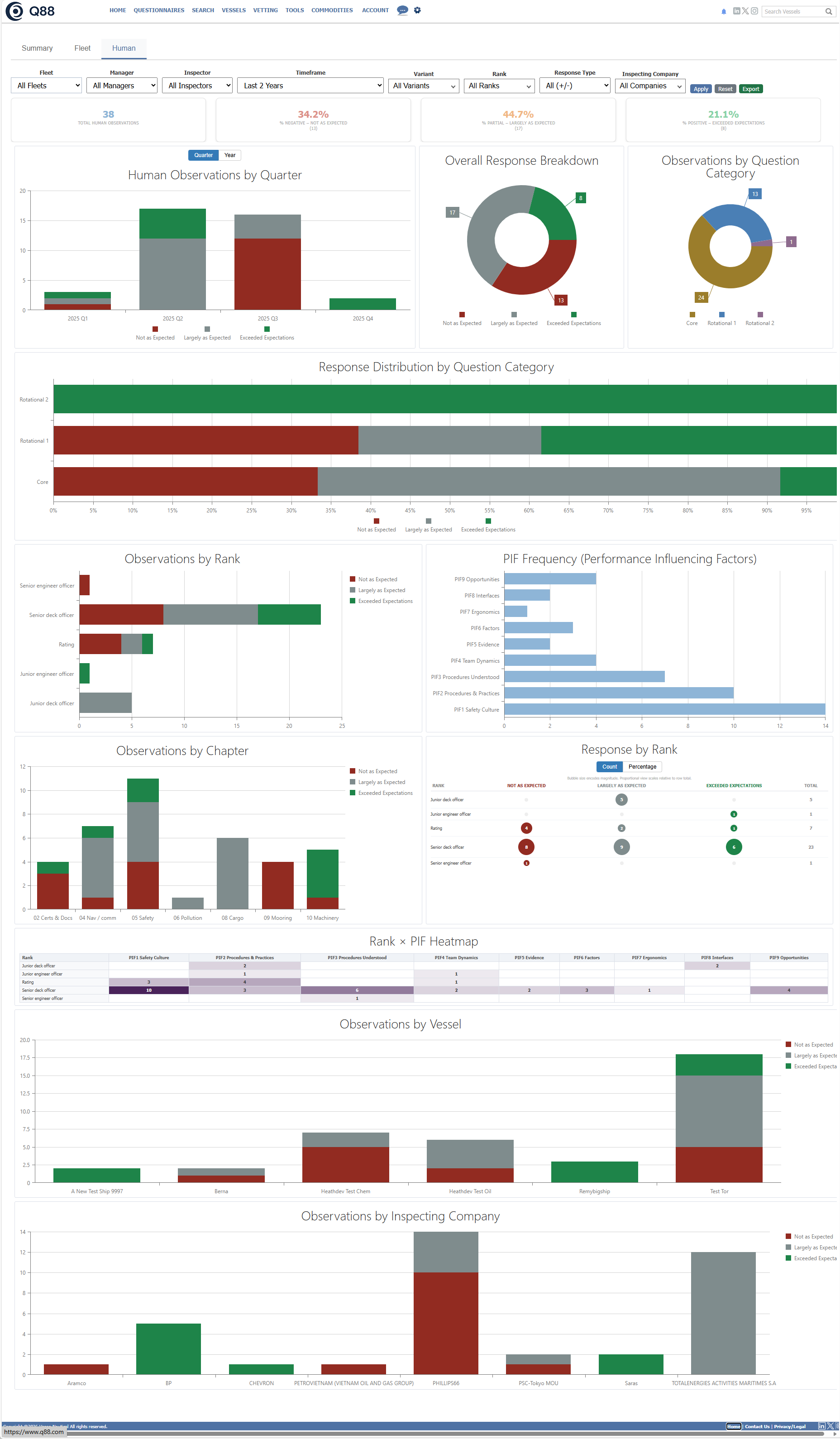
SIRE 2.0 Analytics: Human Element Tab Update
A new tab has been added to SIRE 2.0 Analytics, dedicated to Human Element observations. See the attached screenshot or try it out yourself. Note that drill-down is also supported from this tab.
Update new feature Security