
Overview
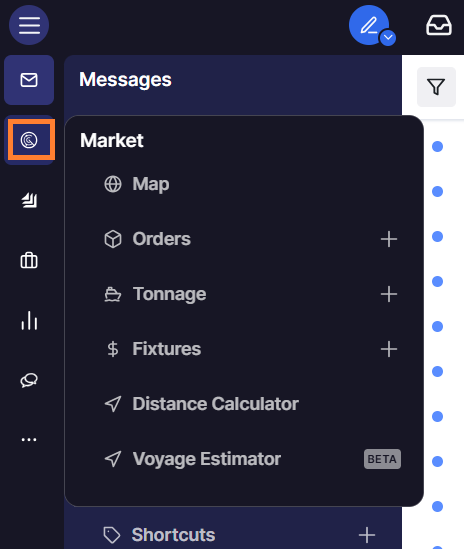
Market is the part of Shipfix where cargo orders, vessel positions, and fixtures circulating across the freight market are captured and organized for your team. In Orders, Tonnage, and Fixtures, you can track cargo and vessel opportunities extracted automatically from your inbox or added manually, and match cargoes to vessels as new positions come in. Map shows live vessel positions and historical AIS data so you can see where vessels are and where cargo demand is concentrated, and Distance Calculator and Voyage Estimator let you calculate voyage distances and quickly estimate voyage economics. Together, these tools give your chartering and trading desk one up-to-date view of the market, so opportunities can be assessed and acted on faster.
Accessing the Market workspace
-
Navigate to the left menu panel.
-
Locate the Mail category section.
-
Find Market listed under the Mail category.
-
Click Market to access Orders, Tonnage, and Fixtures screens.
If the Market workspace is still not visible after checking the navigation, try restarting Shipfix.