
Home > Time Charters > Delivery/Redelivery Bunker Breakdown
For a Time Charter (TC) In or a TC Out, you can see or edit information about bunker quantities and prices on delivery and redelivery.
To access the Delivery/Redelivery Bunker Breakdown, do one of the following:
-
On the bottom of the TC Bunkers tab, click Bunker Breakdown.
-
In the Bunkers tab grid, right-click Est Delivery, Actual Delivery, or Actual Redelivery and then click Edit Bunker Breakdown.
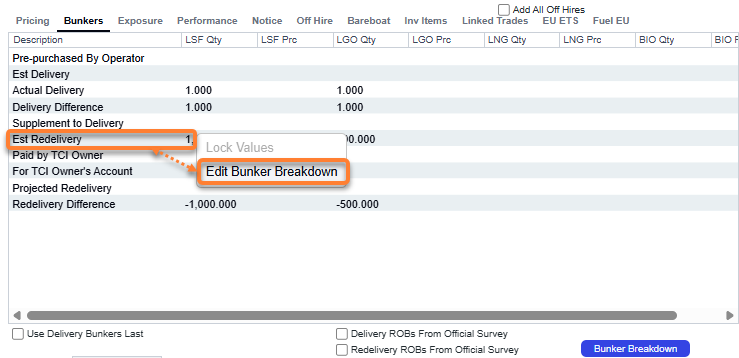
The values on the form are populated from the TC Bunkers tab.
TC In Breakdown
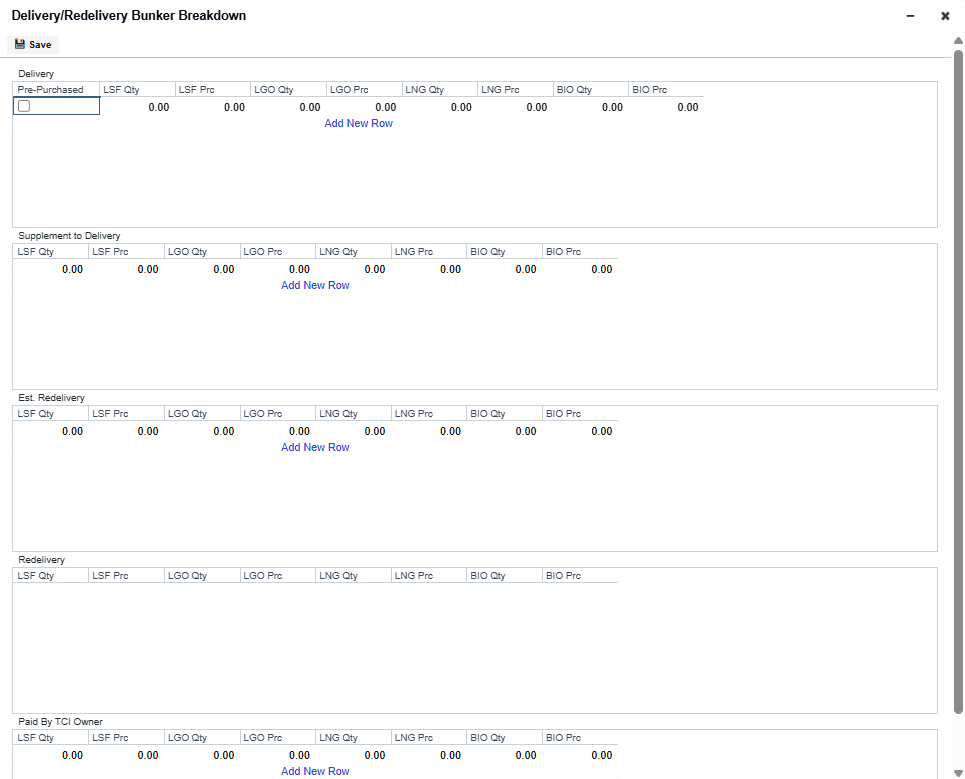
TC Out Breakdown
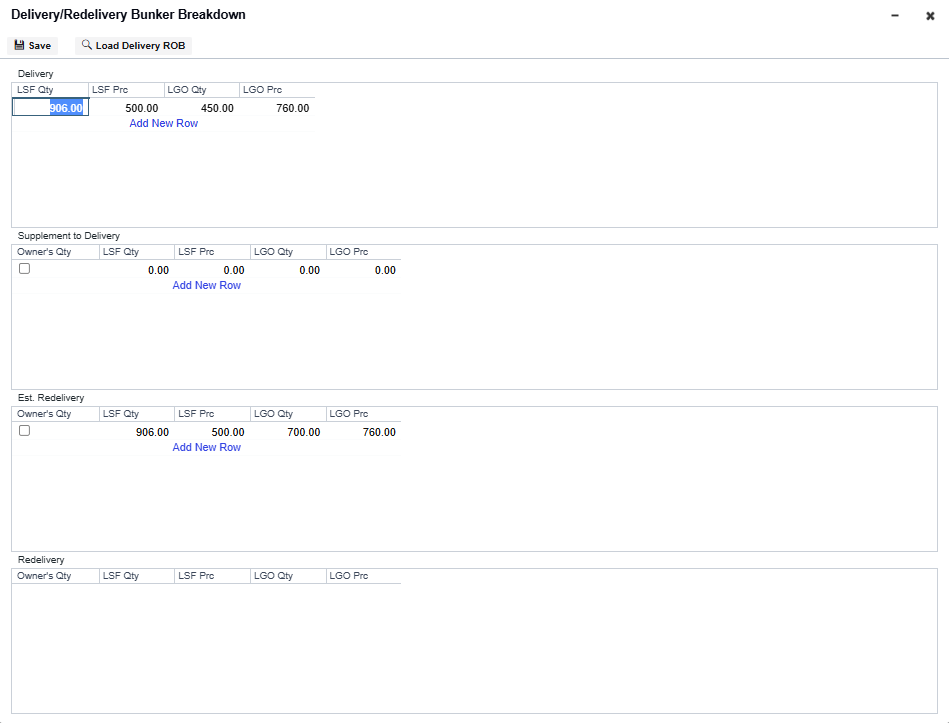
Delivery Bunker Emissions
Requires a minimum schema version of 49.3. For the option to appear, Lifting Level Emissions must be enabled for at least one of the fuel types.
You can enter Emission Factors on the TC Delivery Bunker Breakdown by right-clicking a row in the Delivery grid and selecting Delivery Bunker Emissions. The factors entered drive emissions calculations when the bunker lot is consumed on a voyage.
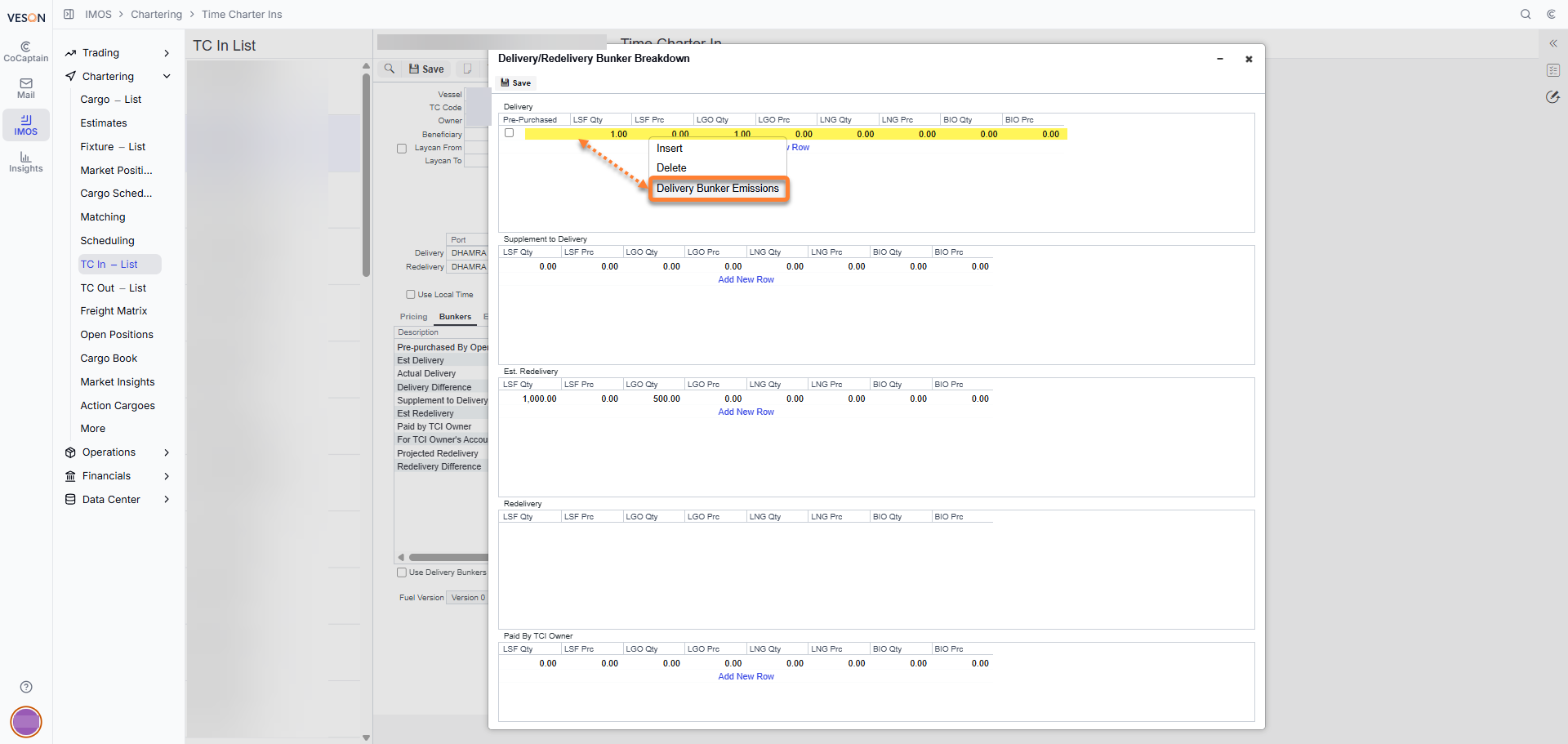
Est. Redelivery Grid
Values in the Est. Redelivery grid can be edited and invoiced when the contract is in a status before redelivery. This is used to calculate estimated redelivery adjustments in the P&L. On the TC Payment or the TC Bill, select the Cost on Redelivery check box. Values appear in the Hire Statement, Statement of Accounts, and SoA Recap reports.
Redelivery Grid
For a TC Out, the Redelivery grid can be edited upon redelivery of the vessel. The actual redelivery breakdown can be specified in this form if the redelivery inventory includes multiple fuel lots at different prices. IMOS does not enable changes to the bunker quantities in the bunker breakdown section before redelivery because that information comes from the voyage. The redelivery information is taken from the Voyage Manager when bunkers are updated.
If there is a quantity that is Paid by Operator, then the TC Out redelivery bunker breakdown becomes read-only. This occurs because the TC Bunker Breakdown form does not enable you to specify a Paid by Operator quantity.
For more information, see Why am I unable to edit Bunker Breakdown in the Time Charter Out contract?
When a Paid by Operator bunker quantity is entered in the TC Out form, the Est Redelivery bunker quantity must be greater than or equal to the Paid by Operator quantity. If the Paid by Operator bunker quantity exceeds the Est Redelivery quantity, IMOS prevents you from saving and displays the following error message:
ERROR - Total Owner's [bunker name] quantity should not exceed Total [bunker name] Redelivery quantity. Please correct these errors in order to save.