
You may see the error message "You do not have access to a tenant" when attempting to access the IMOS X.
Cause: Typically, this error occurs when the "Allow IMOS X Access" permission is not enabled in the user's IMOS profile.
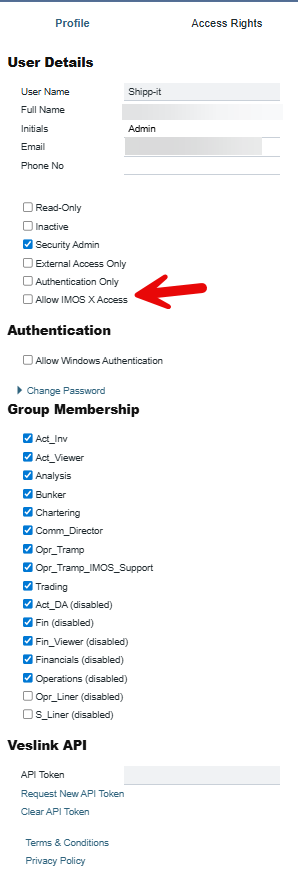
Resolution: To resolve this issue, an administrator with appropriate permissions needs to update the user's profile in IMOS:
-
Navigate to the user's profile in IMOS
-
Locate the "Allow IMOS X Access" checkbox
-
Check the box to enable access
-
Save the changes
Once this setting is enabled, the user should be able to access the system without encountering the error.