
IMOS X is a fast, mobile-friendly experience that lives alongside IMOS and delivers powerful data insights and enhanced workflows. With on-the-go access, you can experience a new level of visibility and connectivity with your colleagues, customers, and partners.
Access IMOS X
To access IMOS X, go to https://imosx.com/ and sign in with your email and password using the same credentials you use for IMOS.
In IMOS, select Allow IMOS X Access in the user profile and save. Your permissions will migrate from IMOS.
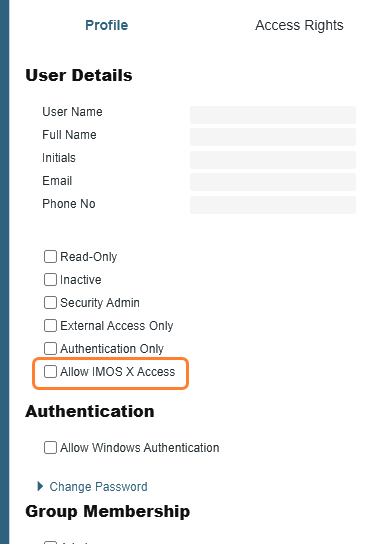
If you encounter the error "You do not have access to a tenant,” ensure you have the access rights to IMOS X. For more on this error, see How do I resolve the "You do not have access to a tenant" error?
Navigate IMOS X
When you access IMOS X, a navigation bar appears at the top of your browser.

From the navigation bar, you can access the following:
-
Main menu
-
Your profile
-
Global search bar
Use global search
Use the advanced global search functionality to quickly find voyages, cargoes, and vessels across IMOS X.
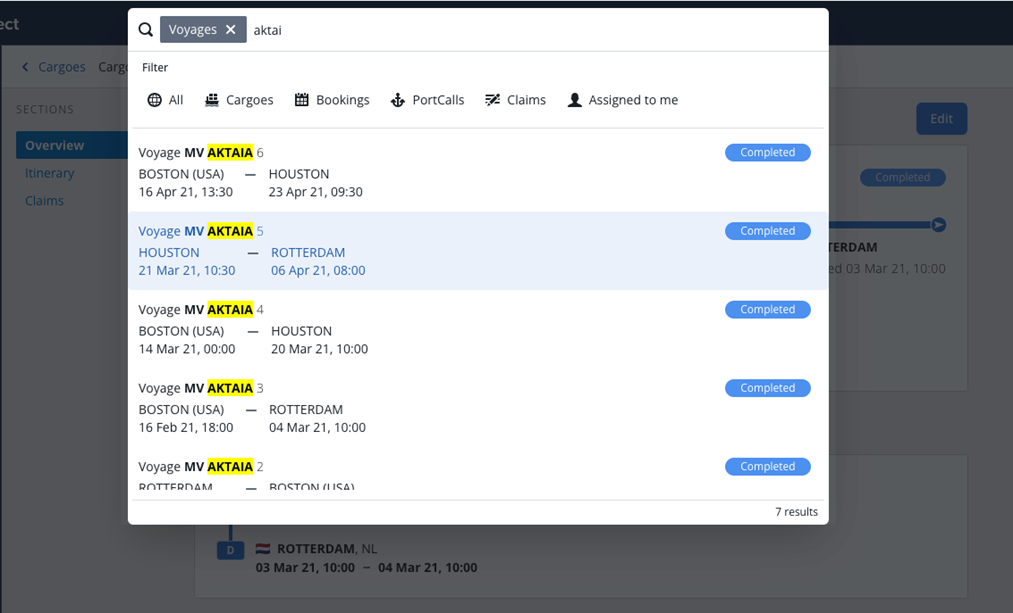
Refine your results
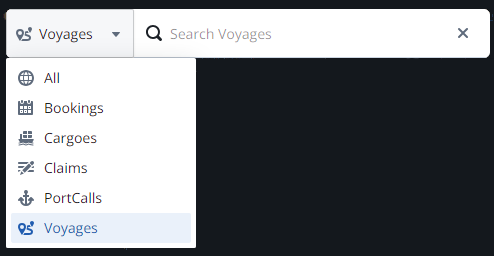
Your search results are returned and refined as you type, but you can also add search filters.
-
To filter by record type, select a filter button to apply it to your search.
-
To remove existing filters and search all categories, select All.
-
Select Clear to remove existing search terms.
Core functionality
The core functionality of IMOS X allows you to engage with multiple aspects of your voyages and cargoes, including itinerary, voyage status, congestion data, CII details, P&L, and more.
-
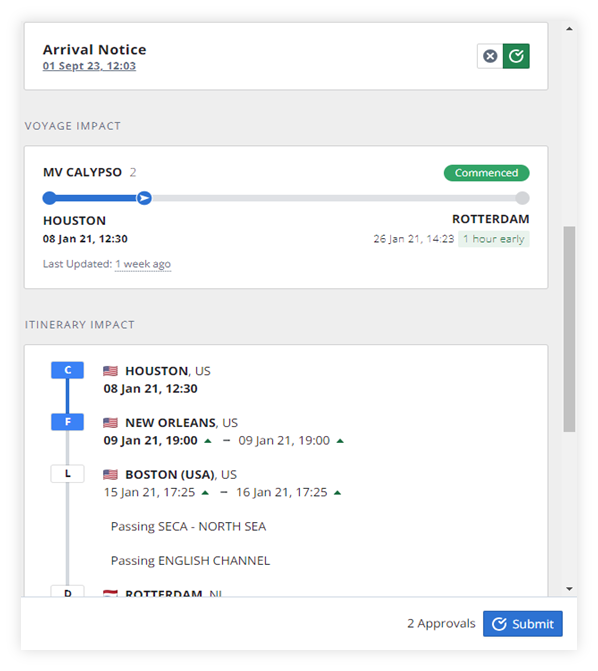
Evaluate and approve Veslink forms: an enhanced experience for Veslink Voyage Reporting
-
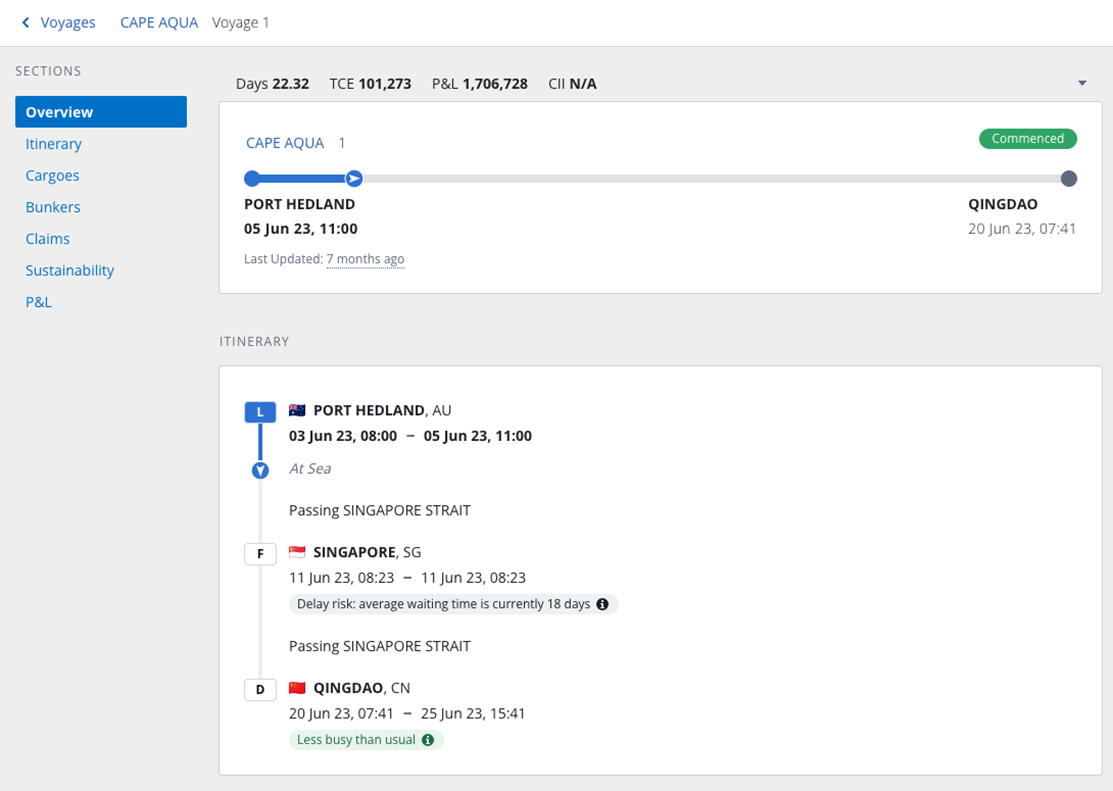
Voyage and Cargoes: a visual overview of the itinerary and voyage status
-
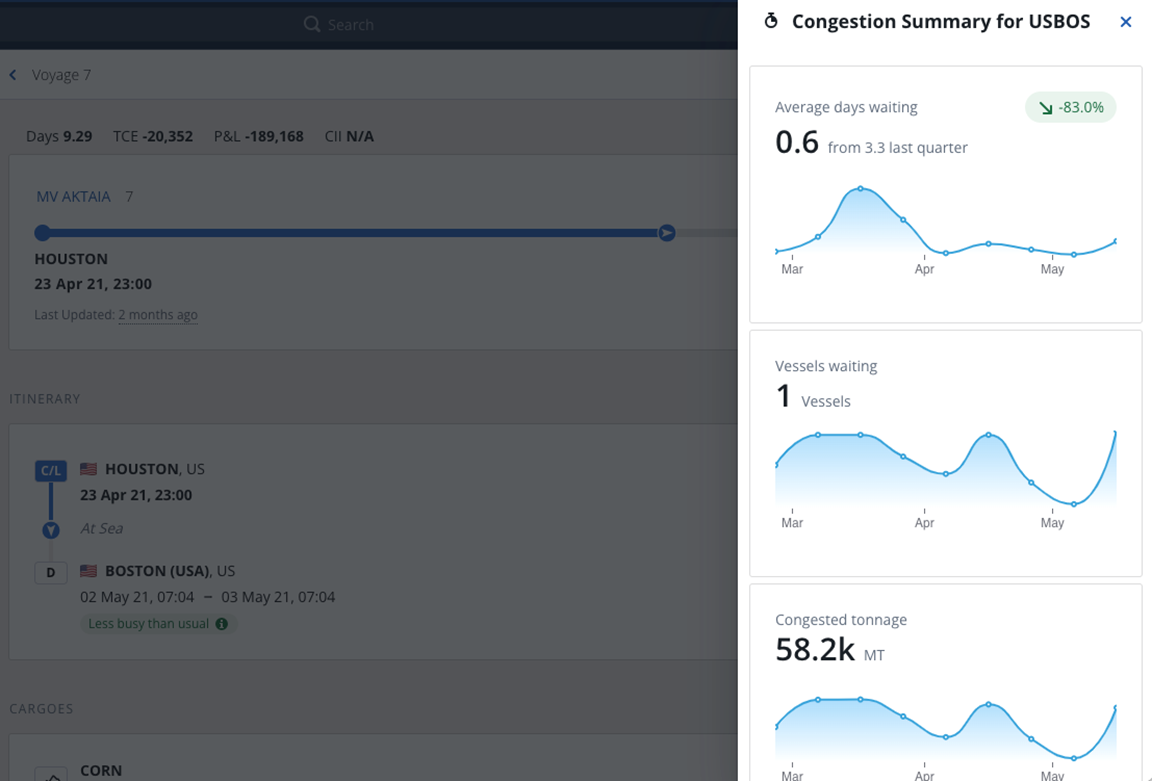
Port congestion data: built-in port congestion analysis and alerts
-
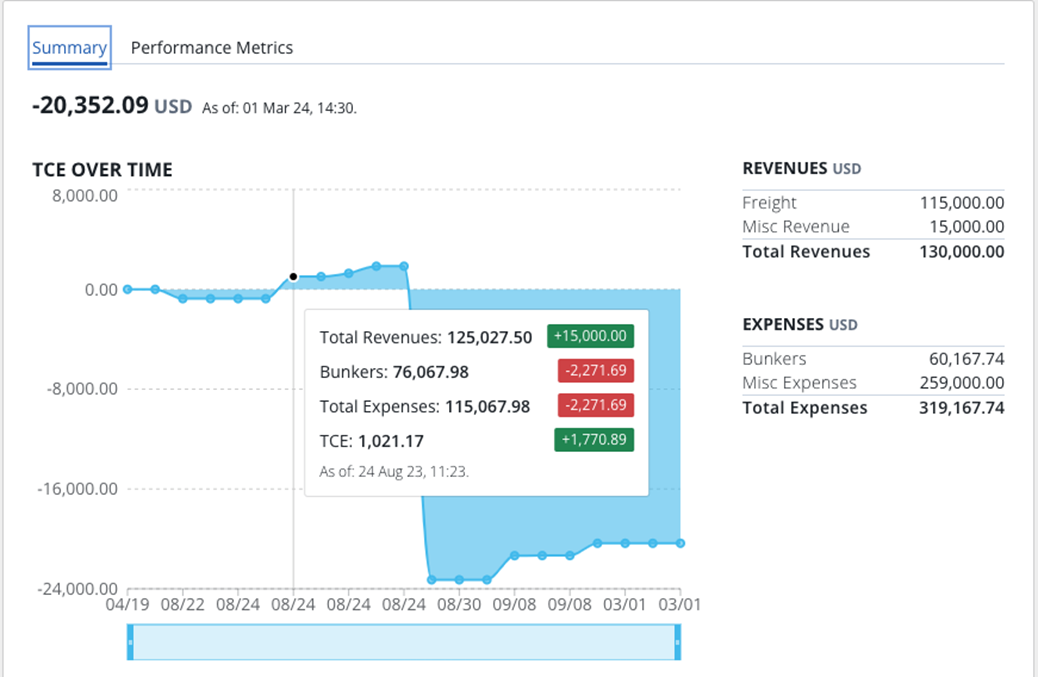
Enhanced P&L: date-driven graph showing daily impact by ledger category
-
Control for Carbon: built-in integration provides vessel details and CII metrics
-
Drag-and-drop attachments: document management to quickly add and organize your files
Evaluate and approve Veslink forms
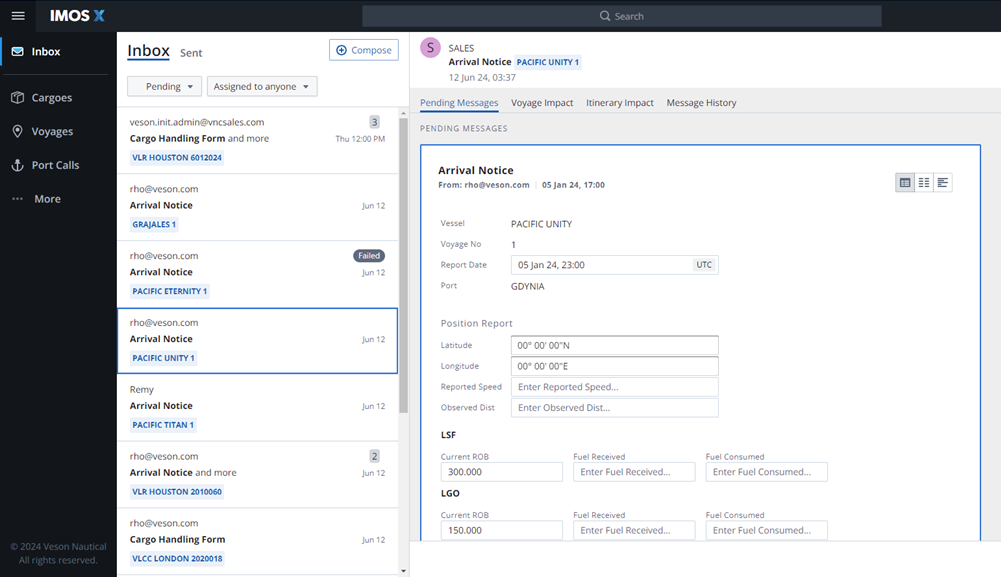
Take advantage of the enhanced Veslink Voyage Reporting workflows in IMOS X, including:
-
Receiving legacy VVR forms in context with the new Inbox workflow
-
Evaluate itinerary impact prior to approval
-
Sync your updates to IMOS
Voyages and Cargoes
View all of your IMOS voyages and cargoes in the enhanced IMOS X user experience.
Port congestion alerts and analysis
Stay ahead of port congestion and downstream delays with inline alerts and analysis powered by Oceanbolt.
Enhanced P&L
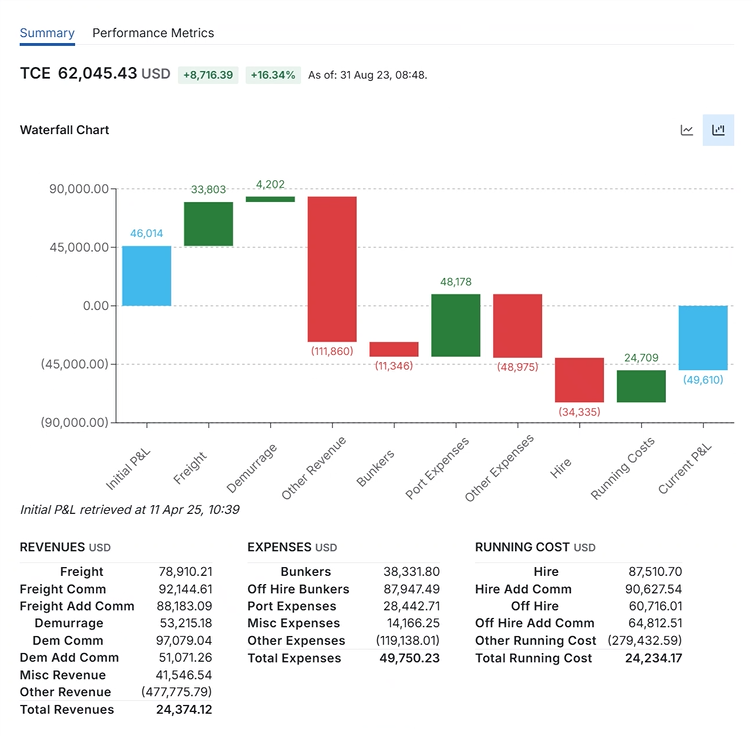
Track and understand profitability swings with the data-driven P&L graph. The graph shows you the daily impact by ledger category.
Use the waterfall chart to see the factors driving changes between the initial and current P&L.
Control for Carbon
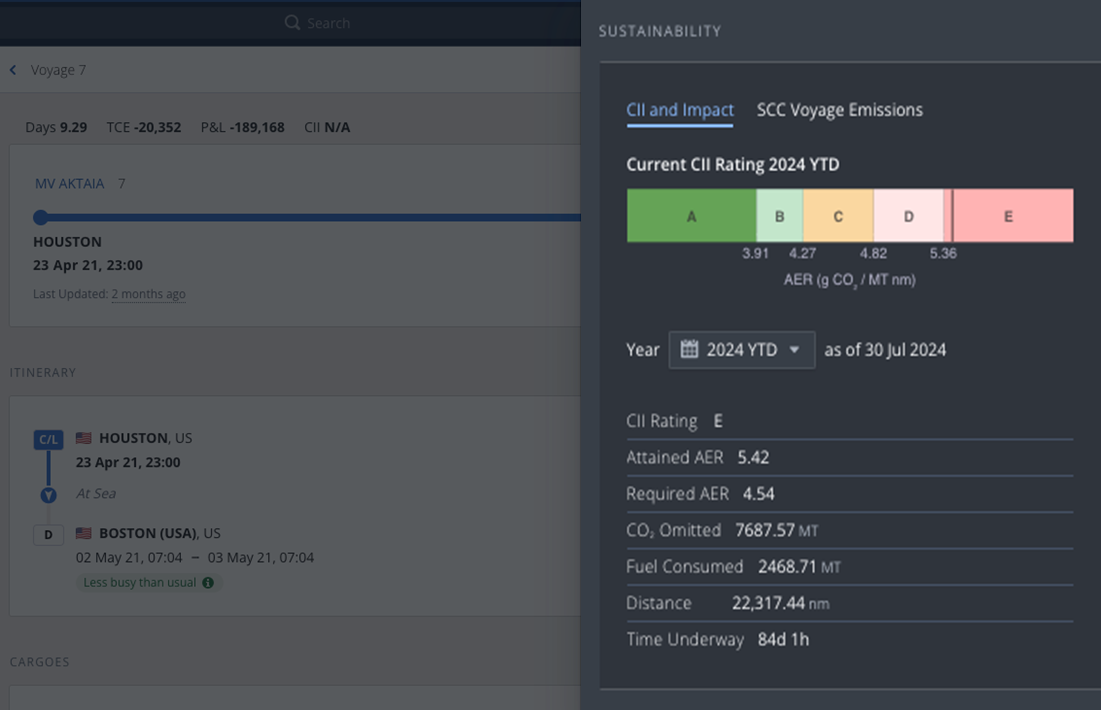
Control for carbon emissions with a clear view of vessel details, ownership, and CII metrics powered by VesselsValue.
Drag-and-drop attachments
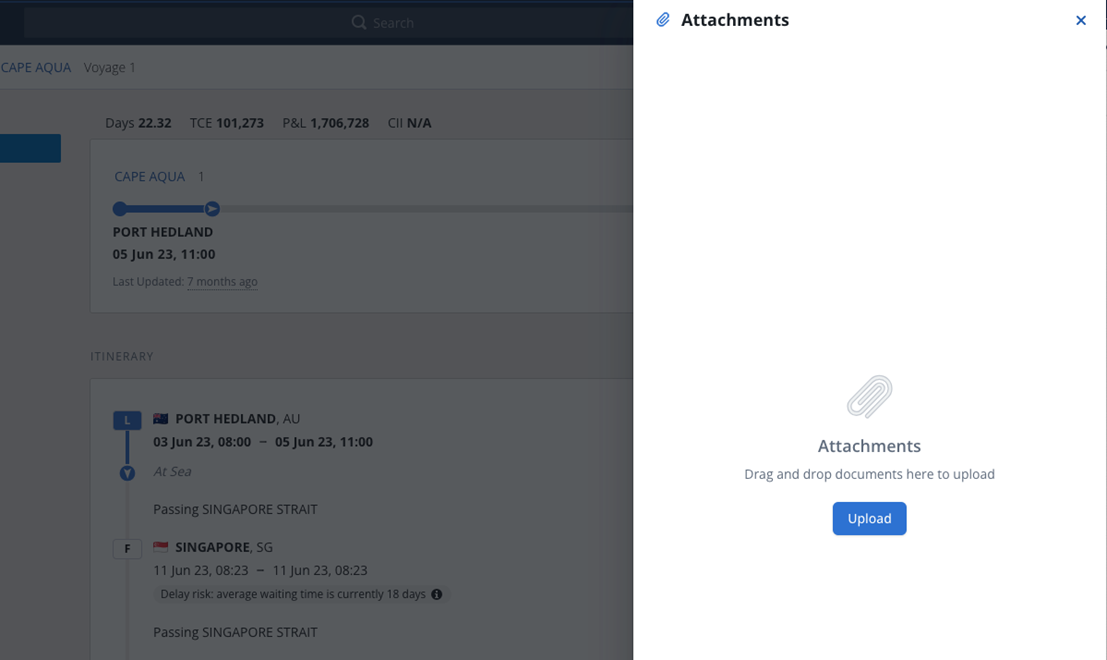
You can drag and drop files to quickly add and organize documents in IMOS X.
Sign out
To sign out, select the icon with your initials on the upper right of the page. Then, click Sign Out in the My Profile panel.
FAQs