
Overview
The Vetting module holds the inspection and observation history for each vessel, giving chartering and vetting reviewers a running record to check alongside the questionnaire before approving a vessel. It covers:
-
Inspection records: dates, outcomes, and inspecting organization for SIRE, CDI, PSC, and terminal inspections.
-
Observations: individual findings logged against an inspection, used to spot repeated or systemic issues across the fleet.
-
Analytics: fleet performance benchmarked against platform-wide data, broken out by chapter/category and by quarter, including a newer SIRE 2.0-specific analytics view.
-
Import: bringing inspection reports in from SIRE and CDI directly rather than manual entry
Adjacent tools: Terminal Vetting (Intertanko database access) and USCG PSIX (U.S. Coast Guard inspection data), both accessed from the same area but functioning as separate lookups rather than part of the core inspection/observation workflow.
Viewing Inspection History for a Vessel
-
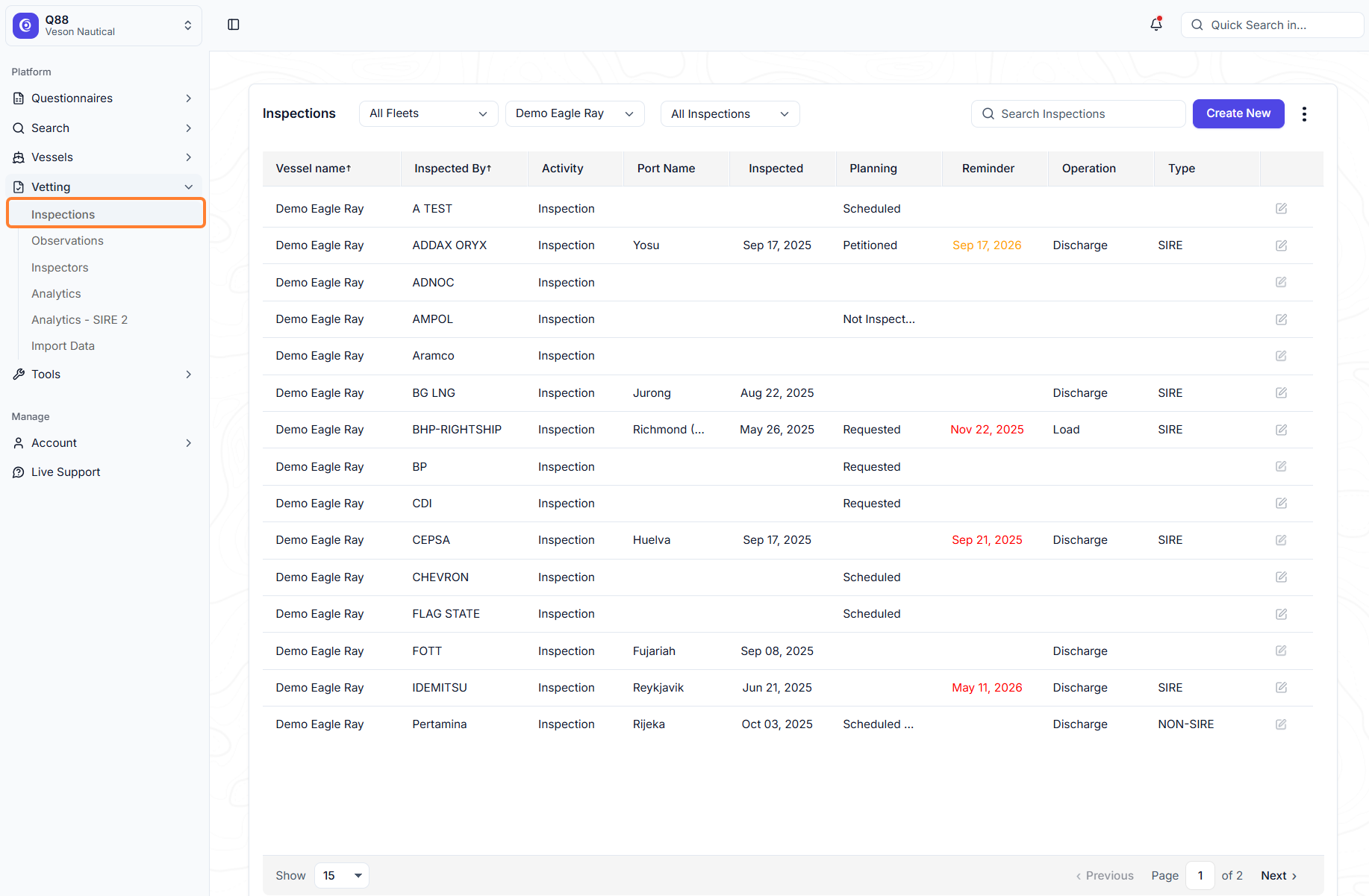
Go to Vetting → Inspections.
-
Filter by fleet, vessel, or saved view; use search to narrow further.

-
The list shows every logged inspection with date, type (SIRE/CDI/PSC/etc.), and outcome.
-
Click an inspection to open its record and edit details.
Creating a New Inspection Record
-
From Inspections, click Create New.

-
Enter Inspected By — select from the existing inspector list, or add a new inspector via "Add New" if theirs isn't listed yet (also manageable directly from the Inspector list/tab).
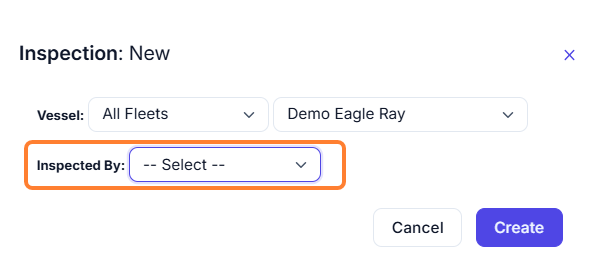
Select an existing Inspector 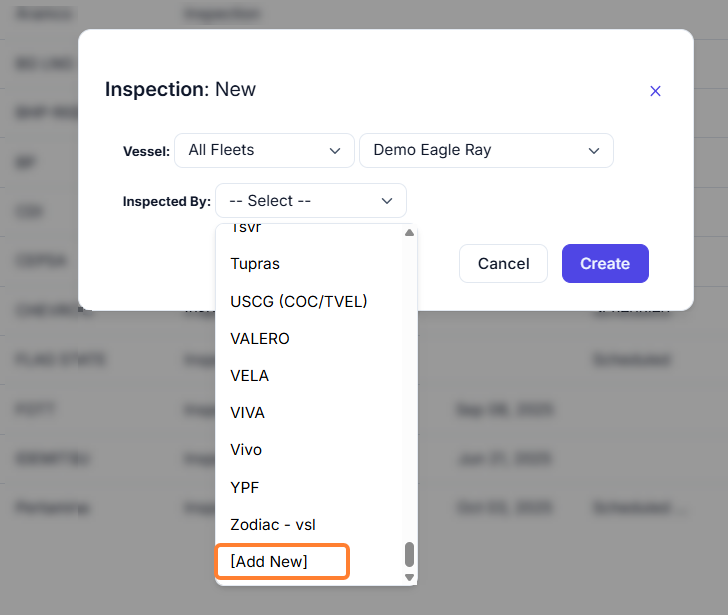
Add New Inspector -
Select an Activity (e.g., Inspection, Screening, Training, Audit) and set activity status (e.g., scheduled, complete).
-
Add any internal notes.
-
Add observations (see next section) or leave for later.
-
Review the Inspection History, gray panel to the left of this form, to confirm the new record's placement in the vessel's timeline.
-
Click Save.
Adding Observations
-
Manual entry: add observations directly against the inspection.
-
Importing: use the Import Data option (or email the report to download@q88.com) to bring in a SIRE or CDI report directly (PDF or XML depending on type) instead of manual entry. PSC inspections cannot be auto-imported — there's no single standard PSC format across port authorities, so those must be entered manually.
Using Analytics
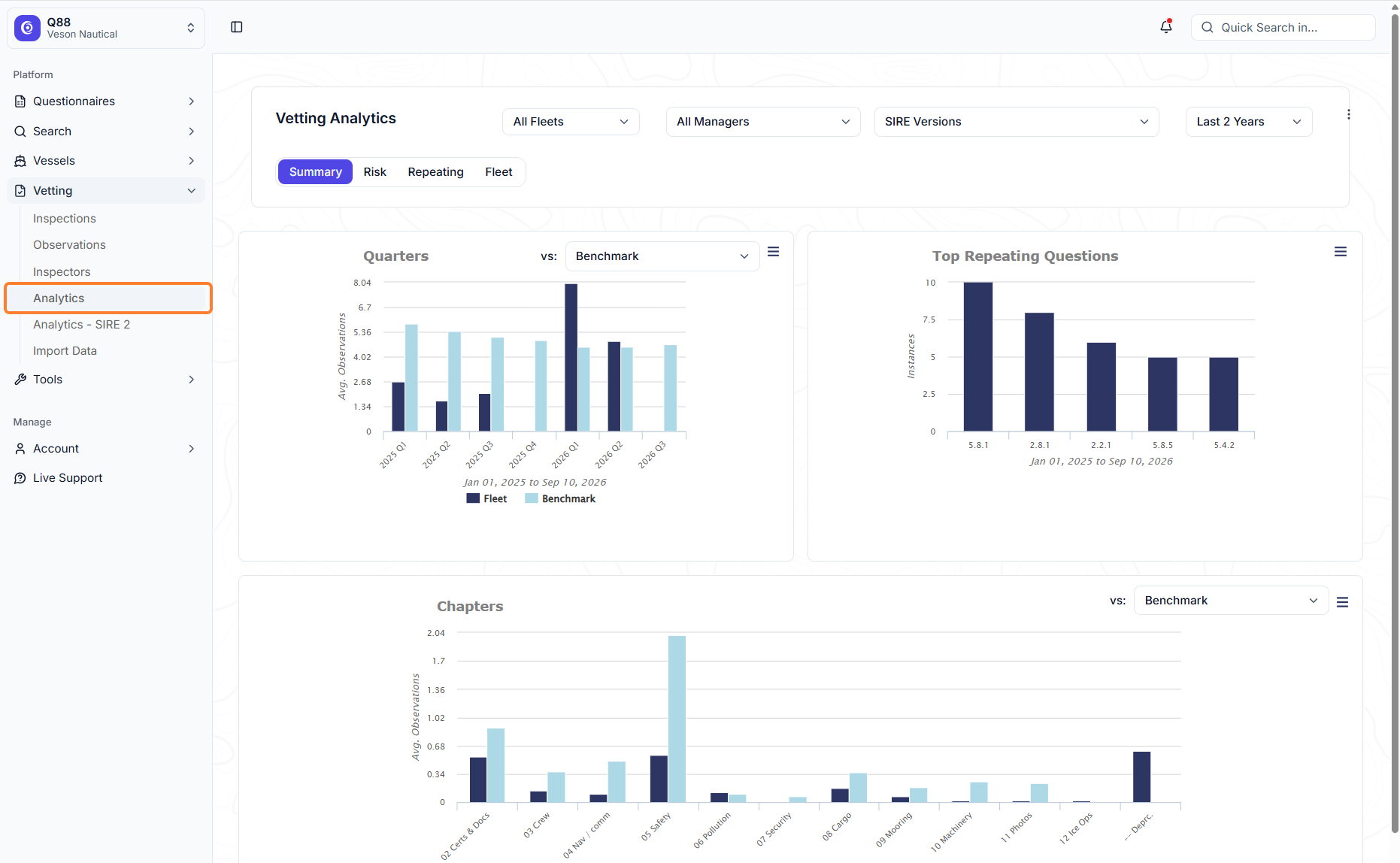
Go to Vetting → Analytics.
-
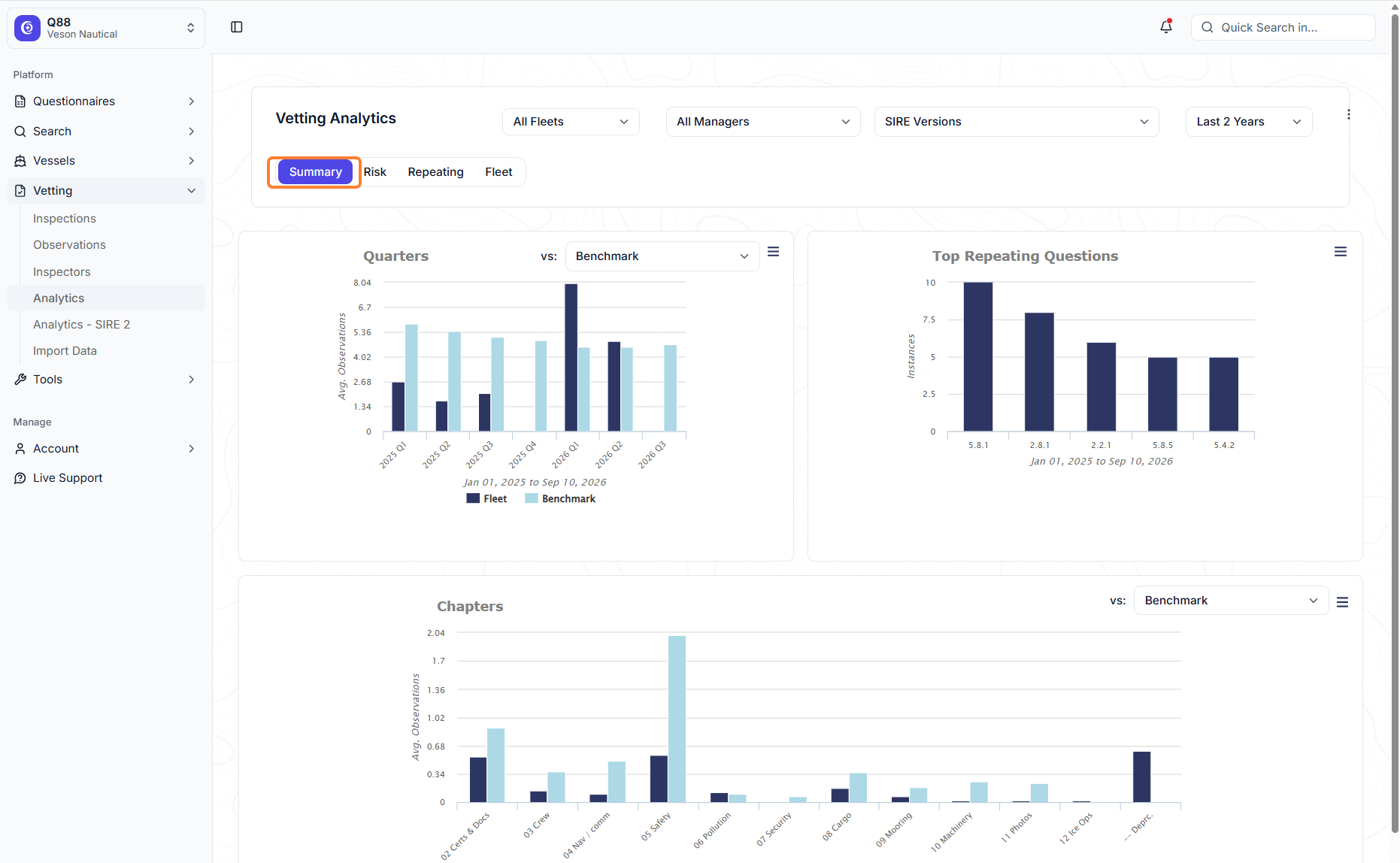
Summary: fleet-average observations vs. an industry benchmark, by quarter and by chapter/category.
-
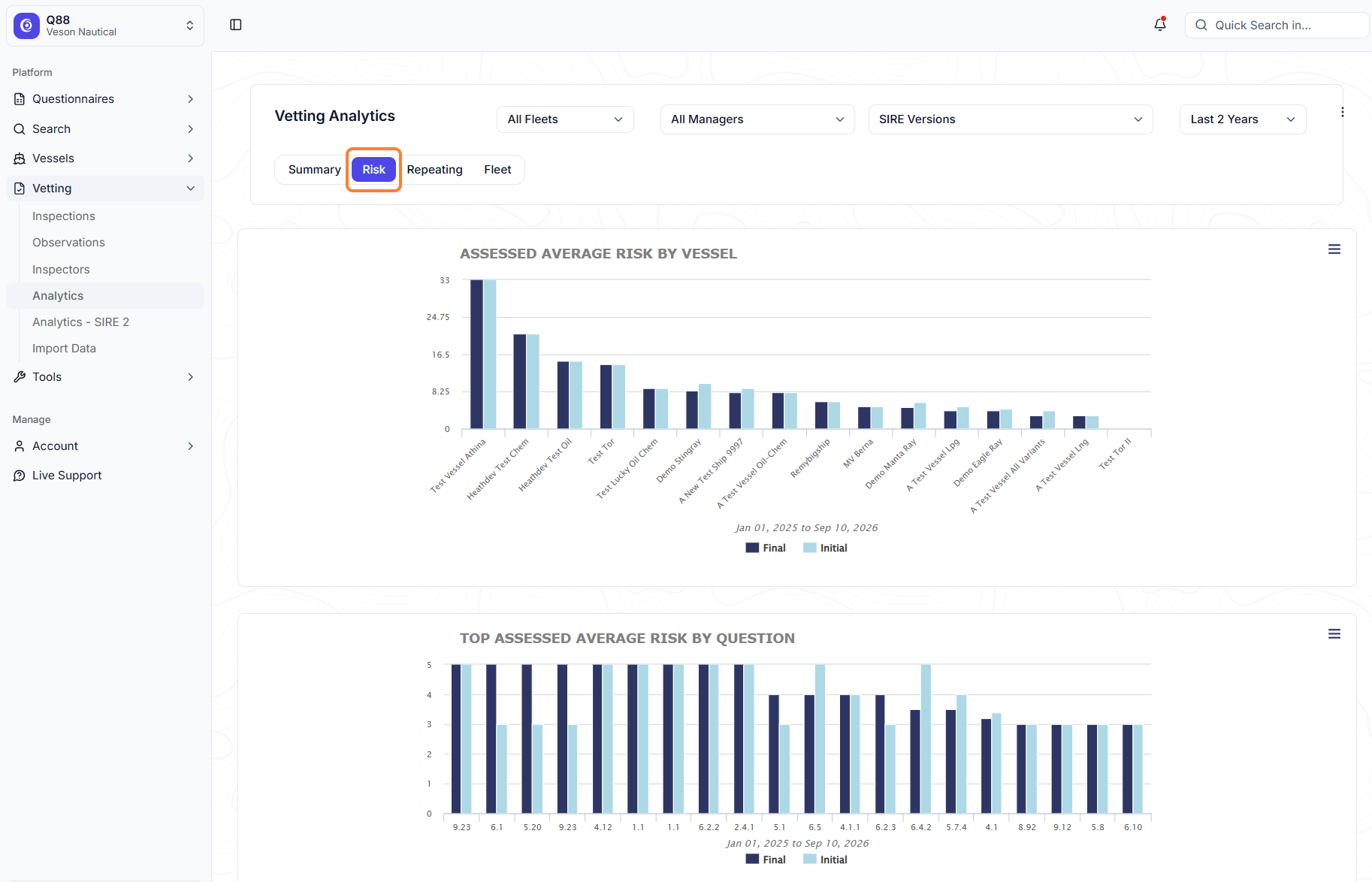
Risk: compares initial and final observations by vessel and by question — useful for tracking closeout.
-
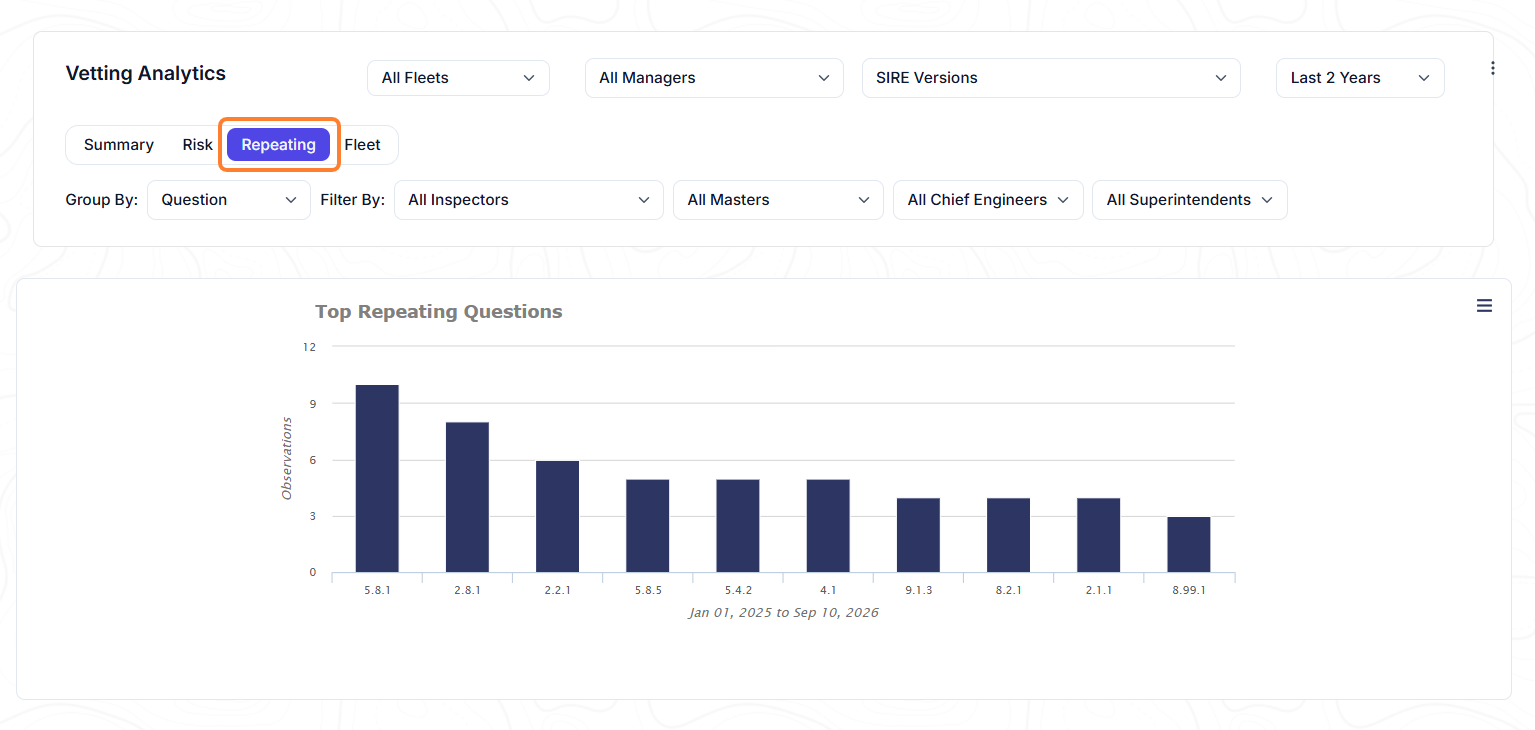
Repeating view: surfaces top recurring findings across the fleet.
-
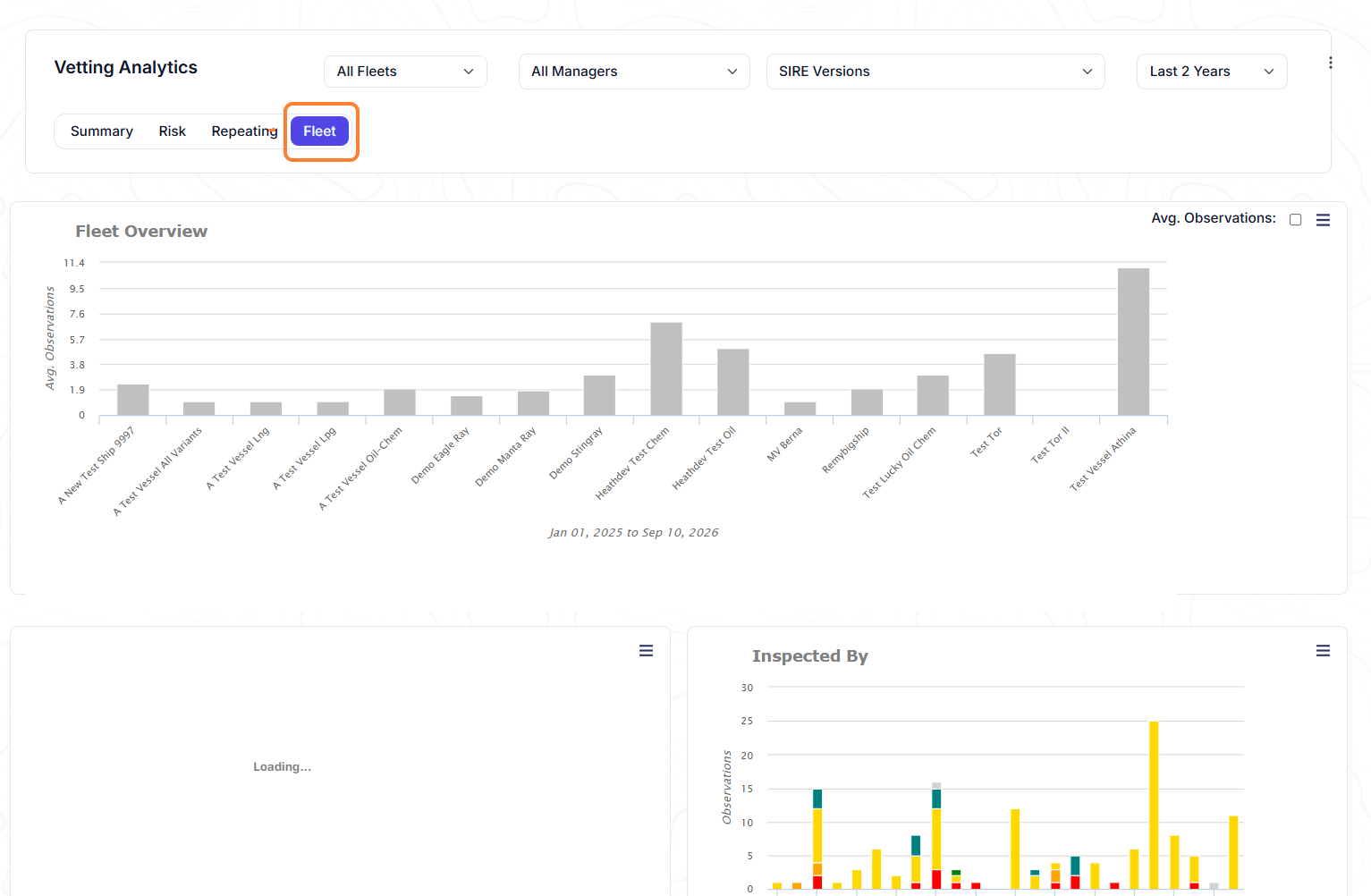
Fleet tab: a condensed summary across the whole fleet.
Managers Filter
To scope benchmarking (e.g., to exclude a previous manager's inspections from your own stats): use the Manager field filter, the observation-level Exclude from Analytics checkbox, or a custom date range.

Using Analytics - SIRE 2.0
-
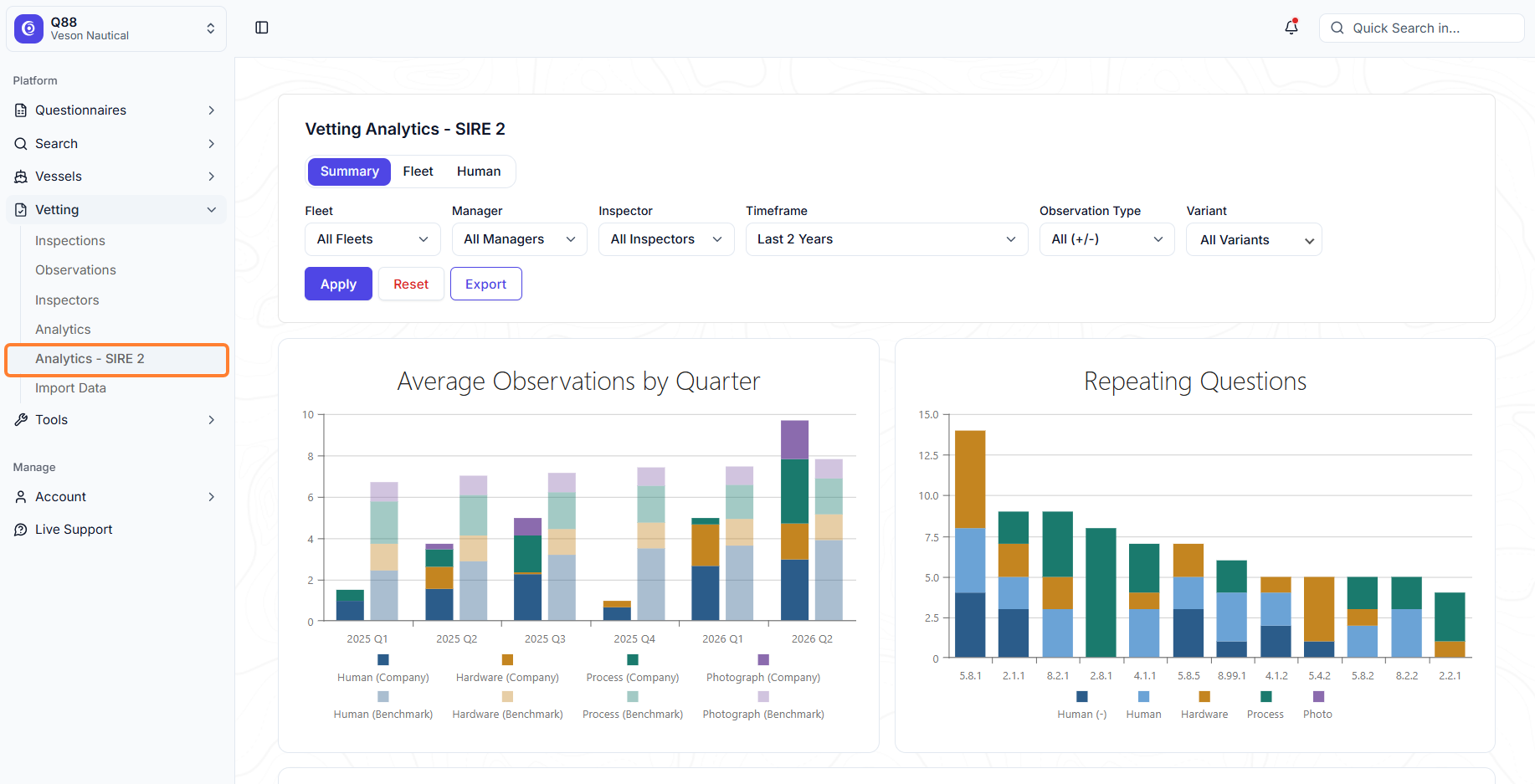
Newer inspections (SIRE 2.0, introduced industry-wide ~2 years ago) generate a much higher observation volume than legacy SIRE and don't fit the original analytics model, so they have their own tab, shown here.
-
This view breaks results down further into Human / Hardware / Process categories.
-
For historical comparability against pre-SIRE 2.0 data, a VIQ 7 view is available; otherwise the current SIRE 2.0 question set is used by default.

FAQs
Why do "All Inspections" and a specific type filter (e.g., "PSC") show different totals for the same vessel?
"All Inspections" shows only the latest inspection per vessel per inspecting organization/inspector. Filtering to a specific type shows every inspection of that type from every inspector. A vessel with several historical PSC inspections from the same authority will show more rows under "PSC" than under "All Inspections."
Why doesn't my Q88 observation count match the official OCIMF inspection report?
OCIMF allows an inspector to merge repeated findings under one checklist number into a single answer. Q88 doesn't have an equivalent merge toggle, so it shows every discrete observation, meaning Q88's count can run higher than the official report's.
Is Vetting Analytics benchmarking me against the industry, or just my own fleet?
Benchmarking compares you against all inspections/observations reported across the whole Q88 platform (i.e., "industry" = Q88's own aggregate customer base, not an external dataset). To exclude data from before you managed a vessel, use the Manager filter, the Exclude from Analytics checkbox, or a custom date range — see the Using Vetting Analytics section.
How do SIRE 2.0 observations actually work in Q88?
-
Human observations require a Rank and one or more PIFs (from a set of 10 checkboxes) and can be logged as positive or negative.
-
Hardware and Process observations require a Subject of Concern (SOC) and Nature of Concern (NOC).
-
Multiple observations can be logged per question. If several observations really represent one finding, use Exclude from Analytics on the duplicates so they count once in reporting.
Can PSC inspections be imported automatically like SIRE and CDI?
No. There's no single standard PSC report format across port state authorities, so only SIRE and CDI inspections can be auto-imported (PDF or XML). PSC must be entered manually.