
👤 For a Specific User
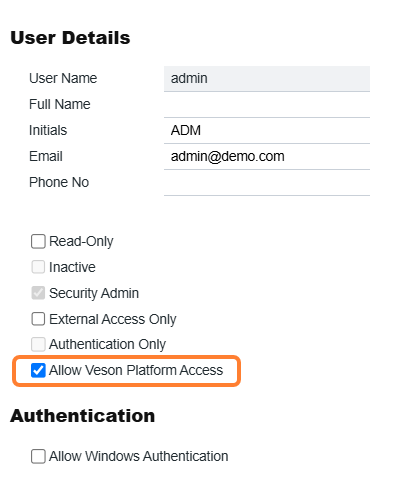
Navigate to IMOS > Data Center > Security and go to a specific user profile. Select Allow Veson Platform Access on that user's profile and Save.
👥 For All Users
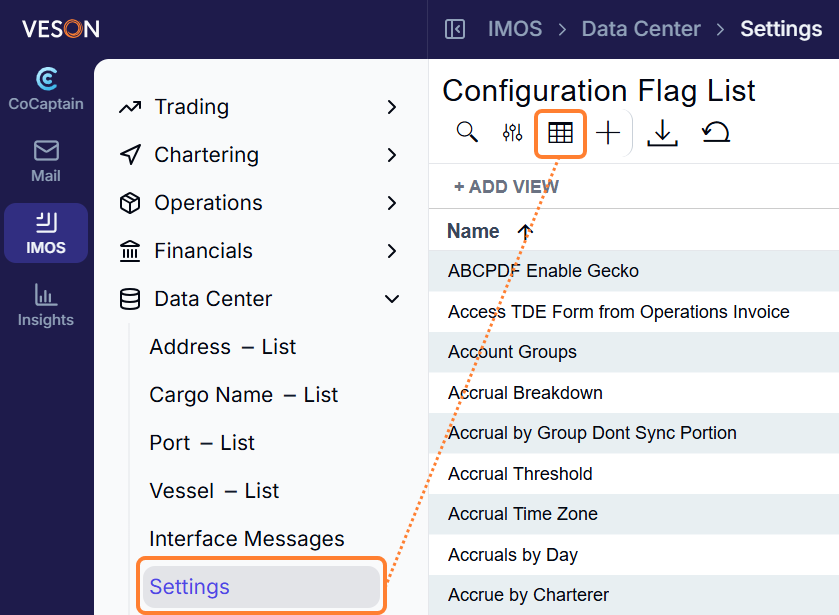
In IMOS > Settings, select the Grid icon at the top of the screen, under Configuration Flag List.
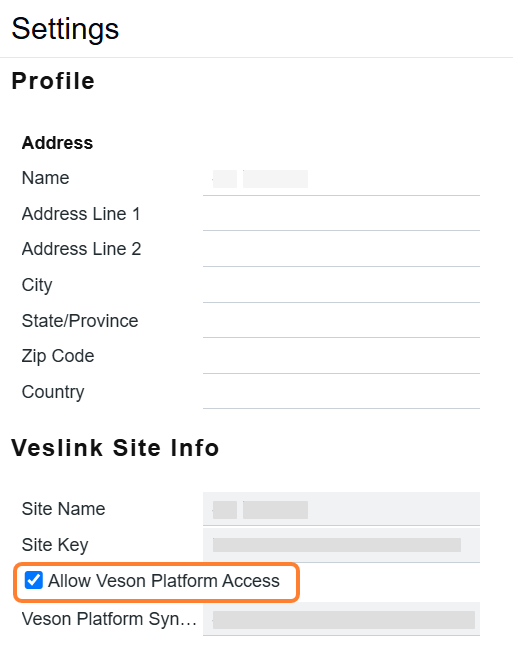
Select Allow Veson Platform Access, under Veslink Site Info, and save.
🌐 Accessing the Platform
Once you've made these changes, go to app.veson.com to access the platform. Users can sign in with their existing IMOS credentials.