
Accessing DWT/Draft Calculator
You can calculate the Dwt/Draft for all of your registered vessels on the Q88 platform from the sidebar menu under Tools → DWT/Draft Calculator.
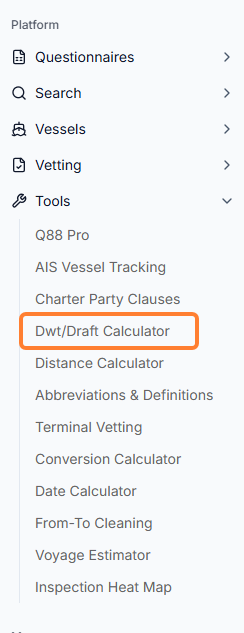
Q88 Onboard Users: All Onboard users have access to this calculator. However, depending on your access level, you may only be able to select your dedicated vessel.
How to Use the DWT/Draft Calculator
Once you are on this page, you will need to do the following:
-
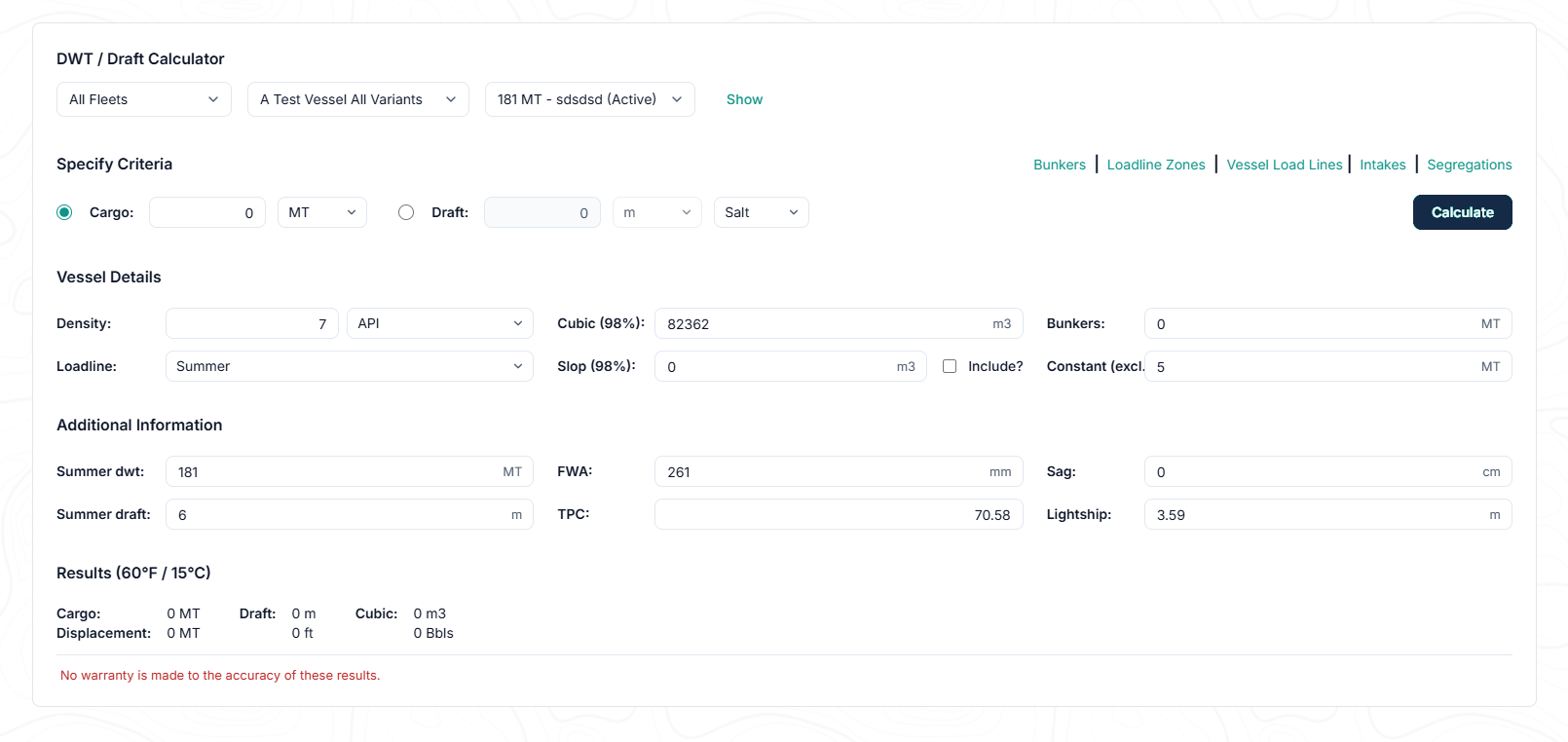
Select the relevant fleet and vessel name. Click the Show link.
-
Under the Specify Criteria, select either Cargo or Draft. Enter MT of the cargo or height of the Draft.
-
Fill out the necessary information for both Vessel Details and Additional Information. Click the Calculate button.
-
The system will provide the relevant calculation at the bottom of the screen.