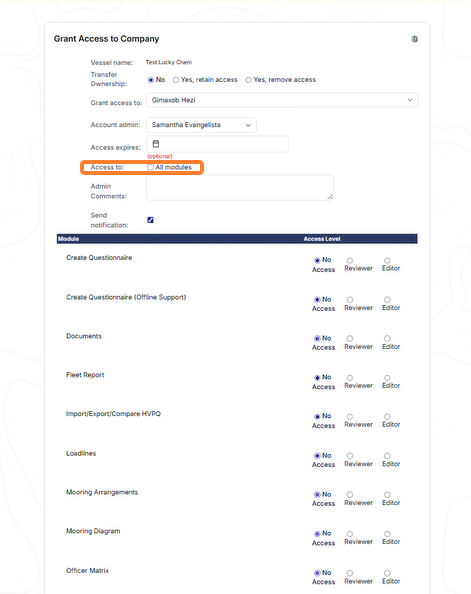
You can share access to your vessels with other operators and view vessels shared with you.
Accessing Request Vessel Access
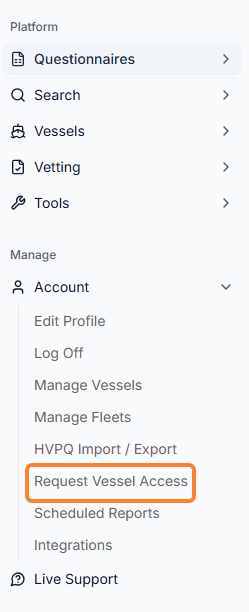
You can find the tool in the sidebar menu under Account → Request Vessel Access.
Requesting Access to Other Vessels
There are different ways to request vessel access.
Raising a request in your account
-
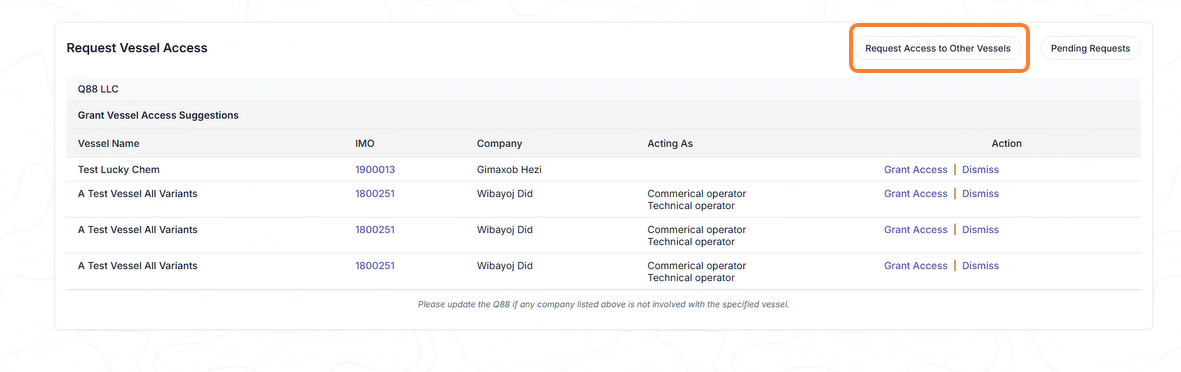
Select the Request Access to Other Vessels button.
-
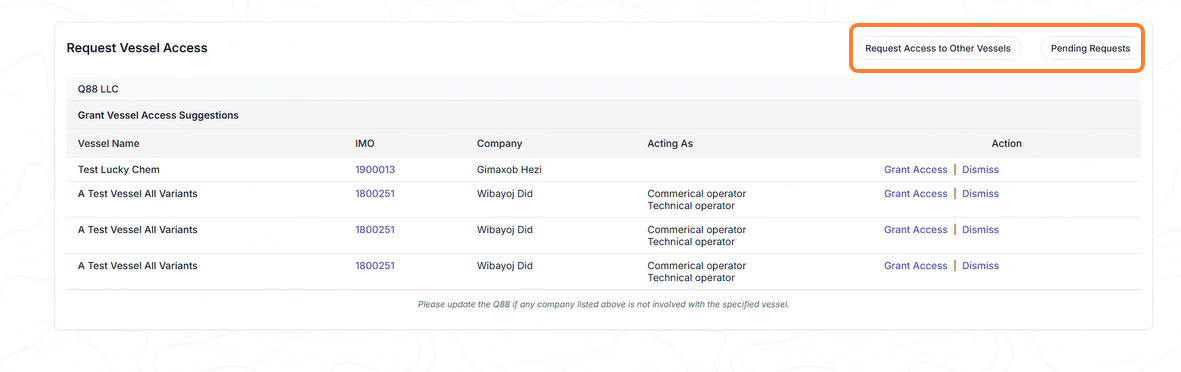
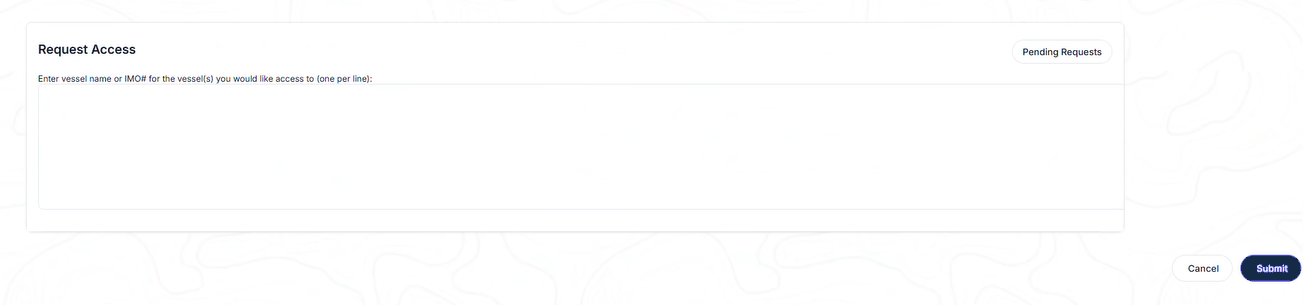
From the new window, you can either click on the Request Access to Other Vessels or review the Pending Requests from third parties.
-
Request Access to another vessel(s) by typing the name or IMO number(s) → click the Submit button.
Request shared access by creating a VS ticket
Please follow the steps below to request a vessel transfer from the current owner to your account.
-
Create a VSD Jira ticket from the Veson Service Desk.
-
Add the current owners you’re requesting the vessel transfer from as participants.
-
Provide the Vessel Name and IMO number.
-
We will then transfer the vessel to your Q88 account, once the current owner gives us permission to transfer and have their officers removed from the vessel’s entry.
Raising a request via Live Support
-
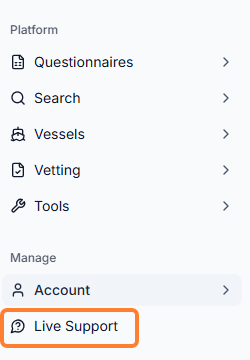
In the sidebar menu, select the Live Support icon.
-
Select Ask a question.
-
Type your question into the message field.
Pending Requests for Shared Access
Select the Pending Requests button to view them.
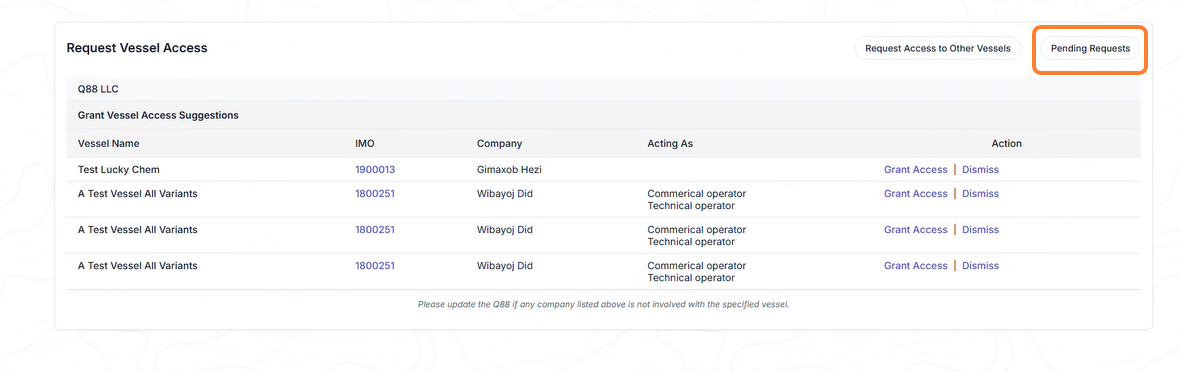
Once you reach the next page, you can approve or decline the requests.
Modify the Access Levels
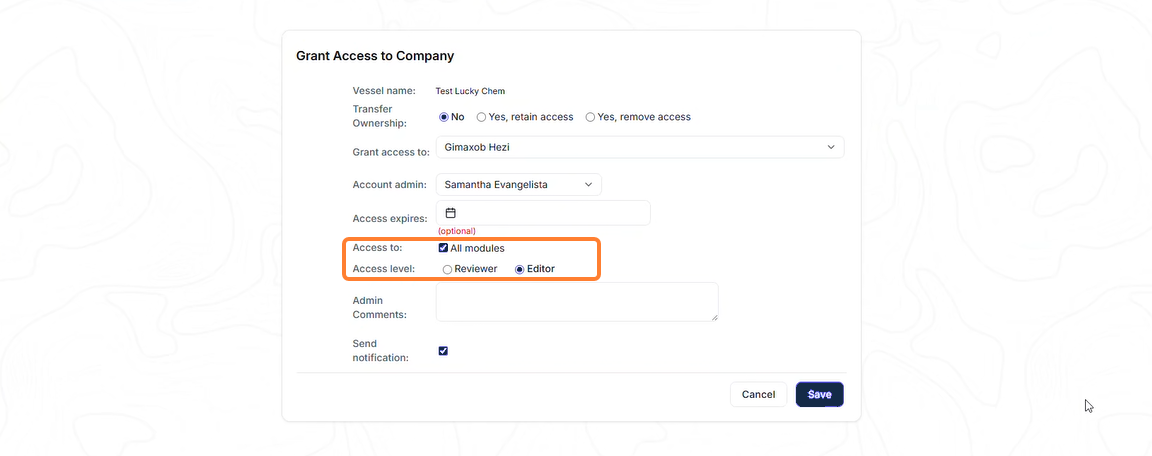
If you approve the sharing access request, you must modify the access levels.
-
By clicking the All modules, you will have access to everything as an access level of either a Reviewer or Editor.
-
If you deselect the All modules, you’ll need to determine the access level for specific modules and click Save.