
Update the commercial status of vessels to keep your team informed of changes
By updating the Commercial Status of a vessel on your tonnage screen you and your colleagues can have a revised, up-to-date view of all vessel positions that are commercially available.
NOTE: The Commercial Status is related to the vessel's opening position/date. Therefore, if you change the commercial status on a vessel on the tonnage screen, the next time she is advertised to you on a different, new open position/date, the commercial status will be reset accordingly, i.e. it will NOT remain on the vessel in perpetuity, only until she's advertised again on a different/new opening position/date.
You can update the Commercial Status by clicking on the field and selecting the respective status or hitting the respective hotkey.
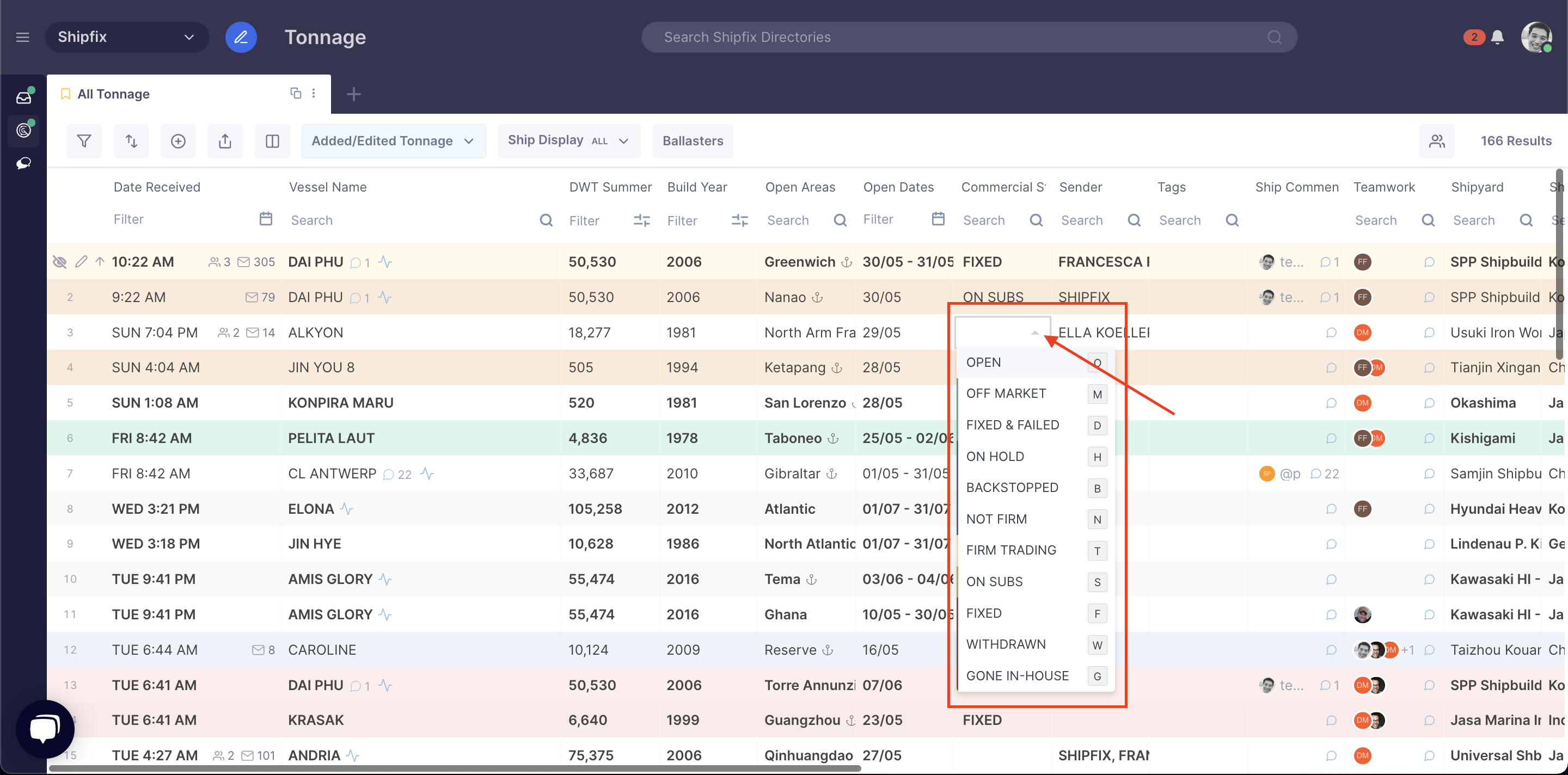
The following is a guide to the Commercial Status column, showing the different available status' updates that can be applied and the assigned colour code for each status:
|
Commercial Status |
Colour Code |
Hot Key |
|
OPEN |
WHITE |
O |
|
OFF MARKET |
GREEN |
M |
|
FIXED & FAILED |
GREEN |
D |
|
ON HOLD |
BLUE |
H |
|
BACKSTOPPED |
BLUE |
B |
|
NOT FIRM |
BLUE |
N |
|
FIRM TRADING |
AMBER |
T |
|
ON SUBS |
ORANGE |
S |
|
FIXED |
RED |
F |
|
WITHDRAWN |
RED |
W |
|
GONE IN-HOUSE |
RED |
G |