
How to Access
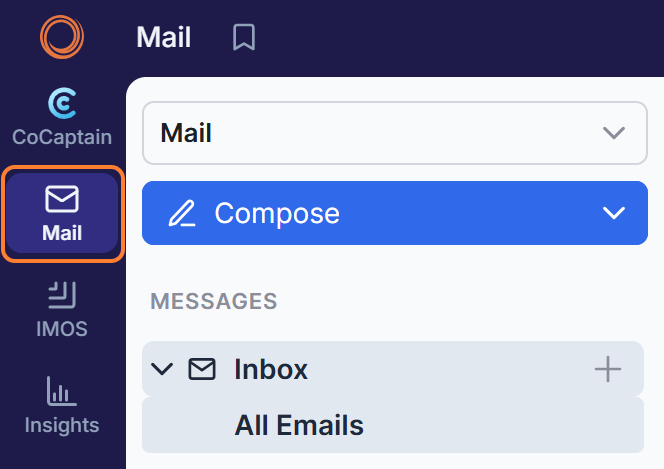
In the Veson Platform, go to Mail in the sidebar menu.
What can I do with Mail?
Mail gives you a fast, intelligent email workspace which classifies, tags, and organizes your maritime communications. Here are some of the features you can explore in the Veson Platform:
|
Feature |
What you can do |
|---|---|
|
Full email management |
Receive, read, reply, reply-all, compose, and forward email, with dedicated Inbox, Sent, Drafts, Scheduled, Archived, Outbox, and "All" views |
|
Smart composer |
Compose with a pop-out draft window that keeps the original message visible while you write |
|
Scheduling & drafts |
Schedule emails to send later; drafts are saved automatically until you choose to discard them |
|
Reminders |
Snooze an email to resurface at a set date/time, with "remind me only if no reply" or "remind me regardless" options (private mailboxes) |
|
AI email parsing |
Machine learning reads each email to identify its type and automatically extract vessel, cargo, and shipping details |
|
Custom inbox tabs |
Build, rename, bookmark, duplicate, and share unlimited focused tabs that update live as new mail arrives |
|
Advanced filtering |
Filter mail well beyond standard email by sender, date, tags, attachment and email type, plus shipping-specific filters (tonnage, orders, and detailed vessel specifications) |
|
Powerful in-mailbox search |
Keyword, exact-phrase, field-specific (from/subject/body), and exclusion searches, with OR logic available through the filters panel |
|
Flexible layouts & views |
Switch between Card, List, and Table views; customizable columns; vertical, horizontal, or focused reading panes; conversation grouping and multiple sort orders |
|
Bulk actions & teamwork |
Bulk-select to mark as read, archive, flag, tag, or mark Working on it; collaborate with tags, comments, and mentions |
|
Organization tools |
File mail with folders per connected mailbox and quick-access shortcuts, using simple drag & drop |
|
In-email vessel & port links |
Click vessel, port, and contact links directly within an email |
|
Sender controls |
Mute or unmute specific senders to keep your inbox focused |
|
Email forwarding |
Set up email forwarding rules within Mail |
|
Shared mailbox support |
Work across connected group/shared mailboxes, including viewing only the emails you sent from a group mailbox |
|
Productivity shortcuts |
Keyboard hotkeys throughout for reading, replying, navigating threads, bulk select, and reminders |
|
SharePoint integration |
Attach files directly from a connected SharePoint directory when composing an email, and save incoming attachments straight back to SharePoint |
|
Forgotten-attachment detection
|
Get a warning before sending an email if its content suggests an attachment should be included but was not added |
|
Reply attachment preference
|
Set a default for whether attachments from the original message are automatically included when you reply |
|
Attachment preview options
|
Choose to preview attachments side-by-side with the email or open them in a separate window |
|
HTML view toggle
|
Turn an open email's HTML rendering on or off to show or hide clickable vessel, port, and contact links |
|
Hidden tags visibility
|
Reveal tags on an email that have been hidden from the default view |
|
Mail linked to voyage records
|
See related emails alongside their Cargo, Voyage, or Claim record in a side panel |
|
Tab notifications and live counters
|
Turn on desktop and mobile notifications for new mail in specific tabs, including alerts when you or your team are tagged or mentioned |
A note on CoCaptain: CoCaptain and Mail aren't yet connected for querying. The two experiences are expected to come together in the future.
A note for existing Shipfix users: If you're an existing Shipfix user, your Shipfix Mail URL provides you with the most complete set of mail capabilities. While some features are still on the way in the Veson Platform, you can already take advantage of its streamlined, speed-focused inbox and core tools.