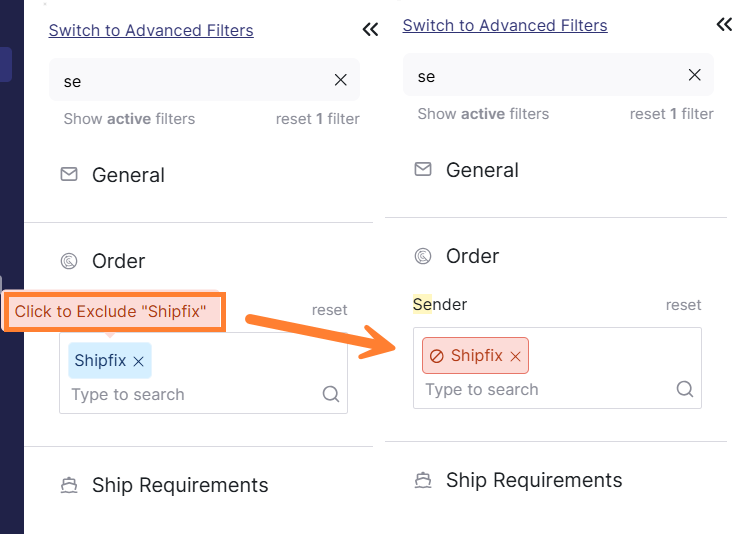
You can exclude specific senders from your cargo lists by using the negative filter feature.
To exclude a sender from your cargo list:
-
Navigate to your cargo list or orders tab.
-
Click on the

-
Locate the Sender or From filter field.
-
Enter the sender's name or email address you want to exclude.
-
After the sender appears as a filter tag, click on it.
-
The filter tag will be highlighted in red, indicating exclusion.
-
Results will now exclude emails from that sender.