
To remove a user from your organization, you must have a Support, Owner, or Manager role. You can remove users through the User Management interface.
To remove a user from your organization:
-
Select My Profile located at the top right corner of your screen.
-
Select Workspace from the menu.
-
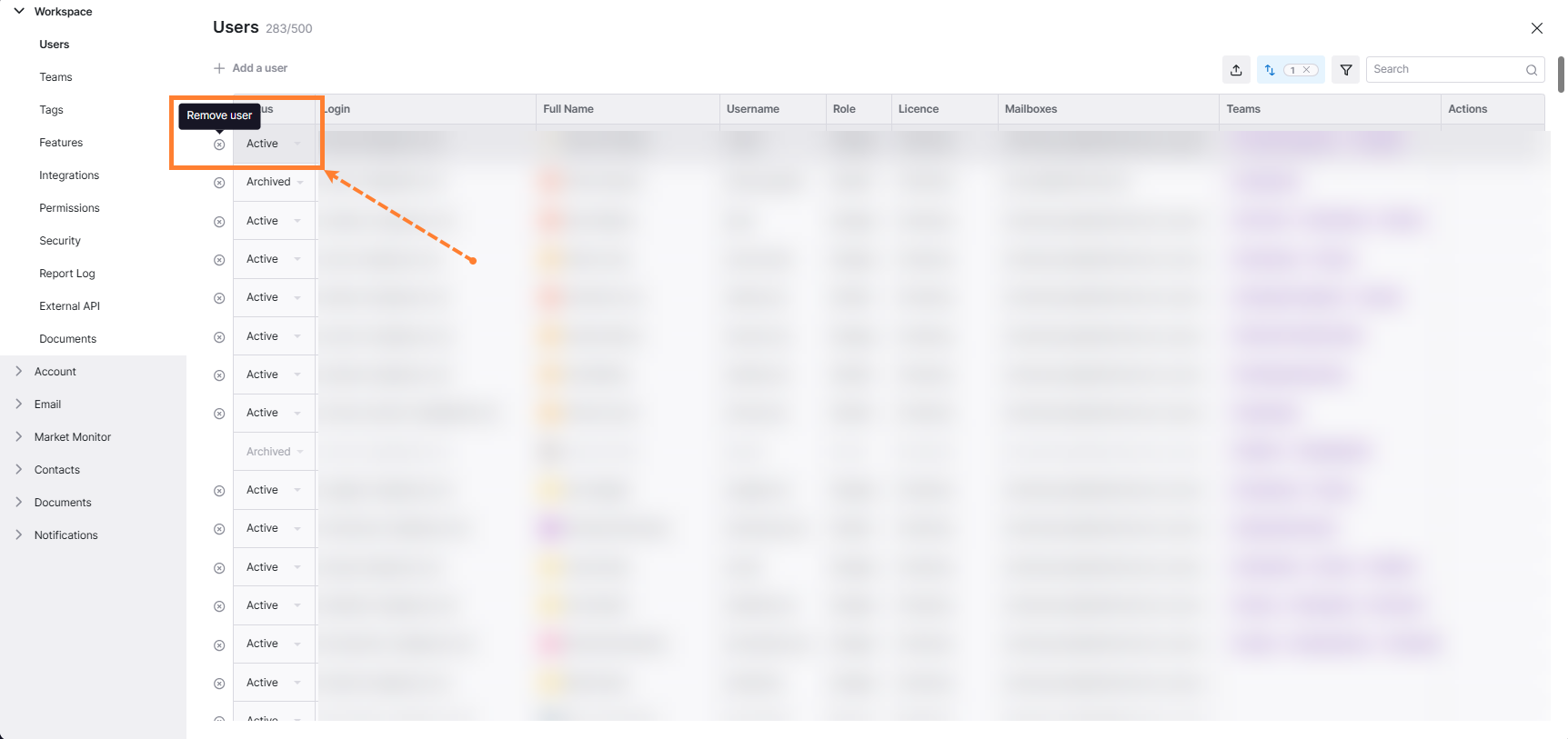
A settings page will display the list of all users in your organization.
-
Locate the user you want to remove.
-
Click on the X icon next to the user’s name.
-
Confirm the action by clicking Remove in the confirmation dialog.
Managing shared mailbox access:
After removing a user, you may also need to adjust their access level to shared mailboxes:
-
Click on your profile icon at the top right corner of your screen.
-
Select Mailboxes.
-
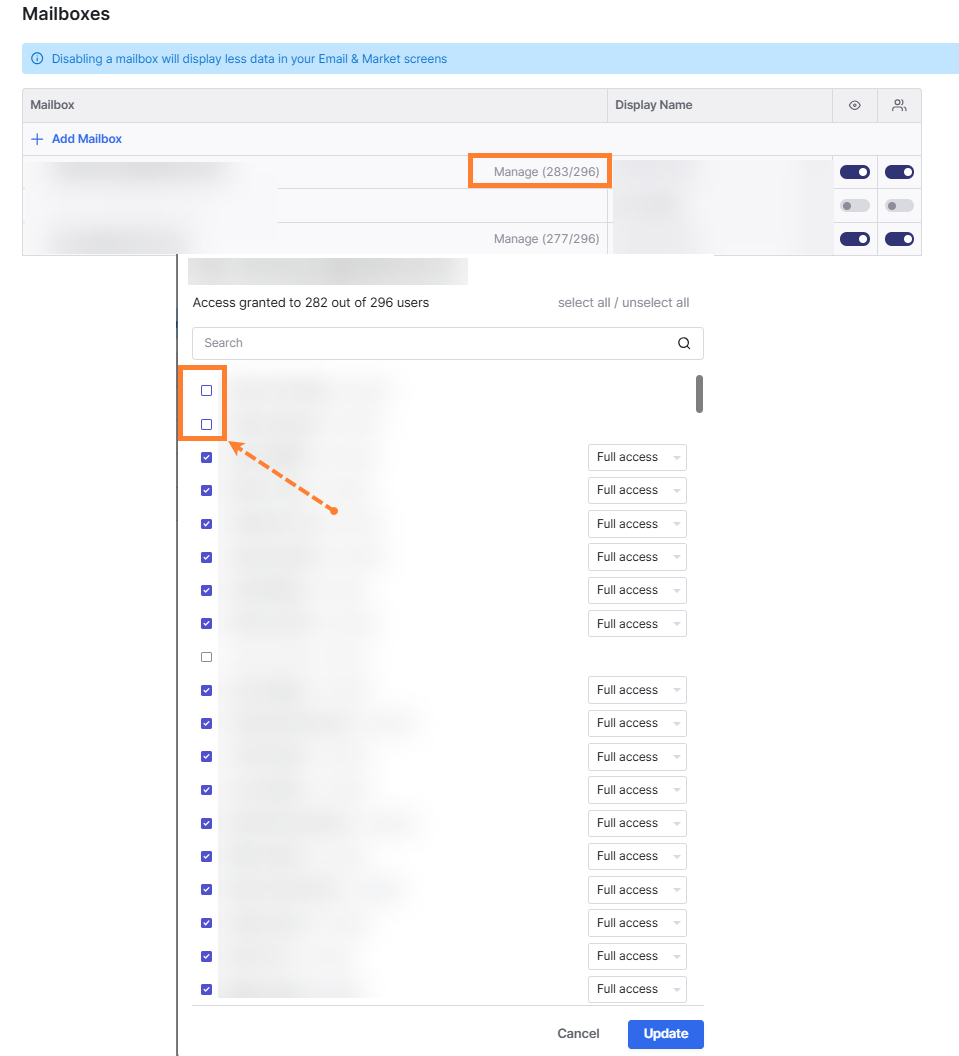
Click Manage to adjust user access to shared inboxes.
-
Remove the user from any shared mailboxes they had access to.
-
Click on the Update button.
Alternative: Archiving users
Instead of removing a user, you can archive them to preserve their historical data while preventing access. See How to Archive Deleted Users in Shipfix