
An overview of vessel ownership details is available for clients that subscribe to any “Market Value” or “Fleet Database” subscription.
Option one: individual vessel page
-
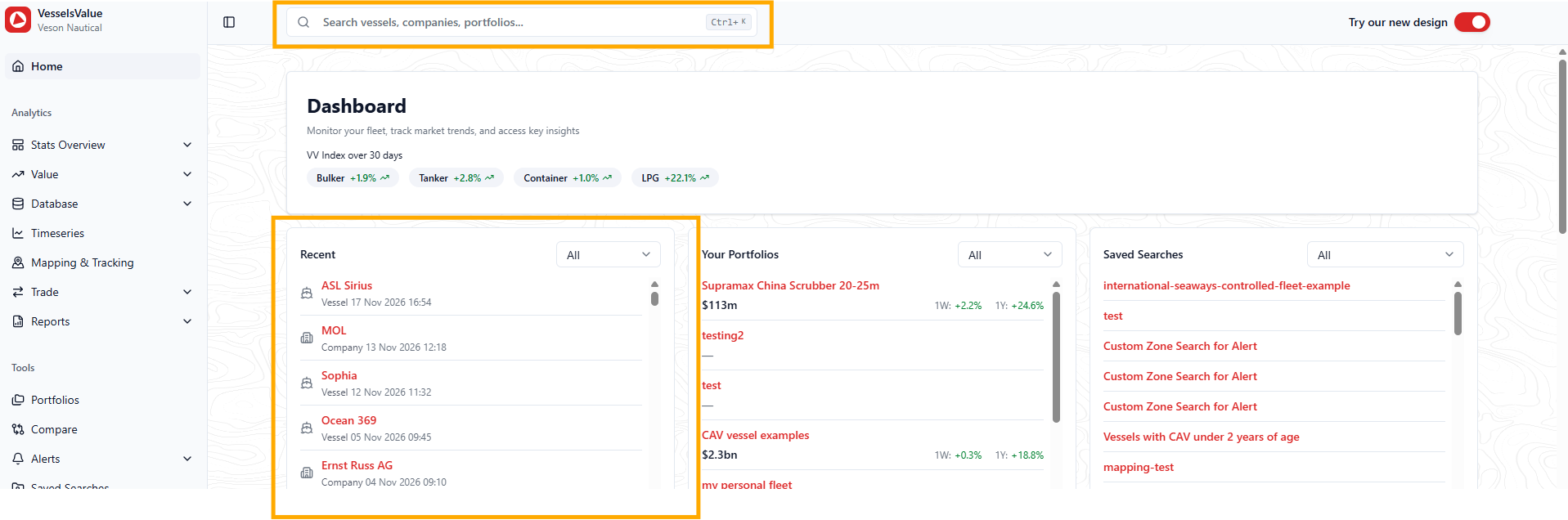
Search for the vessel in the quick search, or select the vessel from your recently viewed section
-
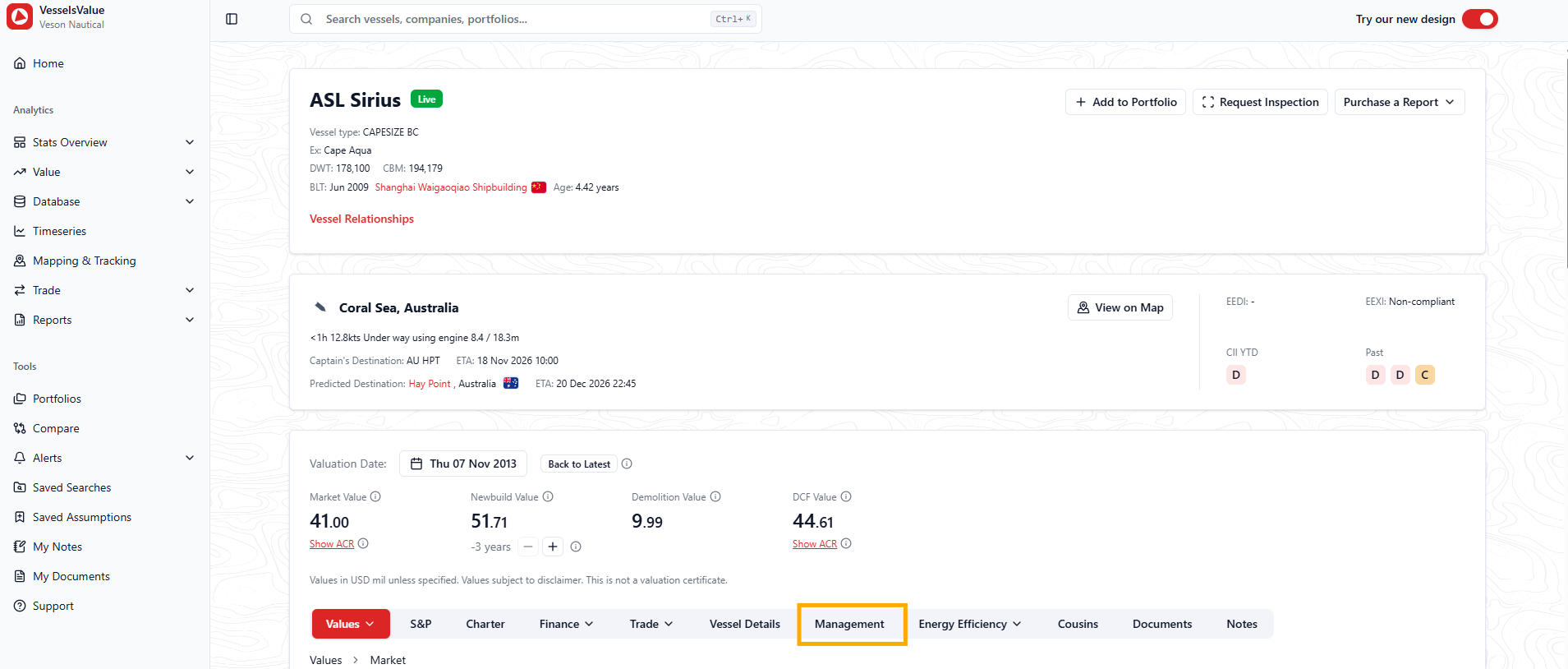
Navigate to the Management navigation tab
-
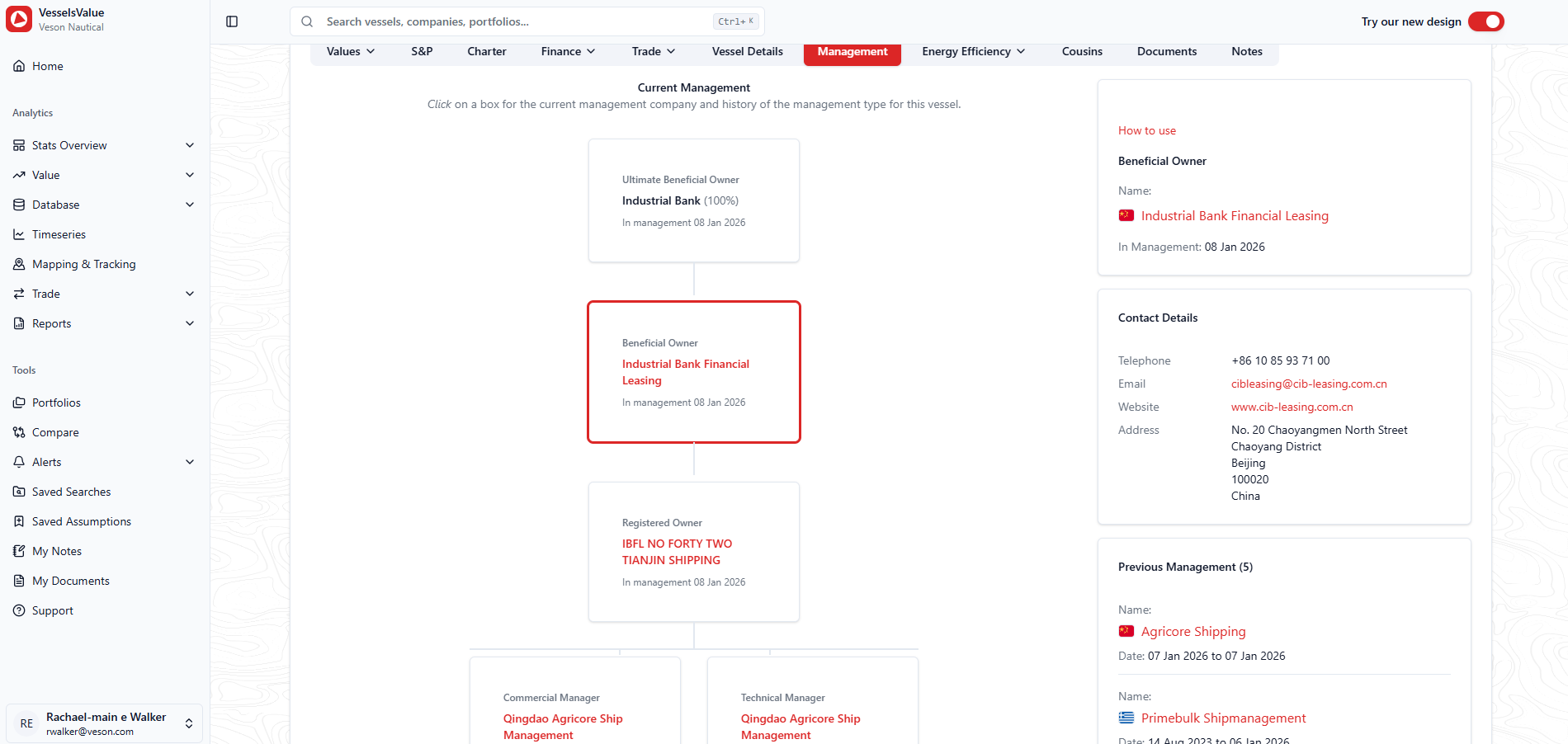
You will then see the 8 tiers of ownership data for this vessel:
-
The current management is displayed in the hierarchy diagram in the center
-
You can select each tier of ownership to dig into the history and get the current contact details of that company
-
The top box on the right will show the current company in that ownership position
-
The box under that displays the contact details we have for that company
-
The bottom box displays the previous management companies who have fulfilled this position for this vessel
-
If we are aware of an upcoming management change, we will also display that in the left hand boxes
-
Option two: individual company page
Do you know the company who owns the vessel but want to see the investment into that company or the other vessels they operate? To see this information:
-
Navigate to the individual company page by searching for the company in the quick search, or select the company from your recently viewed section on the dashboard
-
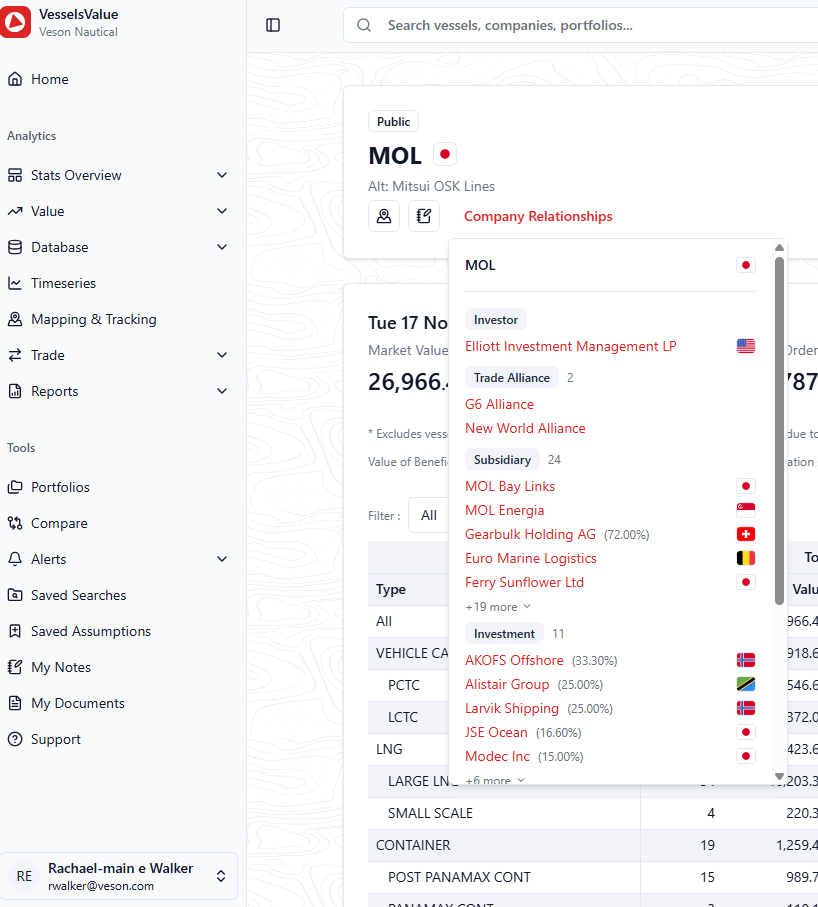
Select the company relationships link in the company’s header to see their investment/ownership structure
-
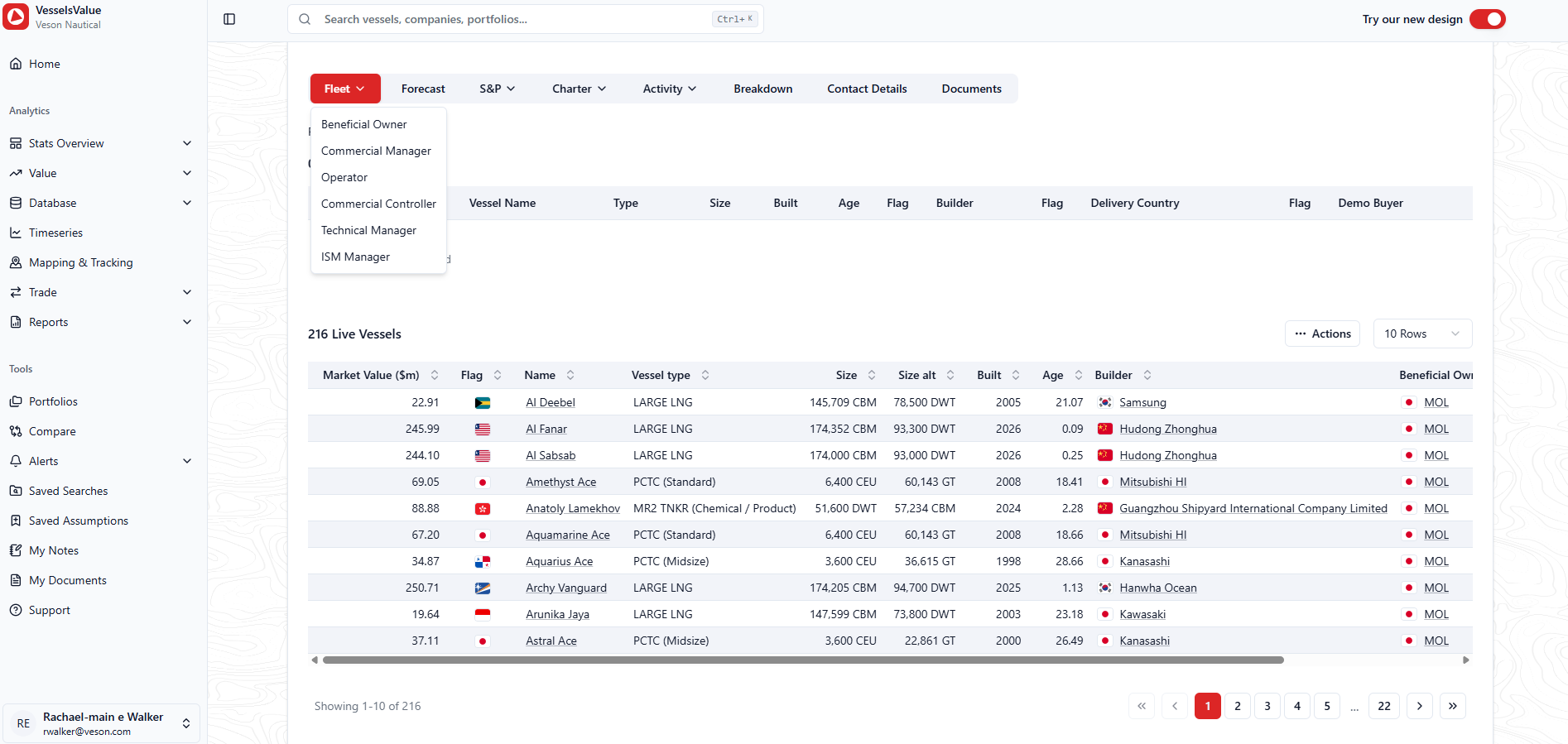
Navigate down to the Fleet section > select the relationship from the sub menu
-
You’ll then see the list of vessels associated with this company grouped by the vessel’s statuses
Option three: via a Database search
More information coming soon