
IMOS is the market-leading cloud solution for commercial marine freight and fleet management.
Walkthrough: Basic Concepts
These breadcrumbs show where you are in the walkthrough. To move to a different section, click its link:
Menus > Search > Modules > Workspaces > Panels > Keyboard Shortcuts > Accessing Help
Each module is a collection of workspaces that are relevant to one functional area in your shipping business.
IMOS is organized into the following core modules:
To access a module, on the main or secondary menu, click the link for a workspace in the module.
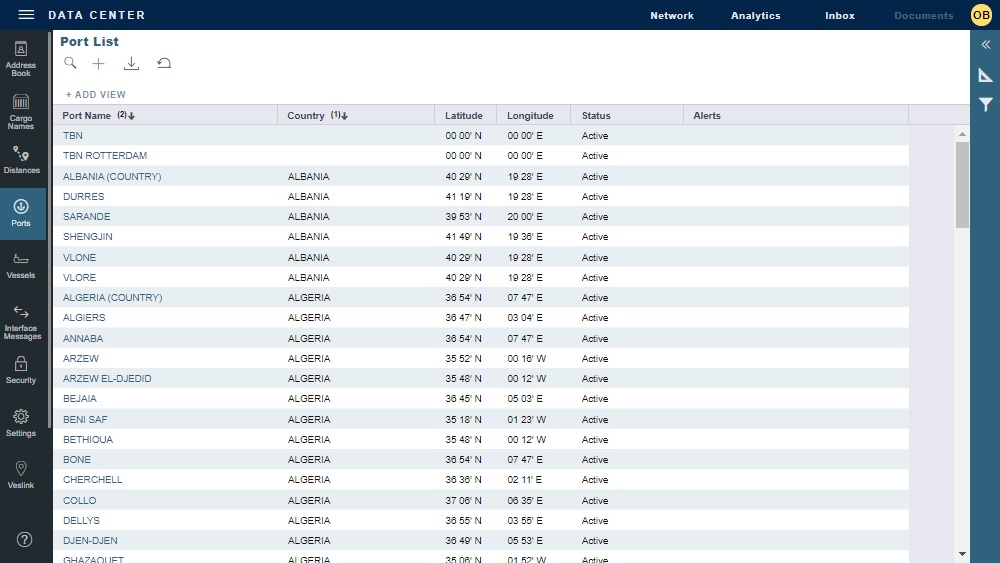
Quick links for the main workspaces in the module, like Ports in the Data Center module, appear in the sidebar on the left. To navigate to a main workspace within the same module, click its quick link.
Search for Module
To search for any module or workspace to which you have access, do the following:
-
Type keyboard shortcut Ctrl + , (comma). A Search For Module field appears.

-
Do one of the following:
-
Click v to see the full list of workspaces.
-
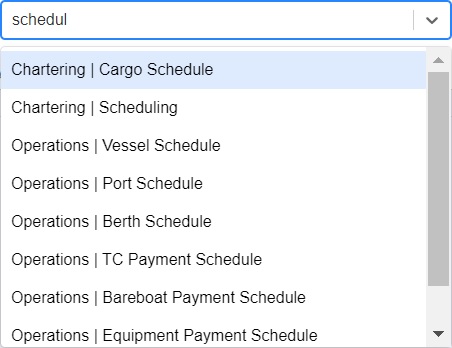
Enter the module or workspace name. Search results appear.
-
-
To open a workspace, click its Module | Workspace name. The workspace opens in the same browser tab.