
CP/Recap Processing opens claims when voyage events indicate one, extracts charter party terms into the claim, and suggests potential deductions before you calculate. You start from the contract terms instead of searching documents.
Once the activities are on the claim, CoCaptain reads the contract terms and suggests deductions.
What starts CP/Recap Processing?
-
A charter party or recap email: A charter party or recap is received in Mail.
-
An uploaded document: You add a charter party or recap to a claim.
-
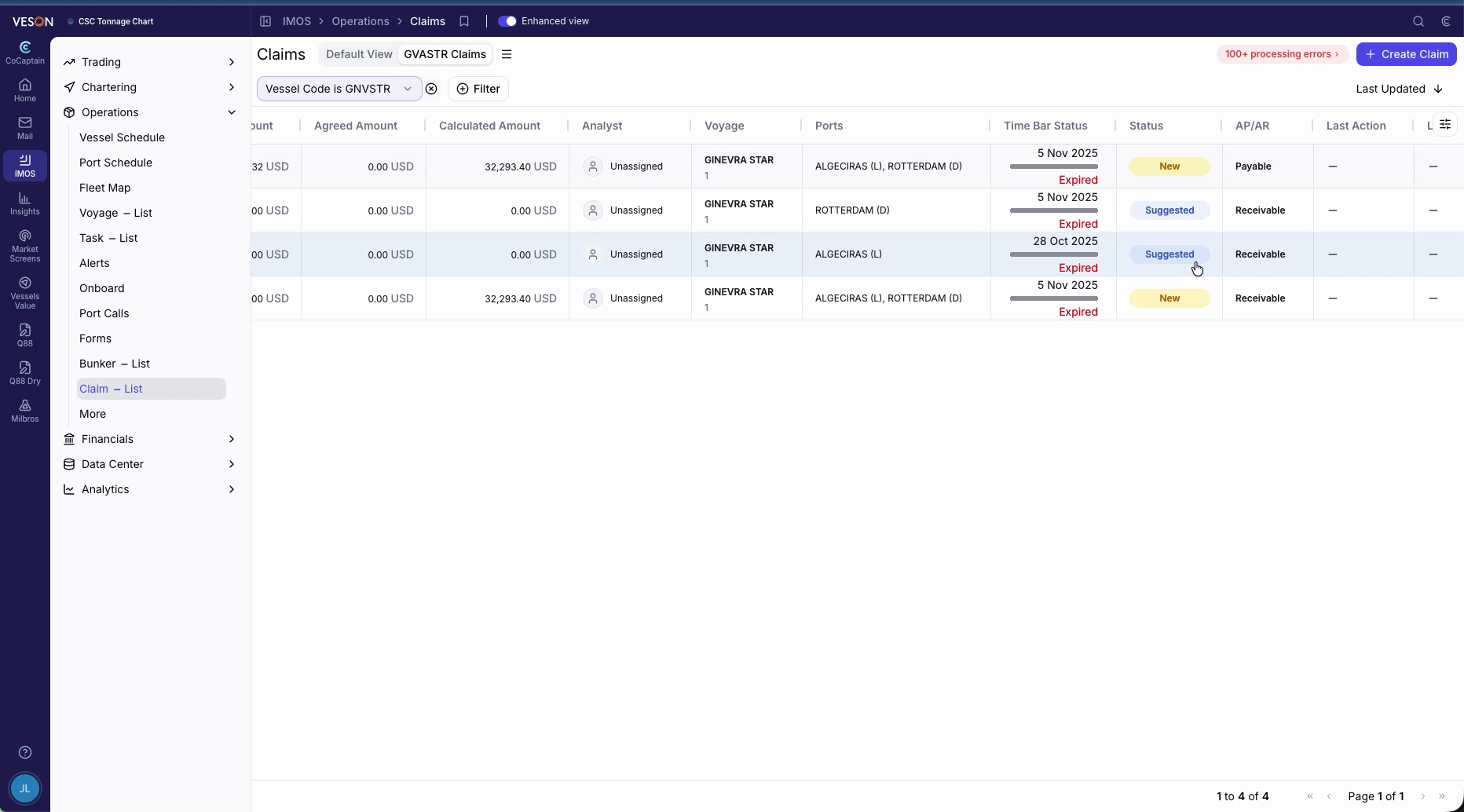
A claim opening: CoCaptain opens a claim when a voyage event, such as a tendered NOR, laytime running, or a delay, indicates one. Claims it proposes appear with a Suggested status, and received documents can move them to New.
-
A chat request: Ask CoCaptain to review the terms.
Note: The charter party or recap must be attached to the claim in a readable format. For all other requirements, see the Prerequisites page.
How are terms extracted and deductions suggested?
-
CoCaptain reads the charter party or recap attached to the claim and records the laytime terms and clauses that affect it.
-
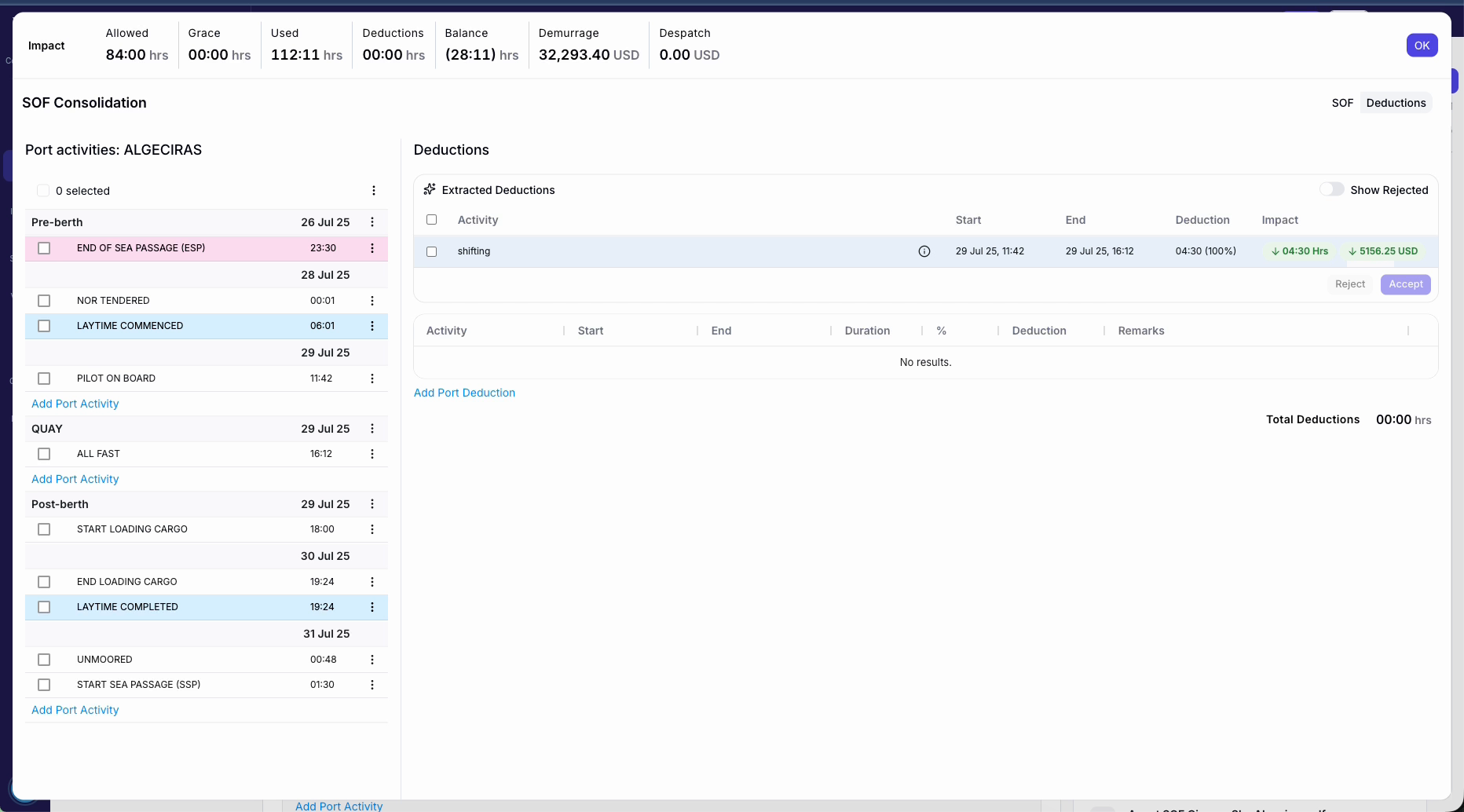
CoCaptain compares the clauses with the port activities it has received and suggests deductions, such as exceptions, each with its reasoning, the clause it relies on, and its impact on the claim.
-
You review the terms and suggested deductions before the claim is calculated. You can accept or reject each deduction.
See Claims - Enhanced View for deductions and the Processing Log.
Next in the claims flow: Matching AP Claim Invoices →
Outside of the Current Scope
See Outside of Scope for the limits that apply to every workflow. In addition, this workflow has this limit:
-
Legal advice or arbitration strategy: CoCaptain prepares, and your team and counsel decide.