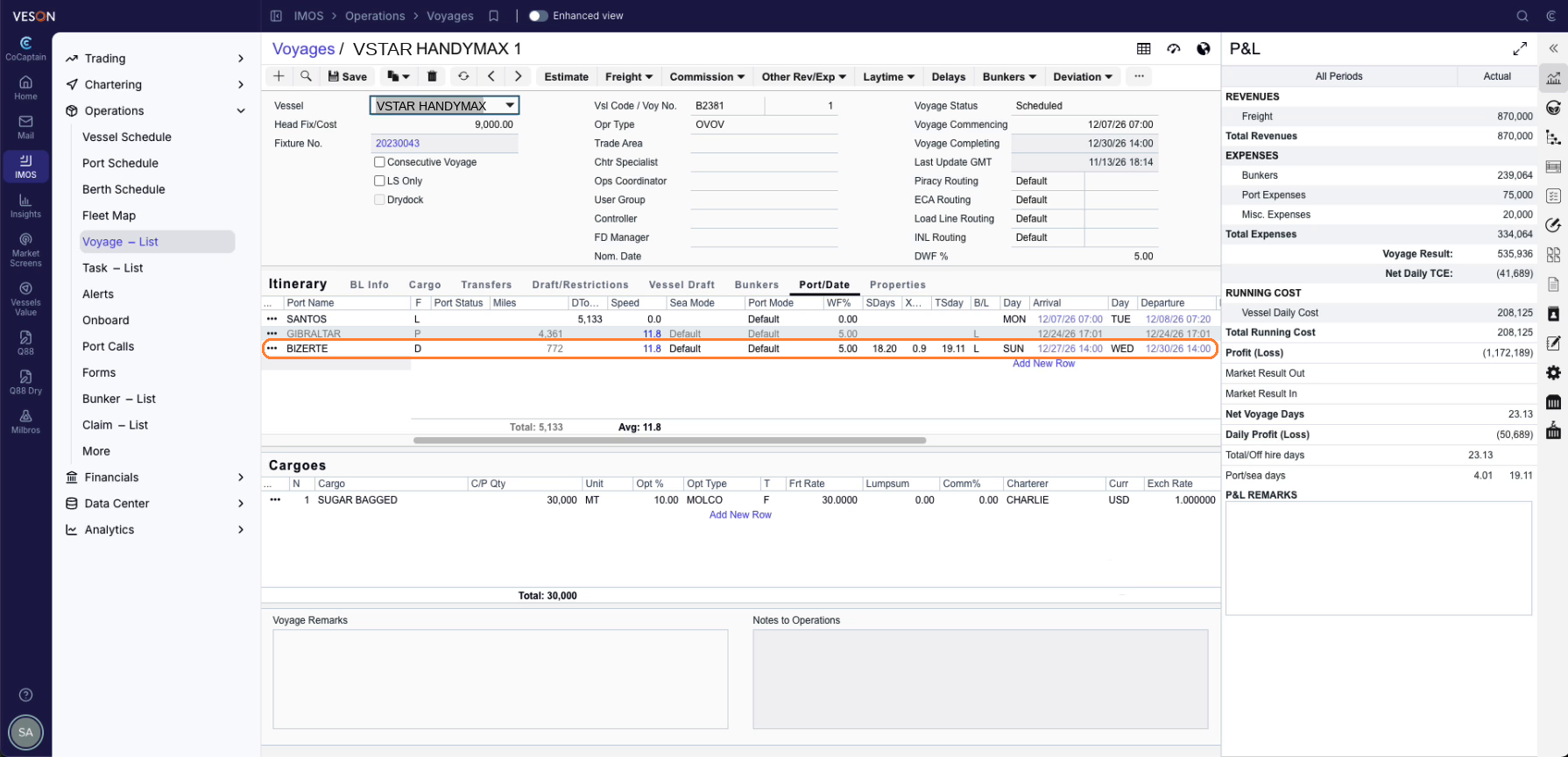
ETA/ETD Updates reads the routine emails masters send and applies each reported ETA or ETD update in IMOS, with the P&L impact visible prior to approving the form. Your forecasts stay current. It suits carriers who watch their voyages closely and want routine ETA and ETD updates applied while keeping port rotation changes manual. Your Veson team typically enables either this workflow or Updating Itineraries, which can update port rotations, for your organization.
What starts ETA/ETD Updates?
-
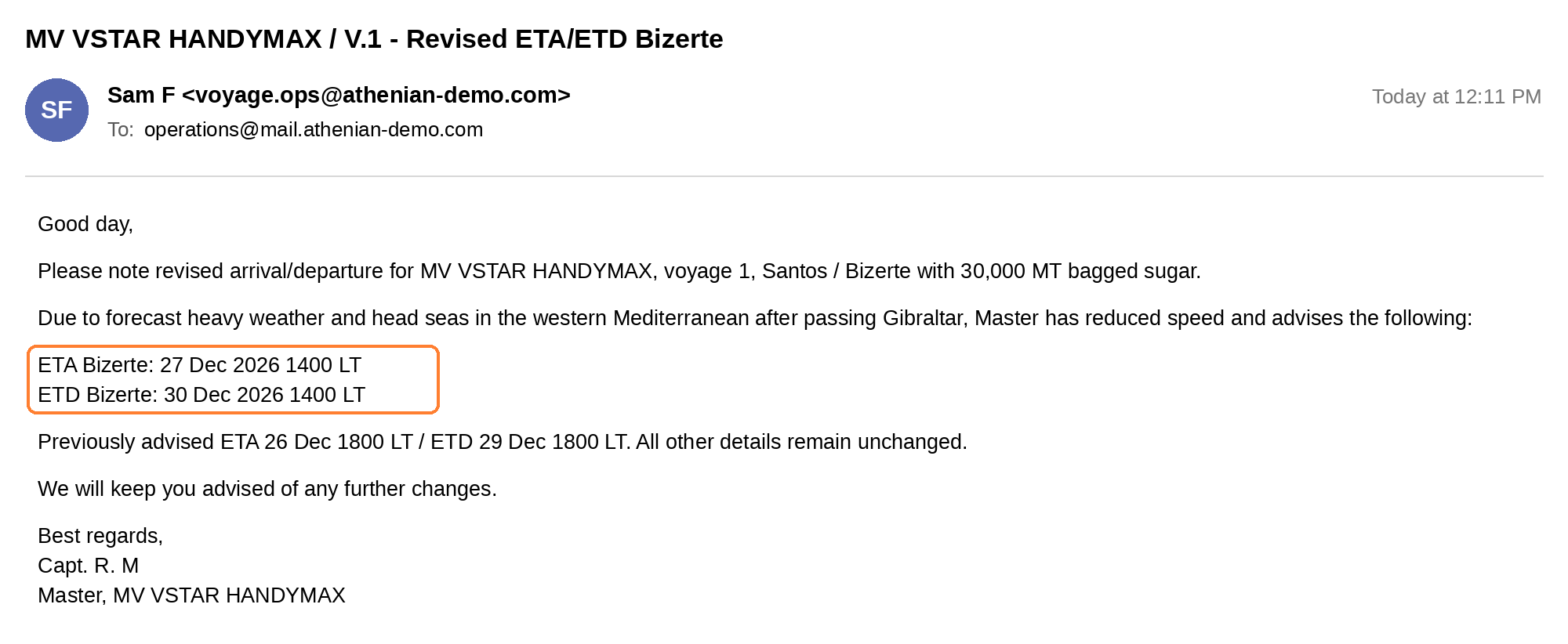
An email: A port agent or the master reports the update by email. The workflow starts when the email is received in Mail.
Note: For automatic form approval, work with your Veson representative to define validation rules. For example, you could approve routine updates automatically, but hold any ETA change of more than three hours for user review and approval.
See the Prerequisites page for any other workflow prerequisites.
How does an update get approved?
-
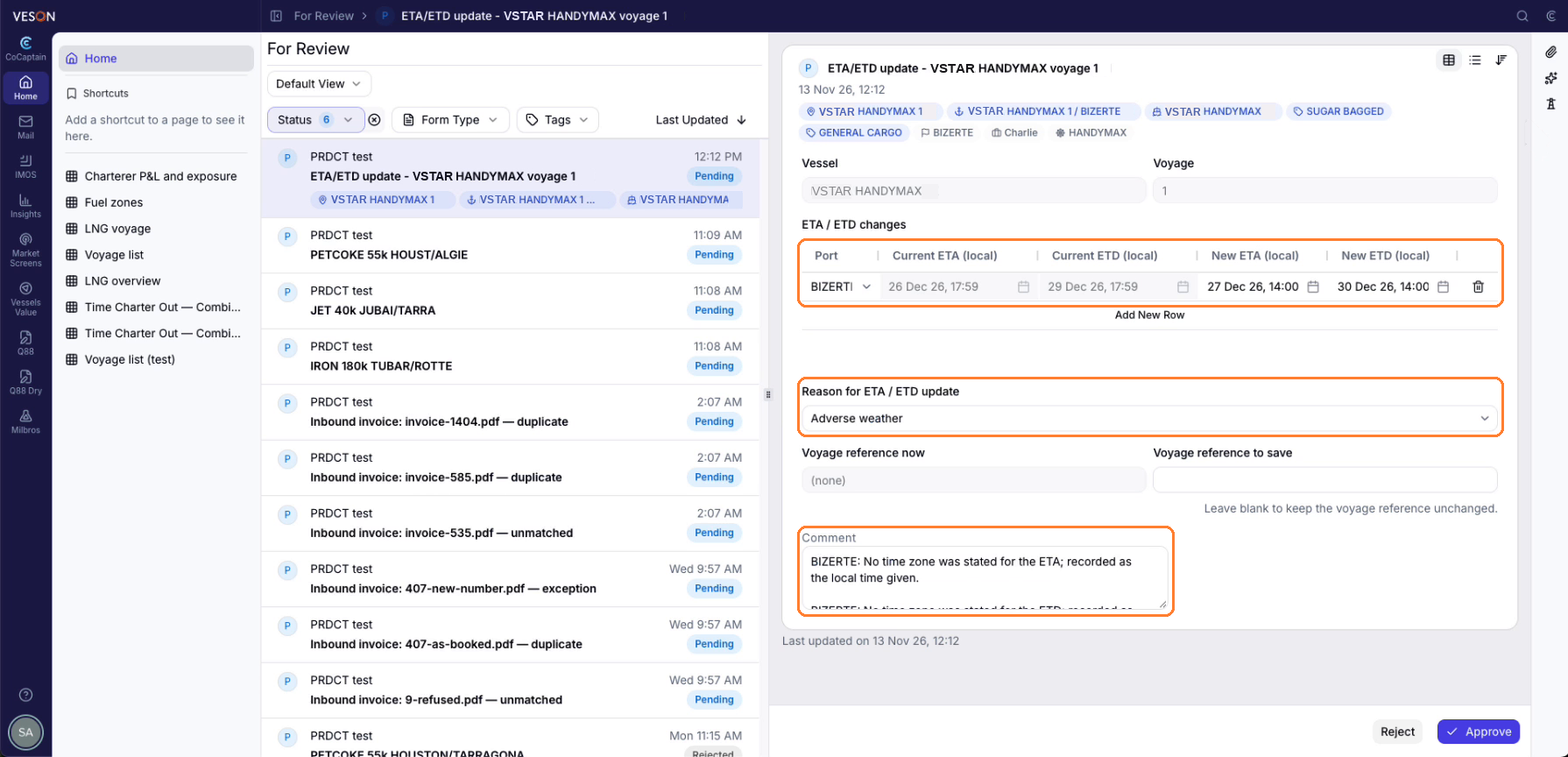
CoCaptain matches the report to the voyage and port call and pre-fills the arrival or departure form.
-
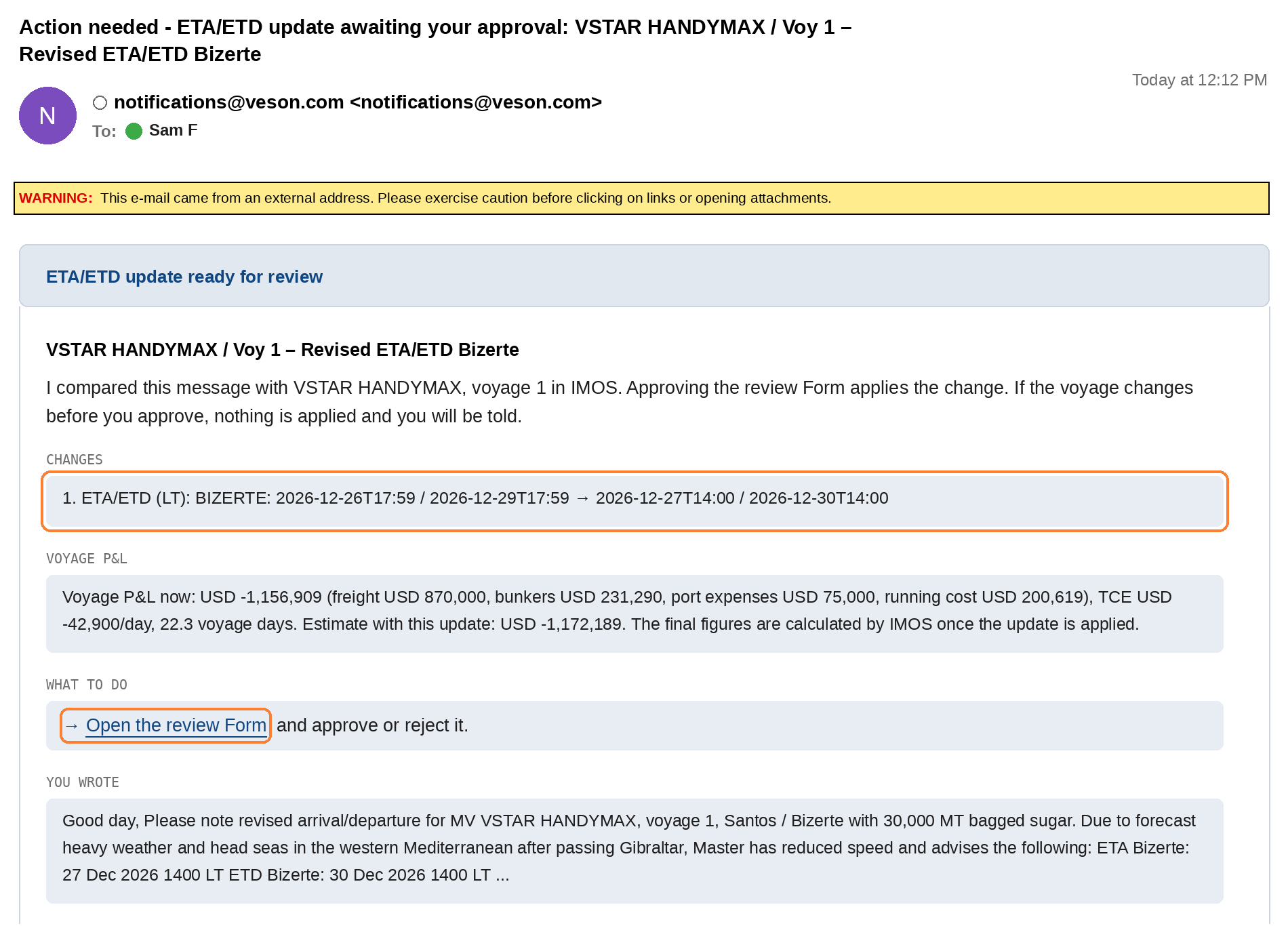
CoCaptain emails you a notification with a link to the form. The email is configurable.
-
The form shows the proposed change and its P&L impact, which appears when the calculation completes. It is tagged to the voyage, so you can open the voyage in IMOS from it.
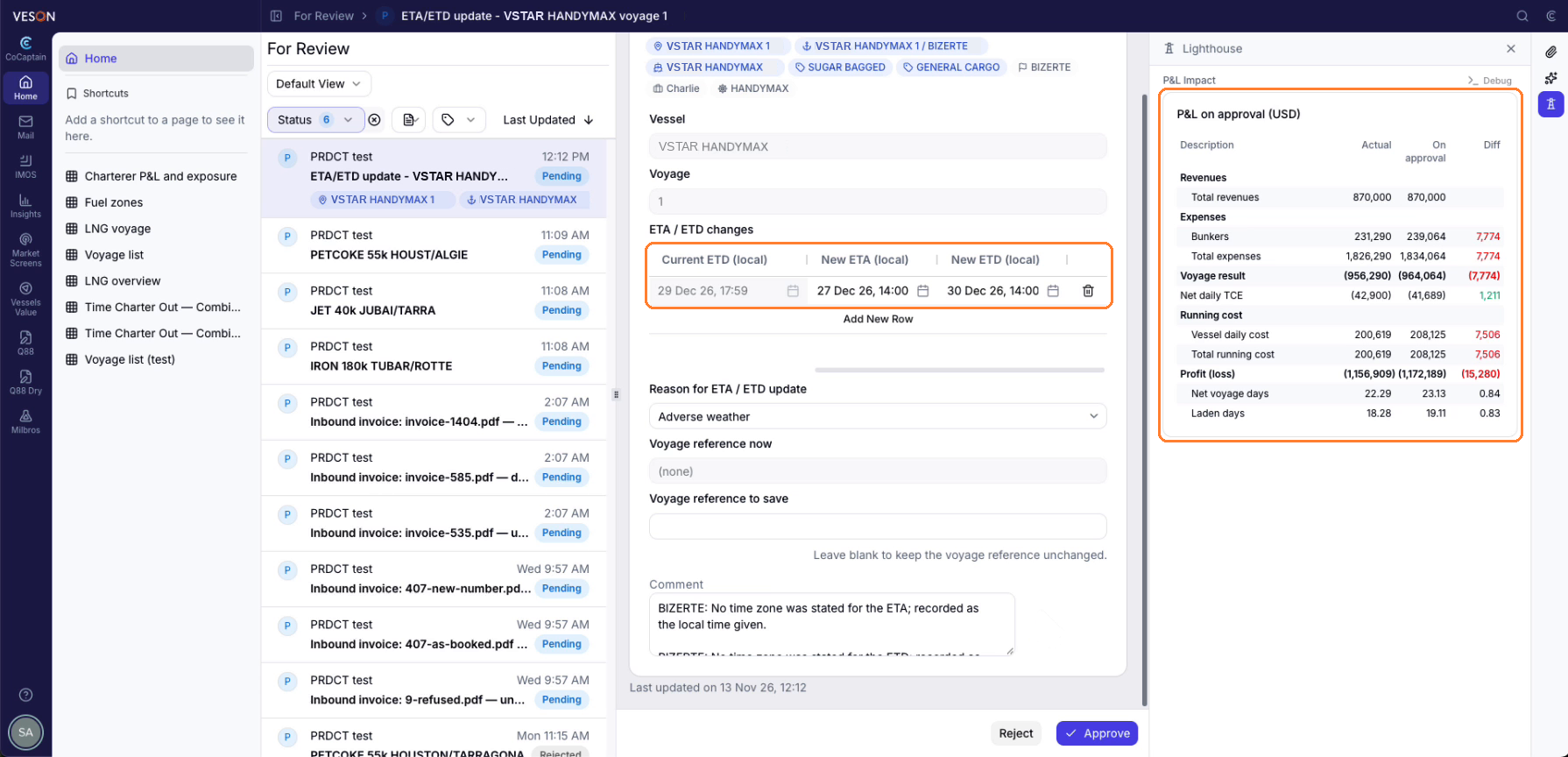
-
You approve the form in one click from your Home page, or a validation rule your organization set approves it automatically.
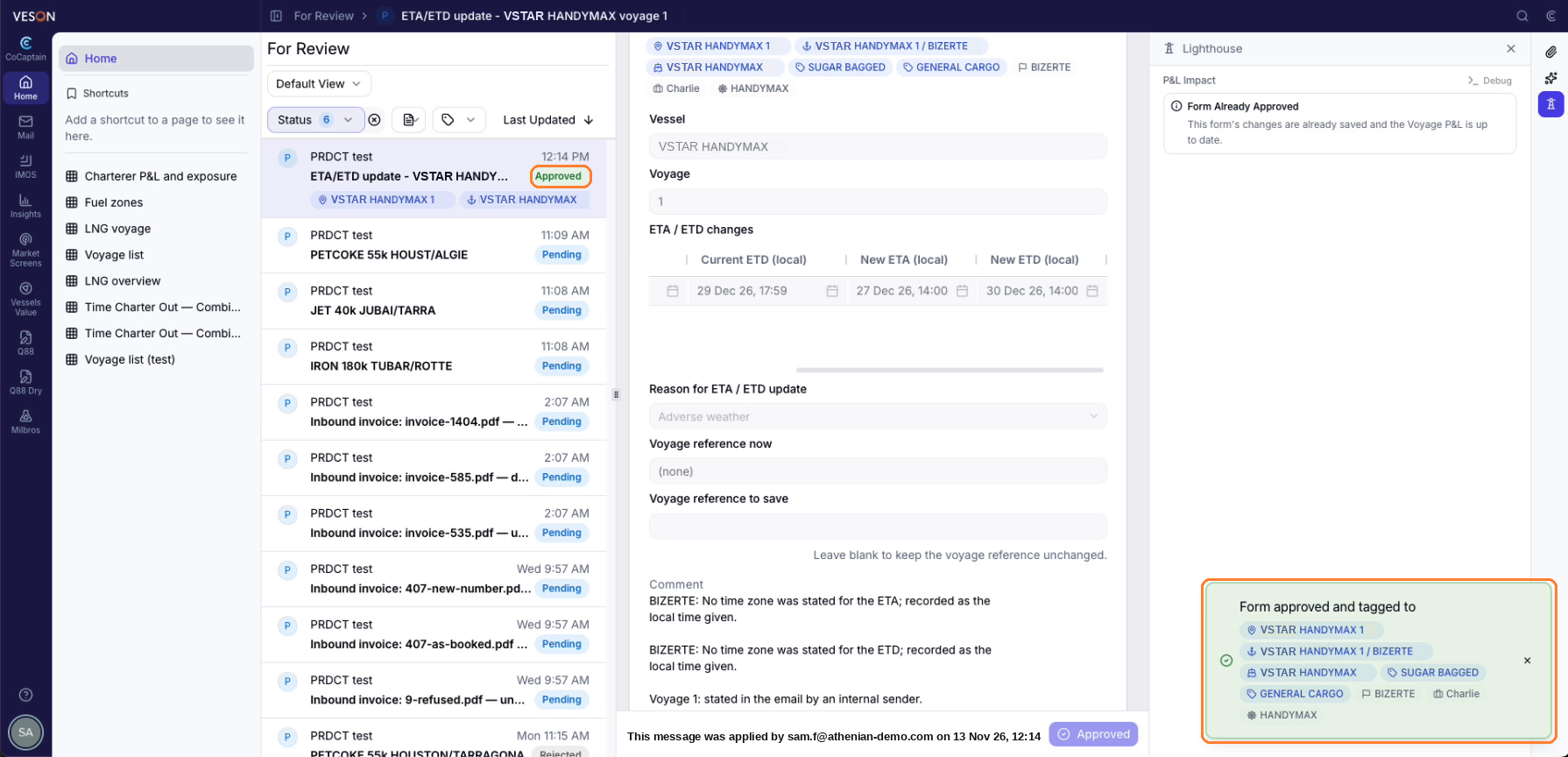
-
The update is applied in IMOS.