Itinerary Updates reads voyage orders and updates the itinerary and cargo split in IMOS within minutes. It shows the P&L impact before you approve the change. It is designed mainly for spot voyages. Your Veson team typically enables either this workflow or Automating ETA and ETD Updates for your organization, not both.
What starts Itinerary Updates?
-
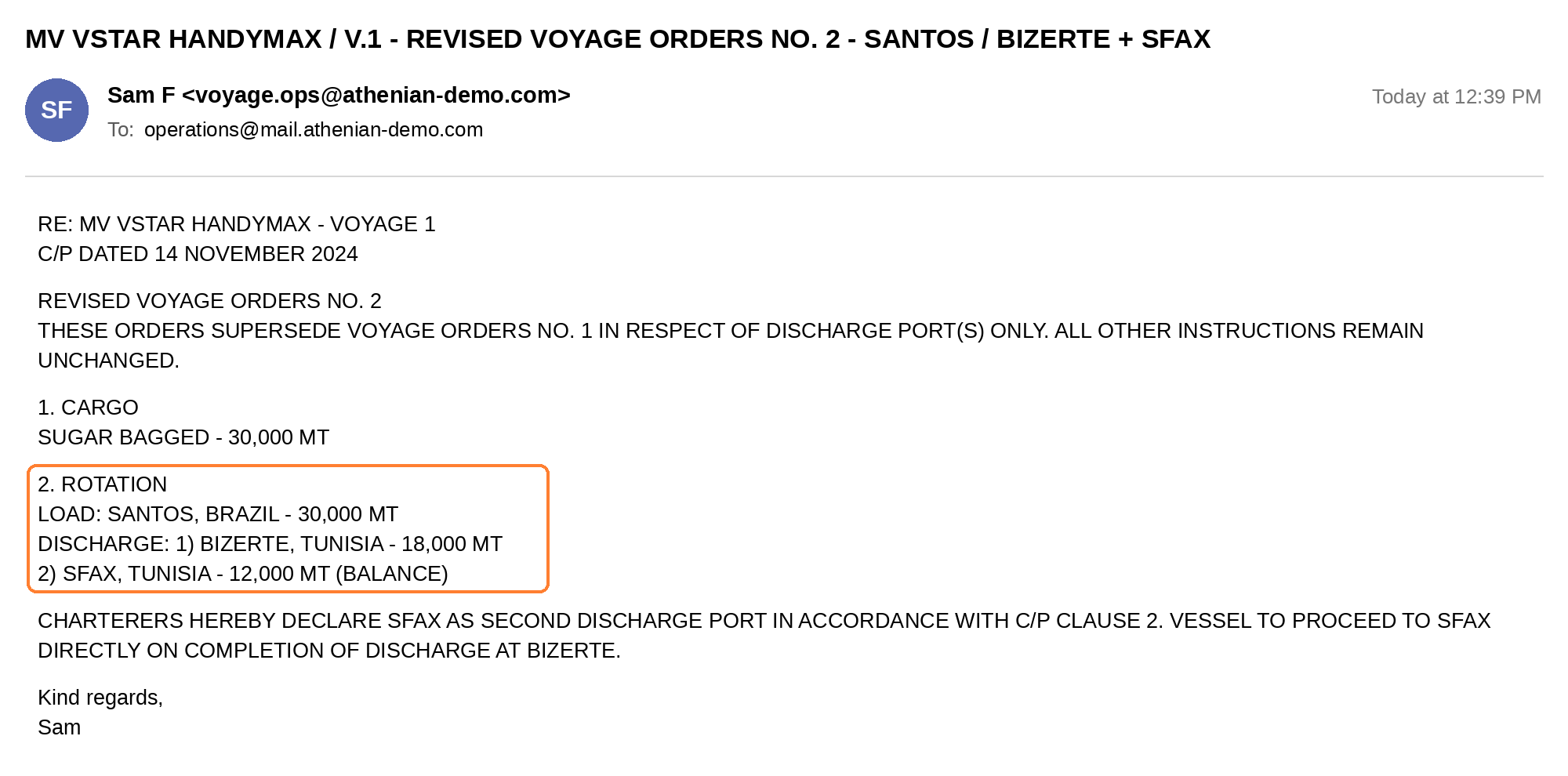
A voyage orders email: The workflow starts when the email is received in Mail.
Note: The voyages must exist in IMOS. For all other requirements, see the Prerequisites page.
What happens when voyage orders arrive?
-
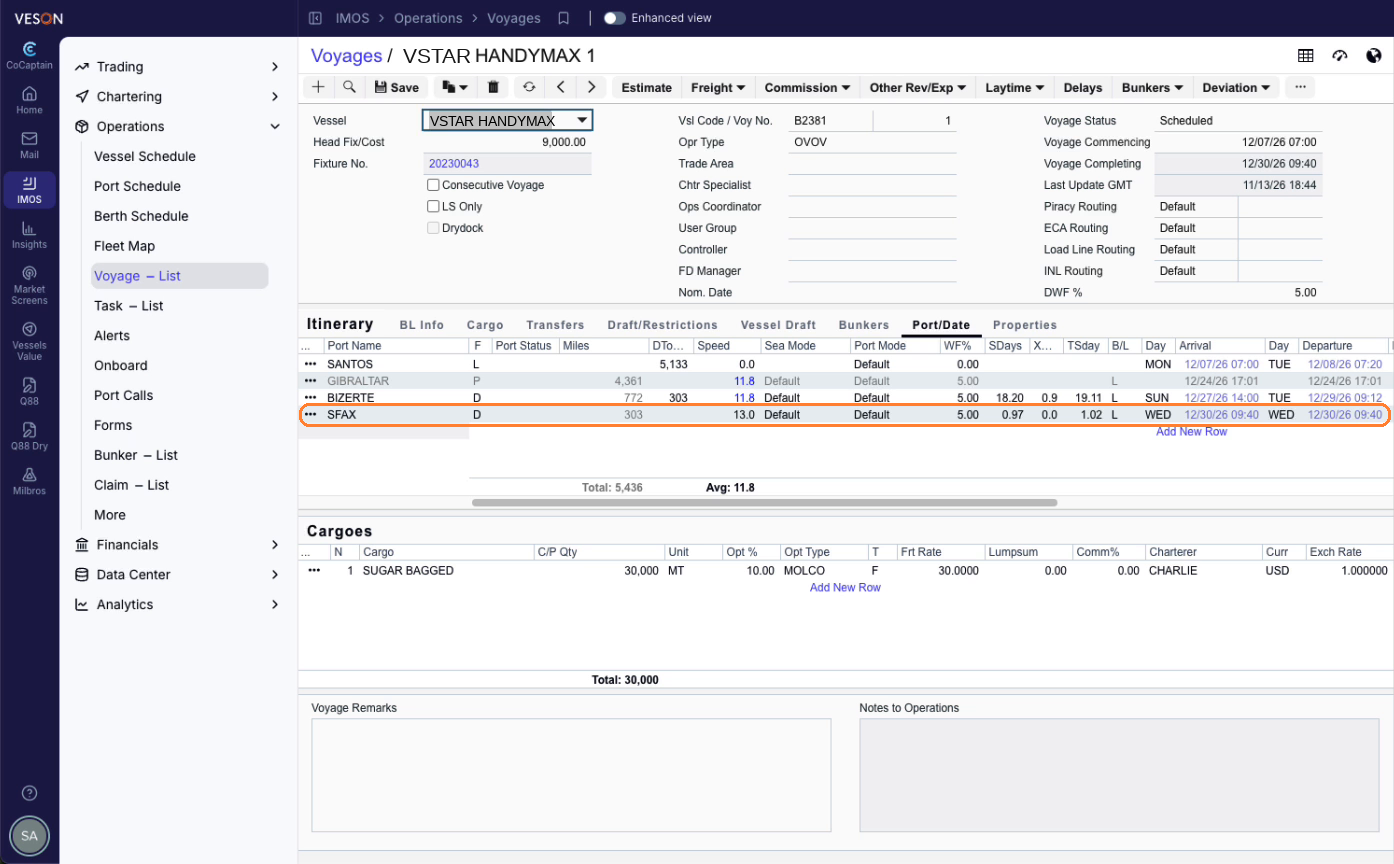
CoCaptain reads the orders, including the port sequence and cargo quantities, and identifies the voyage in IMOS. For example, revised orders split the discharge: the quantity at the existing discharge port is reduced, and a new discharge port is added. If CoCaptain cannot identify the voyage with confidence, it asks you before writing anything.
-
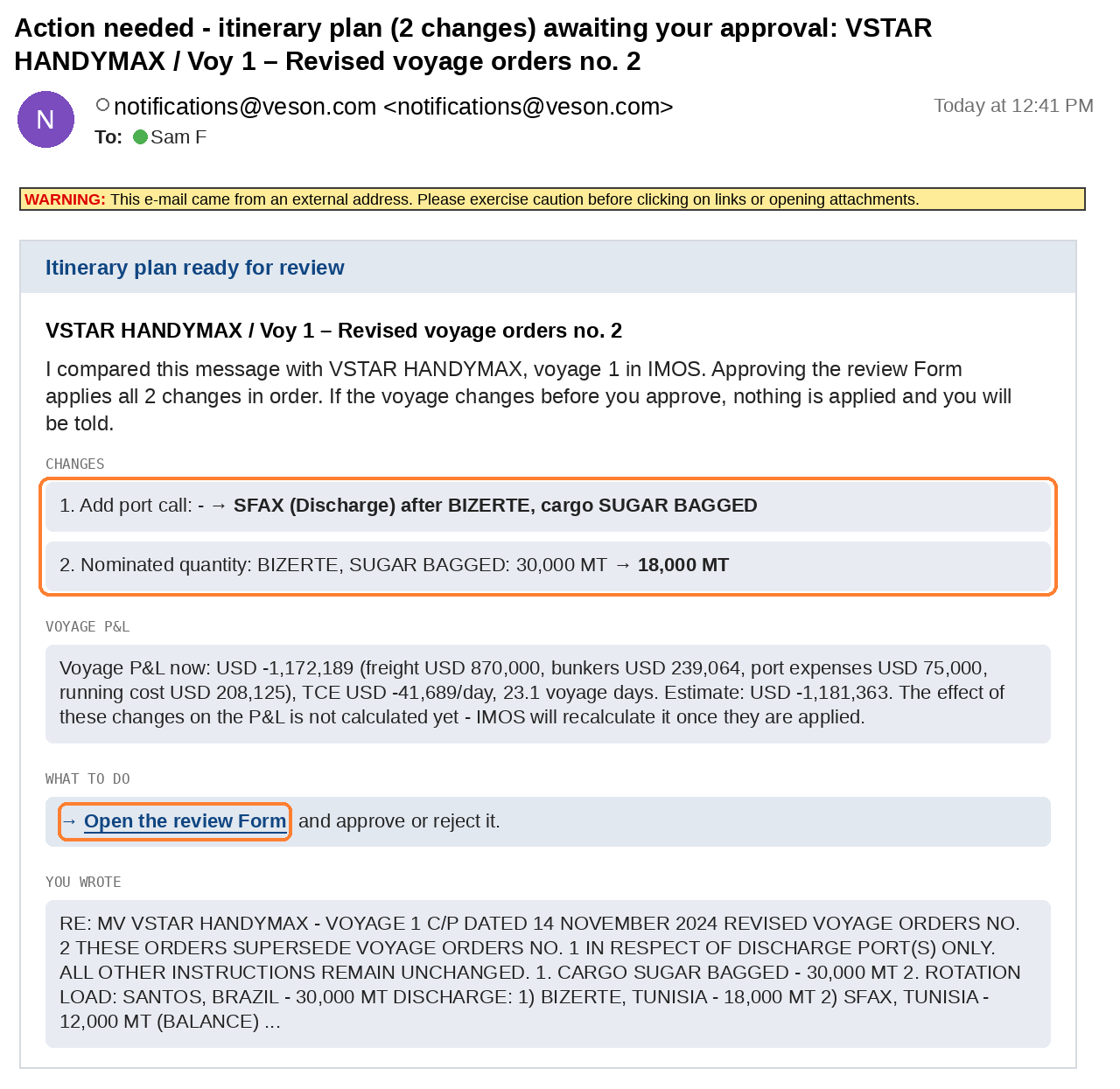
CoCaptain checks for blockers, such as a port that has already sailed or a port expense on record. If it finds one, it tells you what blocks the update and how to clear it. If there are no blockers, CoCaptain prepares the update and emails you a notification that lists the proposed changes, with a link to open the form. The email is configurable.
-
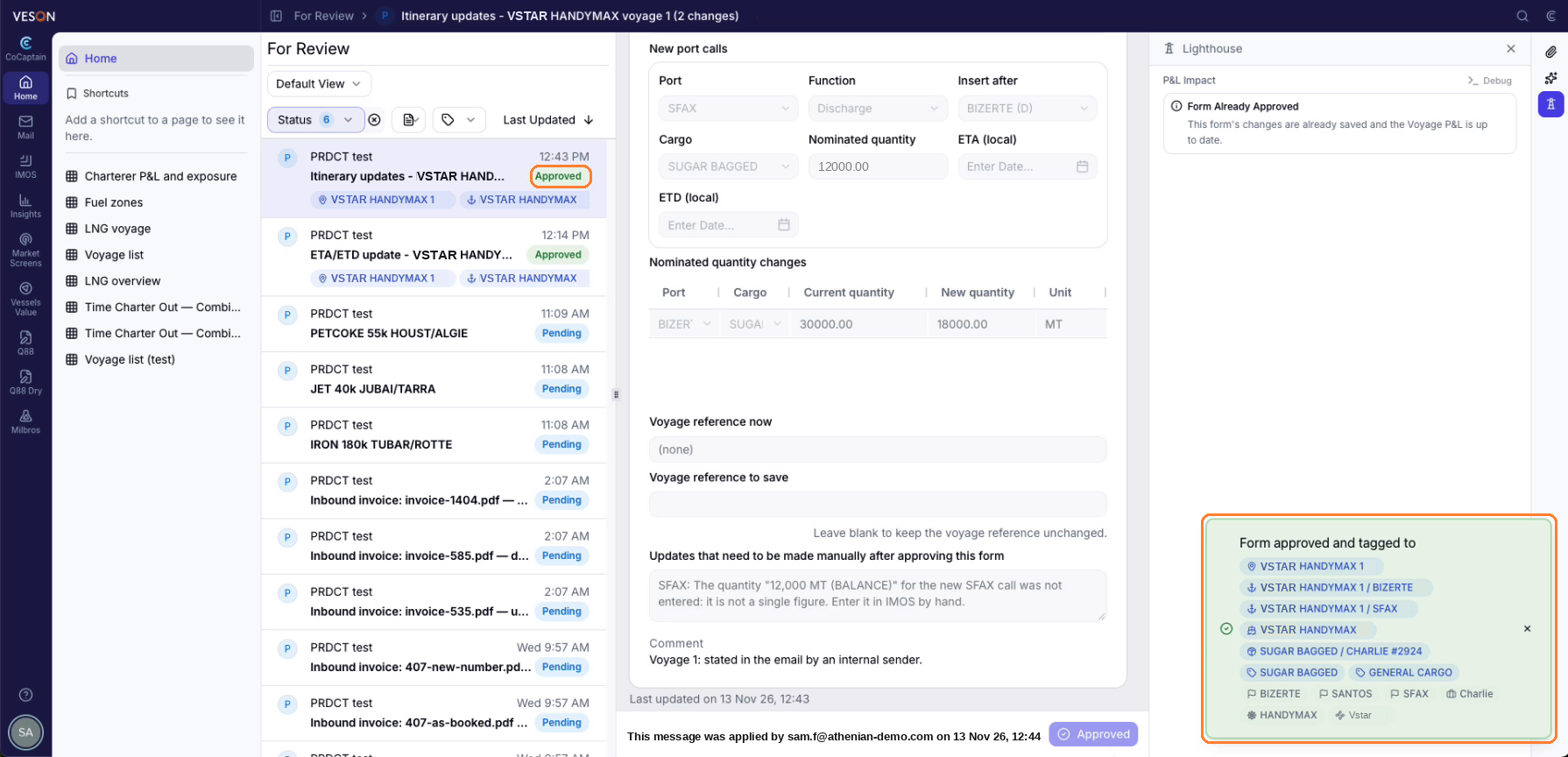
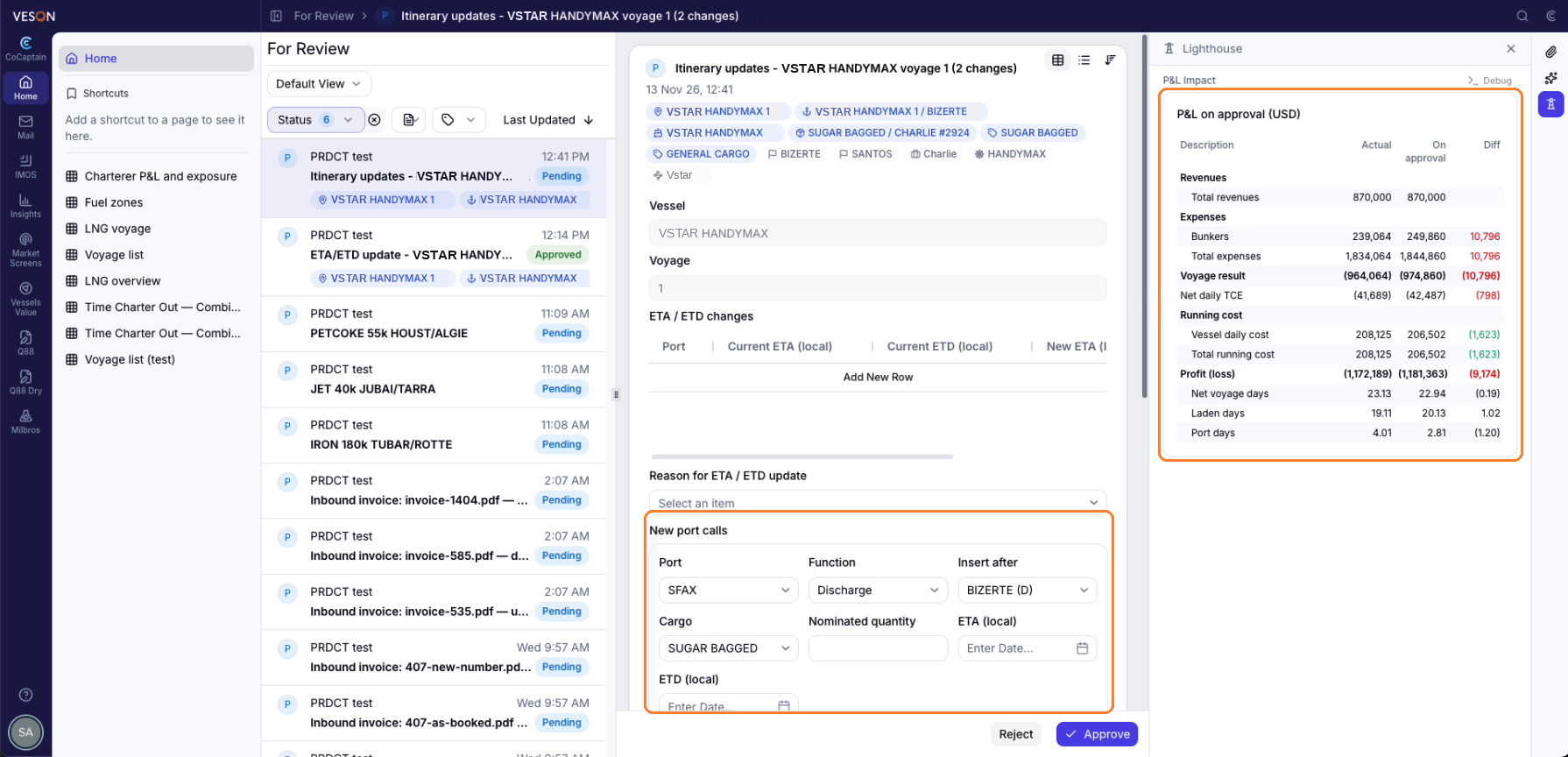
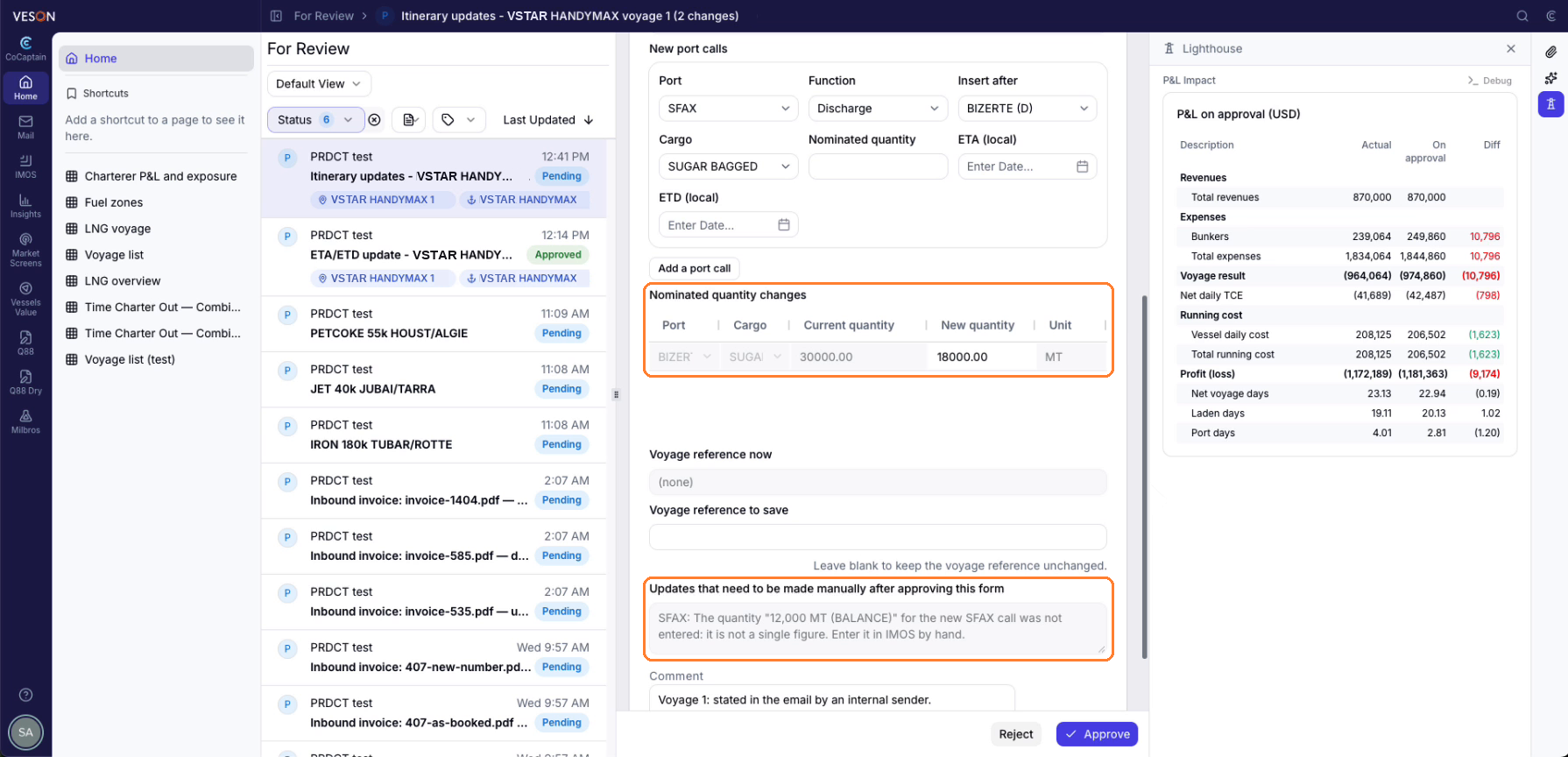
The form shows each proposed change, such as adding a port call, changing a nominated quantity, or updating an ETA and ETD, along with the P&L impact, which appears when the calculation completes. Expand it for more detail. The form is tagged to the voyage and port calls, so you can open the voyage in IMOS from it. If CoCaptain can't enter a value, such as a quantity given as a balance, the form lists it under Updates that need to be made manually after approving this form, so you can enter it in IMOS yourself.
-
You approve the change in one click, or a rule your organization set approves it automatically. The update is applied in IMOS, and a confirmation shows the voyage, port calls, and vessel that were updated.