
Agent Nomination shares the port call automatically with your agent when you nominate them via email, along with the forms they can submit for SOF and PDA/FDA and the underlying data needed to match your IMOS activities & expenses.
What starts Agent Nomination?
-
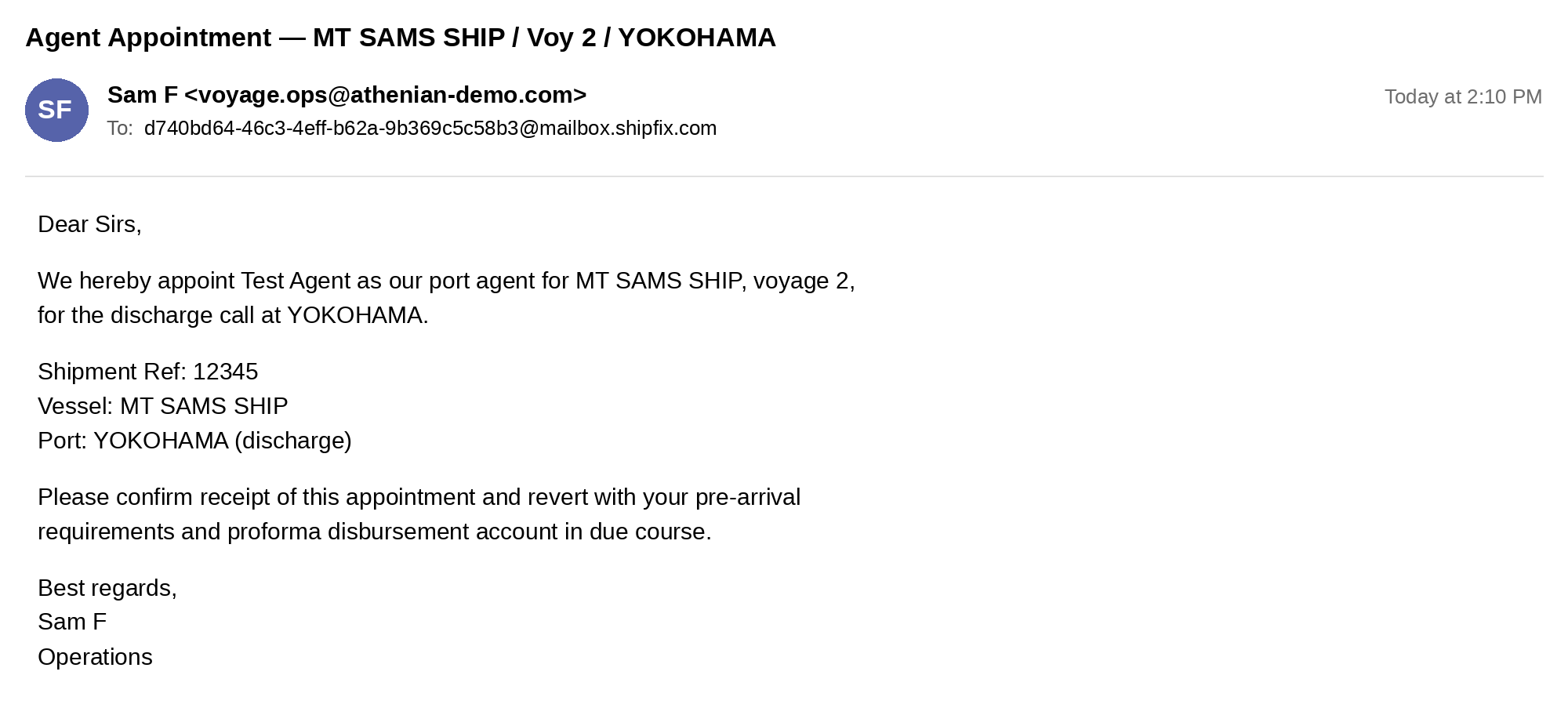
A nomination email: Send the nomination email as you normally do, copying your Mail inbox. The workflow starts when the email is received in Mail.
Note: The port call must exist in IMOS, and some setup is needed to ensure agents get the access they need. For all other requirements, see the Prerequisites page.
What happens after I nominate an agent?
-
CoCaptain finds the matching port call in IMOS.
-
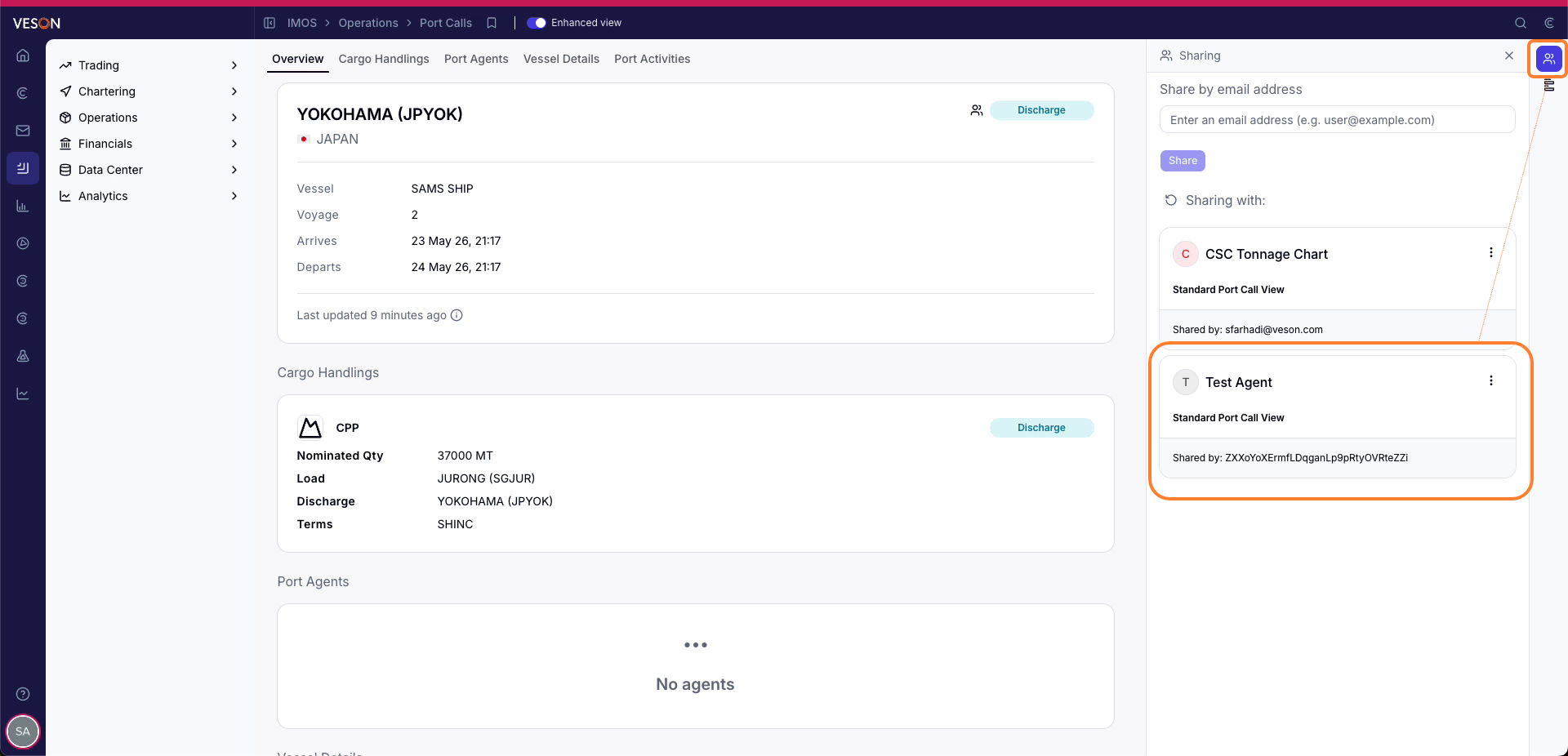
CoCaptain shares the port call with the agent, together with the forms they may submit and the underlying data needed to fill in the form properly.
-
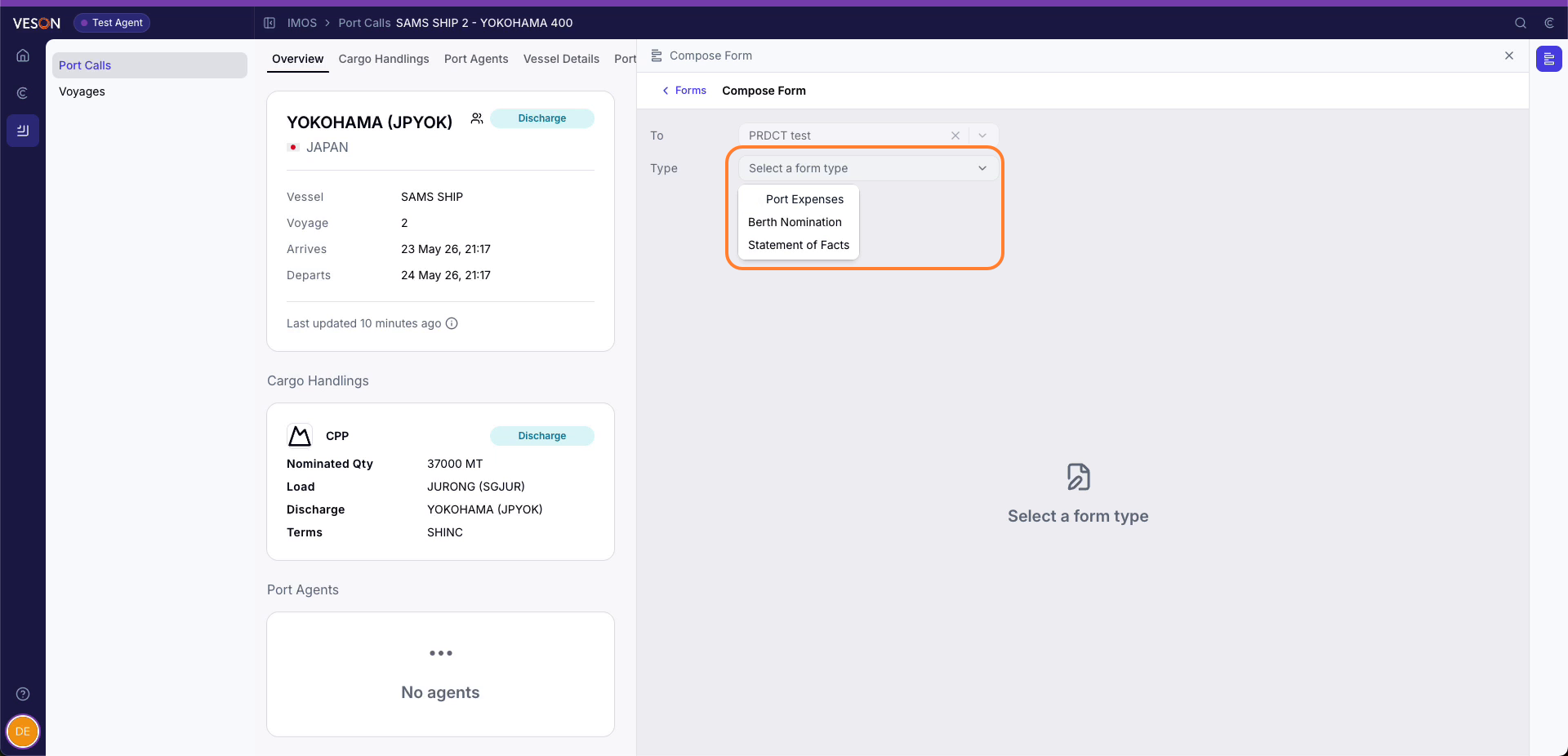
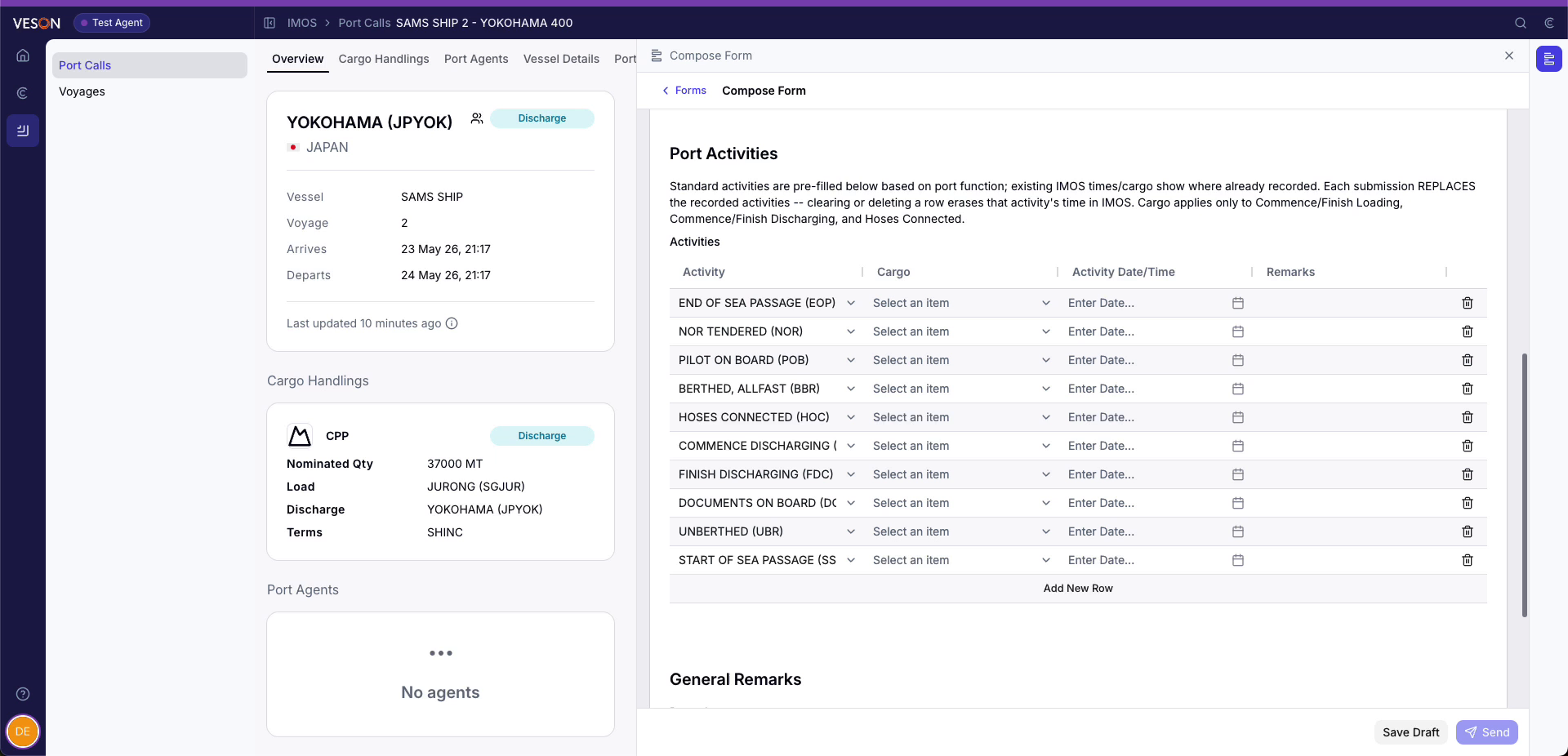
You choose which forms agents can submit, such as statements of facts, arrivals and departures, or PDAs and FDAs, and CoCaptain can use your port call templates. The agent also receives the IMOS data needed to complete the forms, such as your port activities and expenses lists.
-
-
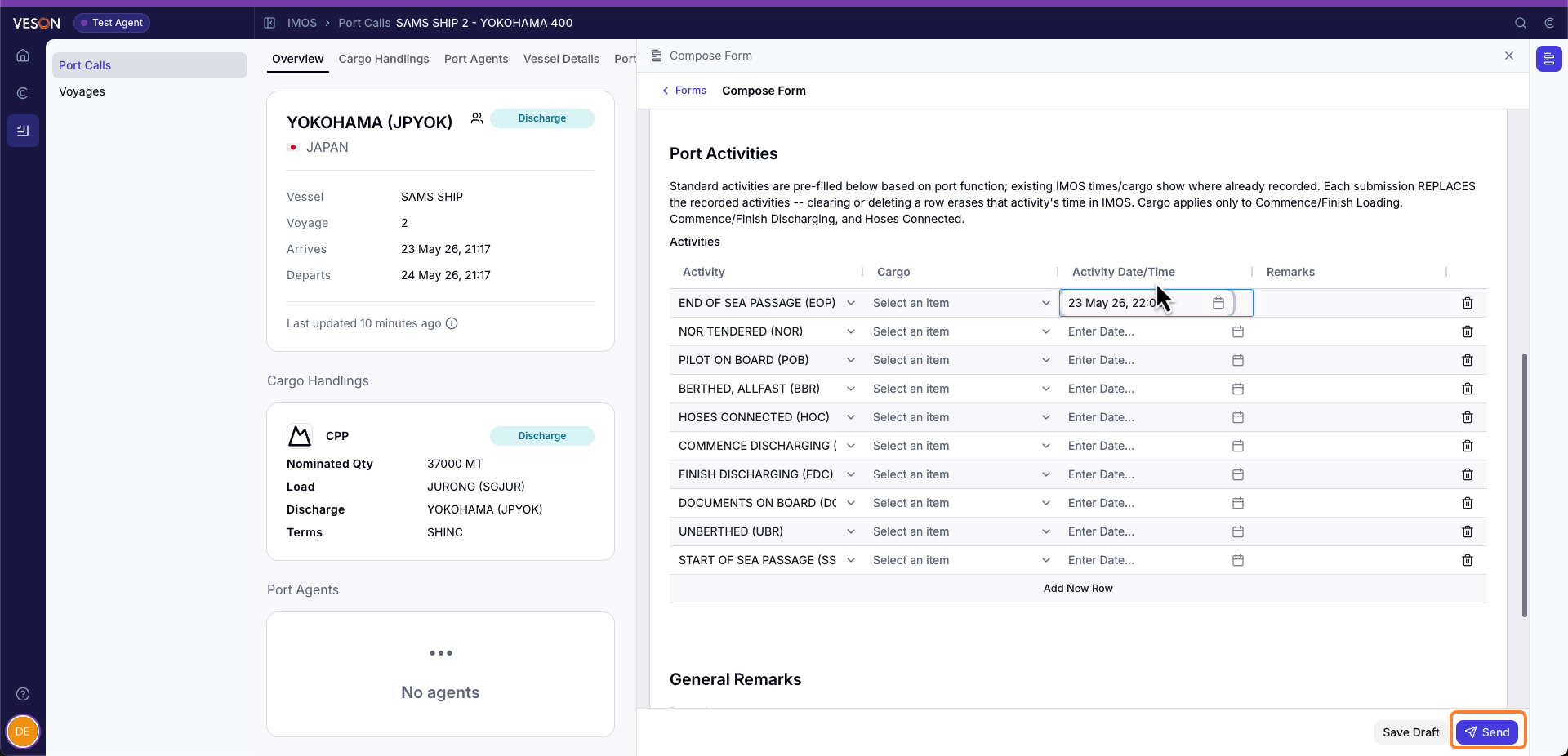
The agent signs in to Veson Platform and sees only the port calls shared with them and the forms you permit. Port activities already submitted are shown, so the agent builds on existing information.
-
The agent edits the form and selects Send.
-
The agent's submitted forms come back to you. You approve them, or a rule your organization set approves them automatically. For example, a rule can approve a submitted SOF when it matches the ETA within three hours and send anything outside that to you. You can then use the forms to progress the voyage, recording arrival, departure, and any port activities in between.
-
If the appointment changes, include the Mail inbox on your appointment cancellation and CoCaptain will revoke the agent's access to the port call for you.