
Invoice Sharing drafts a counterparty invoice from your shared voyage data when you post a freight invoice. You review and send the draft instead of building the counterparty's invoice by hand. Once you send it, it lands in the counterparty's inbox for further processing.
What starts Invoice Sharing?
-
Save and Post a Freight Invoice: You create, approve, and post a freight invoice following your existing process. Selecting Save and Post starts the workflow. Your existing invoice approvals still apply.
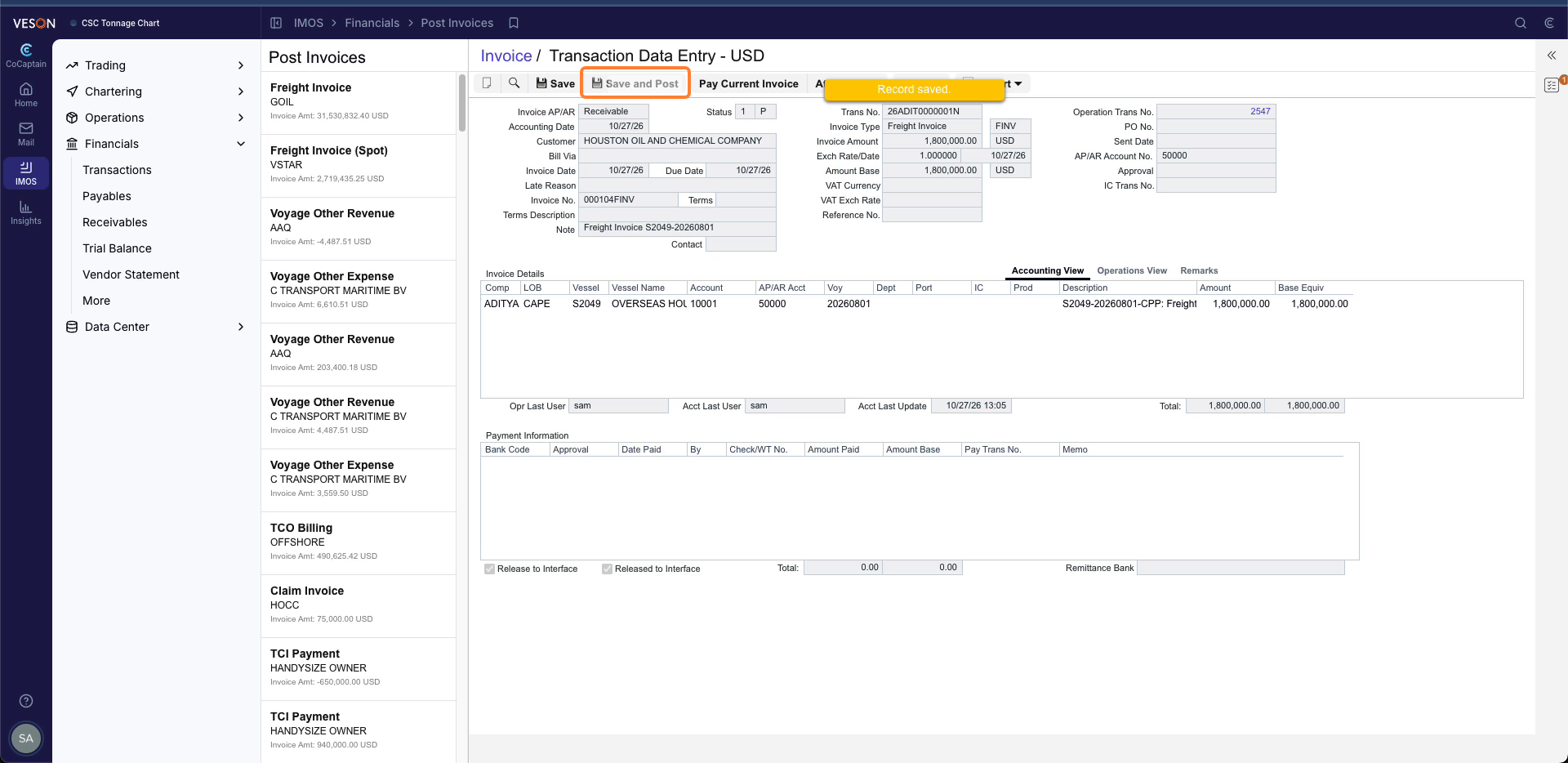
You can limit the workflow to specific counterparties, vessels, charterers, or ports, for example to try it on a single vessel first.
Note: Invoice sharing must be enabled for the counterparty, and your counterparty should first share their relevant Voyages with you so that CoCaptain can use their data to draft the form. For all other requirements, see the Prerequisites page.
What happens when a freight invoice posts?
-
CoCaptain confirms your counterparty has shared a relevant voyage with you.
-
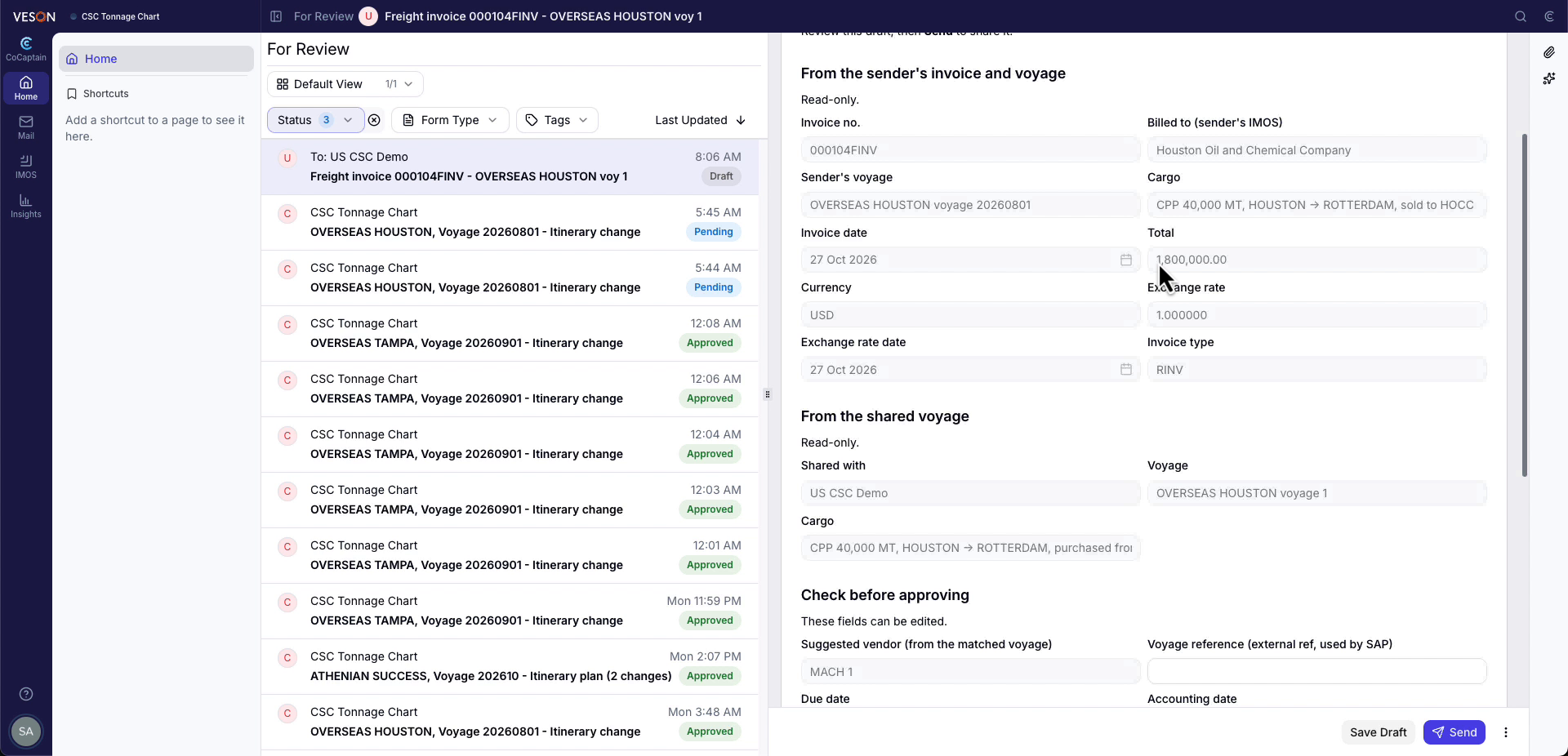
CoCaptain builds a draft invoice form based on the invoice line items you generated and the shared voyage data. It appears on your Home page as a draft, which you can filter for.
-
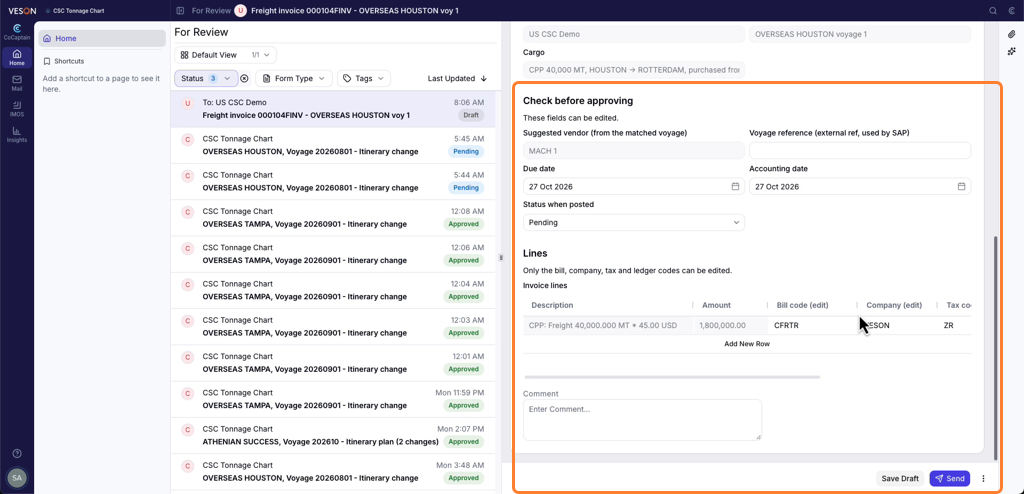
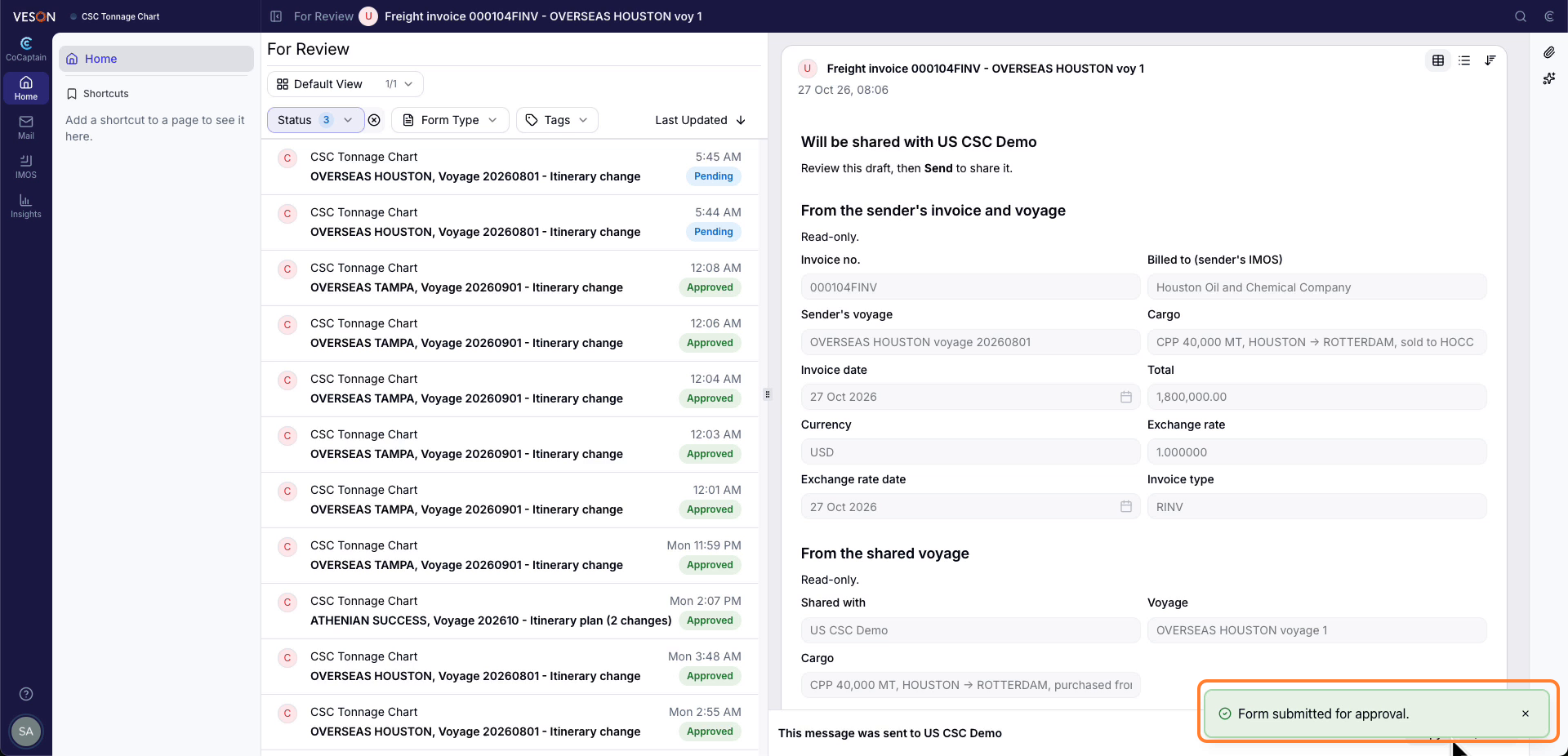
You review the draft, make any changes, and send it.
-
It lands in the counterparty's inbox for further processing.
Outside of the Current Scope
See Outside of Scope for the limits that apply to every workflow. In addition, this workflow has these limits:
-
Other invoice types: Freight invoices are covered at this time.