
Access the Manage Users module
The Manage Users module lists the users on your Q88 account. Only Account Admins can see Manage Users. If you don't see it, ask your Account Admin. If you're not sure who your Account Admin is, contact Veson Support.
-
To access the module, select Account → Manage Users in the sidebar menu.
From there, you can view, add, edit, and delete users and change their access levels.
Exporting the User List
Account Admins can export the list of users on your account to Excel, for example to review who has access. Only Account Admins can see Manage Users on the Account menu. If you don't see it, ask your Account Admin to export the list. If you're not sure who your Account Admin is, contact Veson Support.
-
In the sidebar menu, select Account → Manage Users.
-
Set the status filter to Active to show current users.
-
Select the menu icon in the upper-right corner of the page, and then select Export to Excel.
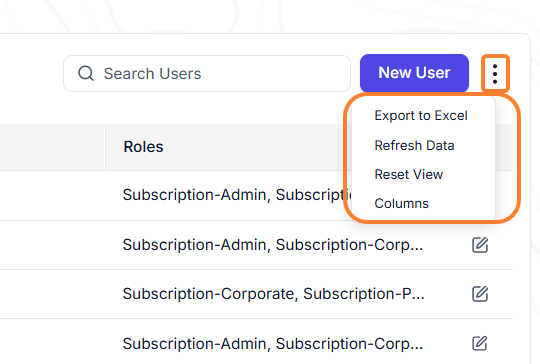
The list downloads as an Excel file. It includes user details such as last login activity.