
All IMOS clients now have access to the Veson Platform, including enhanced IMOS workflows, CoCaptain, Mail, and Insights. Admins are enabled first and can then grant access to their users.
👤 For a Specific User
Navigate to IMOS > Data Center > Security and go to a specific user profile. Select Allow Veson Platform Access on that user's profile and Save.
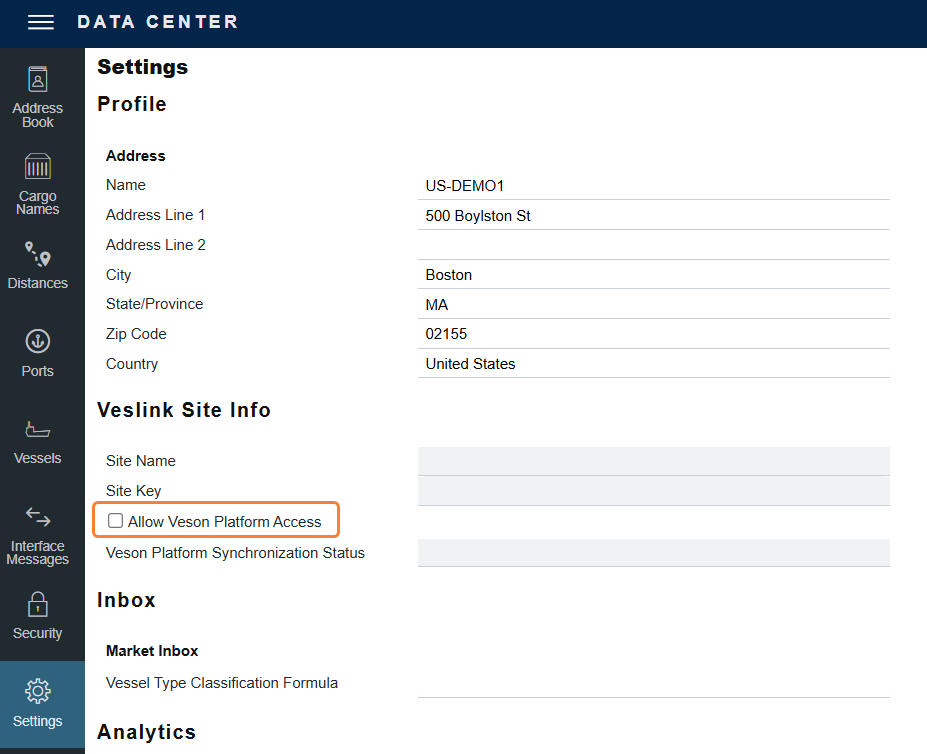
👥 For All Users
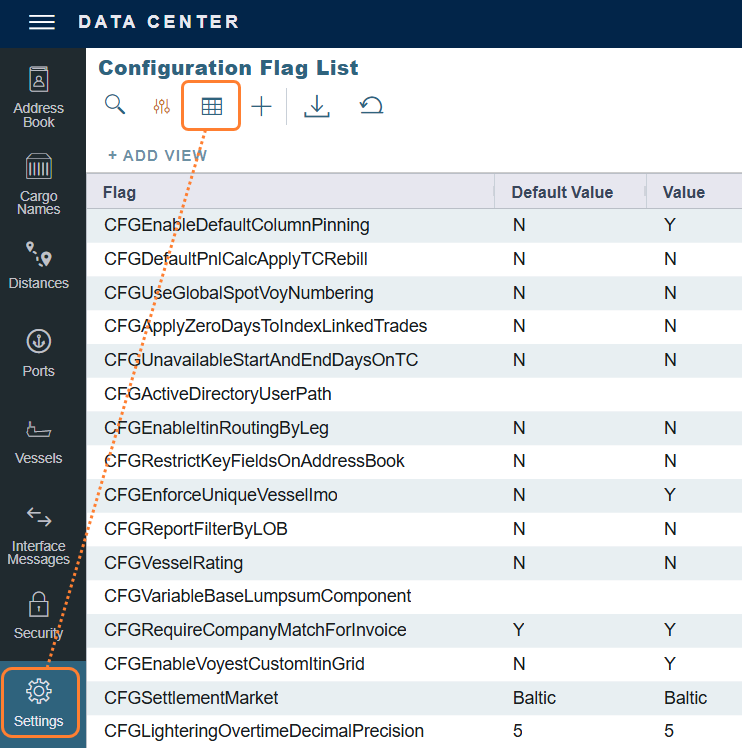
In IMOS > Settings, select the Grid icon at the top of the screen, under Configuration Flag List.
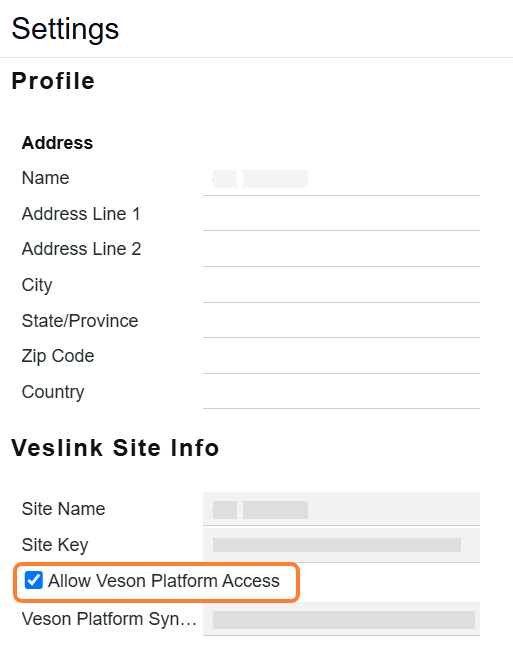
Select Allow Veson Platform Access, under Veslink Site Info, and save.
🌐 Accessing the Platform
Once you've made these changes, go to app.veson.com to access the platform. Users can sign in with their existing IMOS credentials.
Note: A small number of environments have specific security or configuration requirements that mean Veson Platform access isn't available yet. If that applies to you, your Account Manager will already be in touch — reach out to them directly with any questions.