
🚢 Background in Shipfix
In Shipfix, a group mailbox typically shows a combined Sent list for the whole team. By default you’ll see:
-
Emails you sent from that mailbox, and
-
Emails colleagues sent from the same mailbox.
You can visually spot your own messages via the usual green arrow indicator, but for follow‑up work it’s easier to use filters so the list only shows emails you sent.
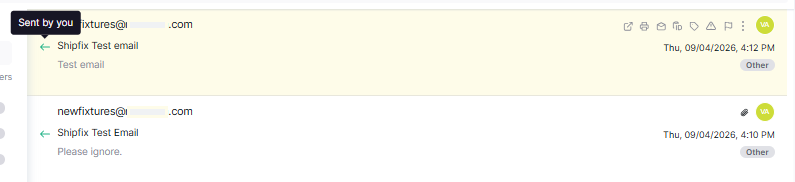
🔍 Steps: Filter to only show emails you sent
-
Switch to Sent items
-
Open the Sent view / tab for that mailbox.
-
If you’re in a combined Inbox/Sent view, enable the Show sent / Sent toggle.
-
-
Filter by Teamwork
Select the following filters:-
Sent
-
User
-
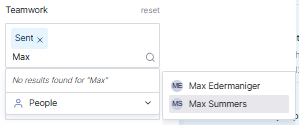
Now you will only see the emails that the defined user has sent from the group mailbox.