
With the Sustainability Panel in IMOS, you can view key metrics that determine the carbon intensity of a voyage and add additional emissions data.
This feature requires the configuration flag CFGSustainability to be enabled.
The key metrics for sustainability score and index calculations are:
-
Total CO2 emitted (calculated by multiplying the total amount of fuel (MT) consumed and the carbon factor as defined in the Data Center)
-
Total cargo carried on the voyage
-
Total fuel consumed
-
Total distance sailed
-
Voyage AER
-
Voyage CII Rating
These metrics are dynamic and change as the voyage progresses.
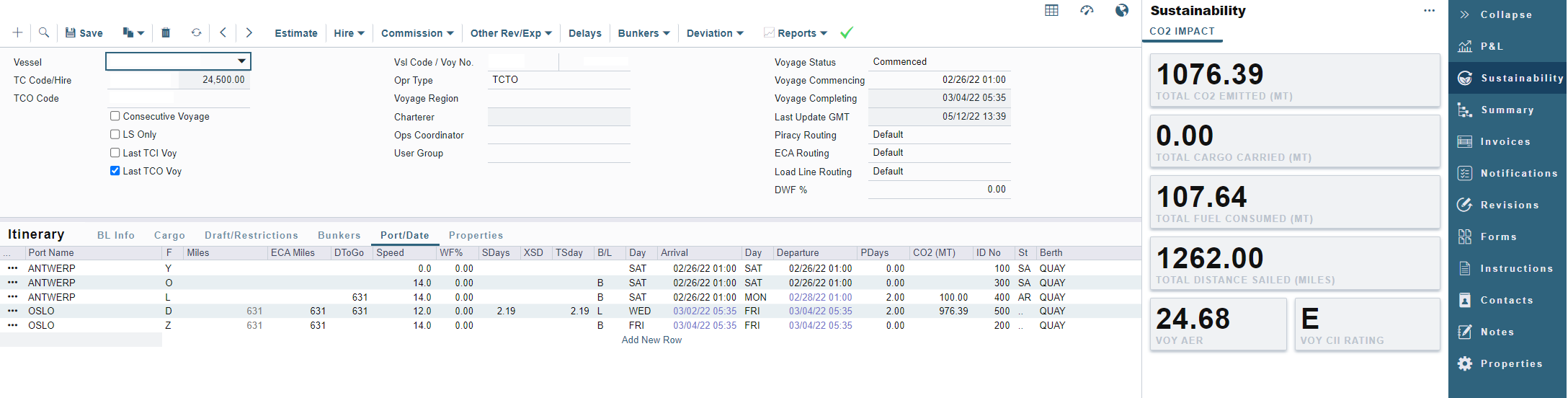
When applicable, the density factor is used in the carbon emissions calculations to display the CO2 impact of the voyage accurately. The system will use cargo information on the LNG Cargo Name form if the density is not added on the first load port.
Alt Qty can be utilized for Emissions metrics. When Transport Work Calculations and Cargo Emission allocation can not convert a lifting's BL quantity to MT, the calculation will attempt to convert the lifting's Alt Quantity to MT.
Carbon Factors in Voyage Bunkers
Within the Voyage Manager, you can define Emissions Factors per voyage.
-
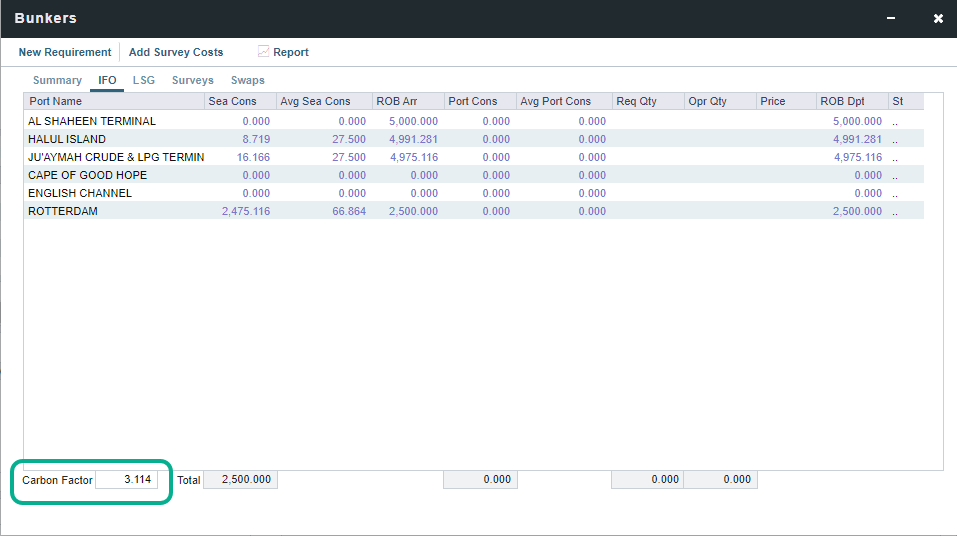
To adjust the Carbon Factors for the voyage, click Bunkers on the Voyage Manager toolbar and then click Voyage Bunkers.
-
Use the Carbon Factor field under the fuel types to adjust the CO2 emitted. Once changed, the Carbon Factor will adjust in the Voyage P&L accordingly.
-
Review the CO2 Emissions page to learn how to adjust carbon factors in the Fuel/Lube Types screen.
Emission Data
In some cases, additional emissions data needs to be accounted for in the voyage that does not affect the P&L. Example scenarios include SPOT voyages and ballast leg information prior to vessel delivery. In those scenarios, you can enter the fuel consumption data by going to the Sustainability Panel Menu > Emissions Data Grid:
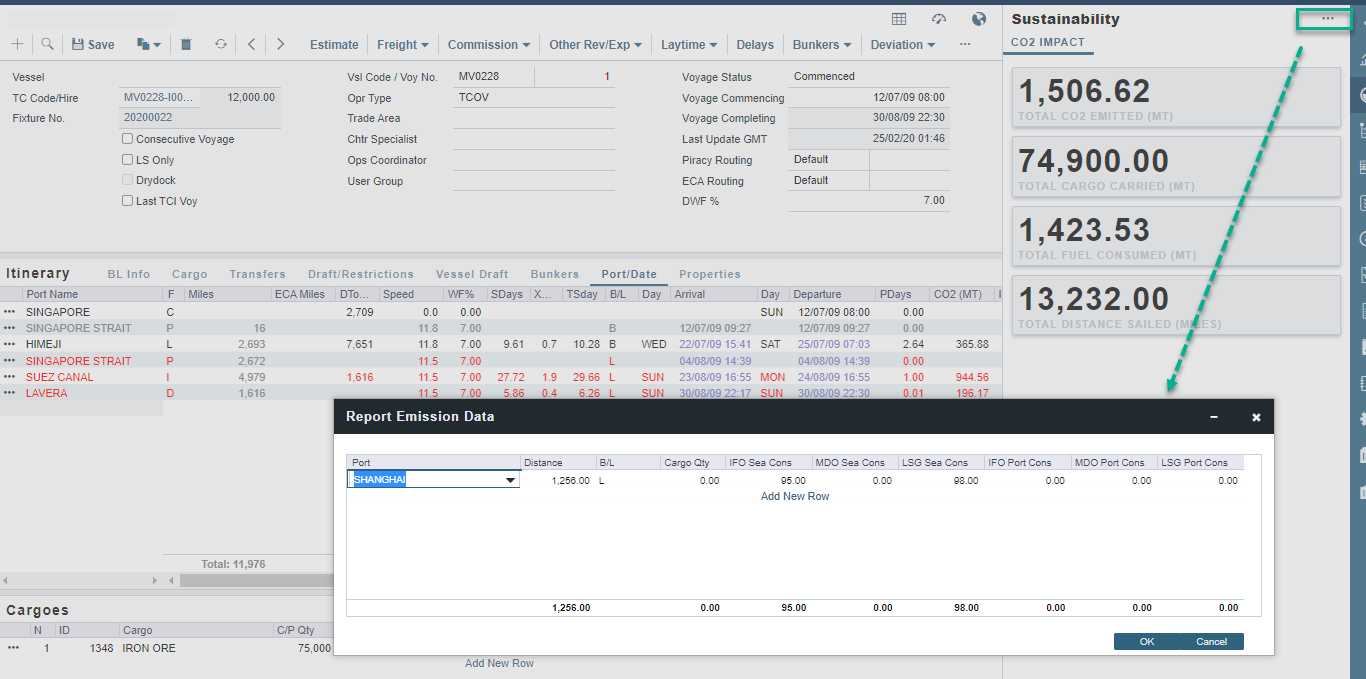
The data entered in this grid will be added and summed up to the total values displayed in the Sustainability Panel but will not be accounted for in the Itinerary, Bunker Planning, or the P&L. This information is purely for reporting purposes and is available in the Report Designer under the Voyage Emissions Data Table.