
Setting Up WhatsApp Integration
-
Accessing Shipfix WhatsApp Bot
-
Login in to your Shipfix platform
-
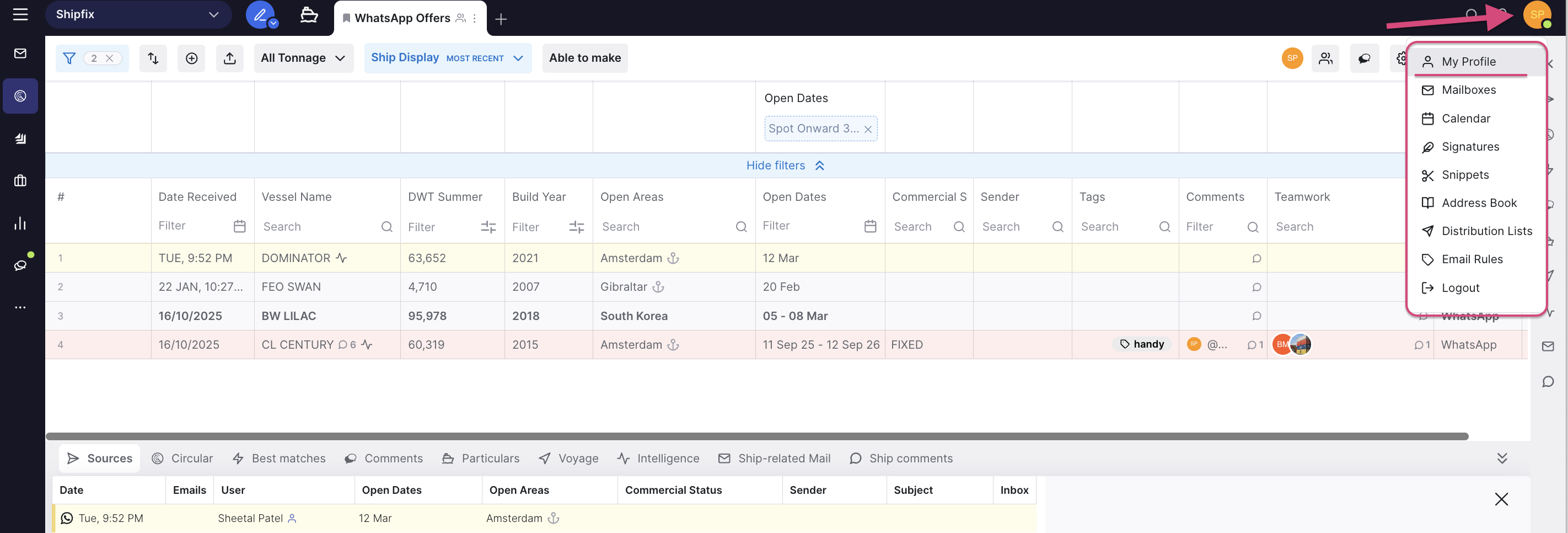
Click on your Avatar on top Right corner of platform
-
Select “My Profile”
-
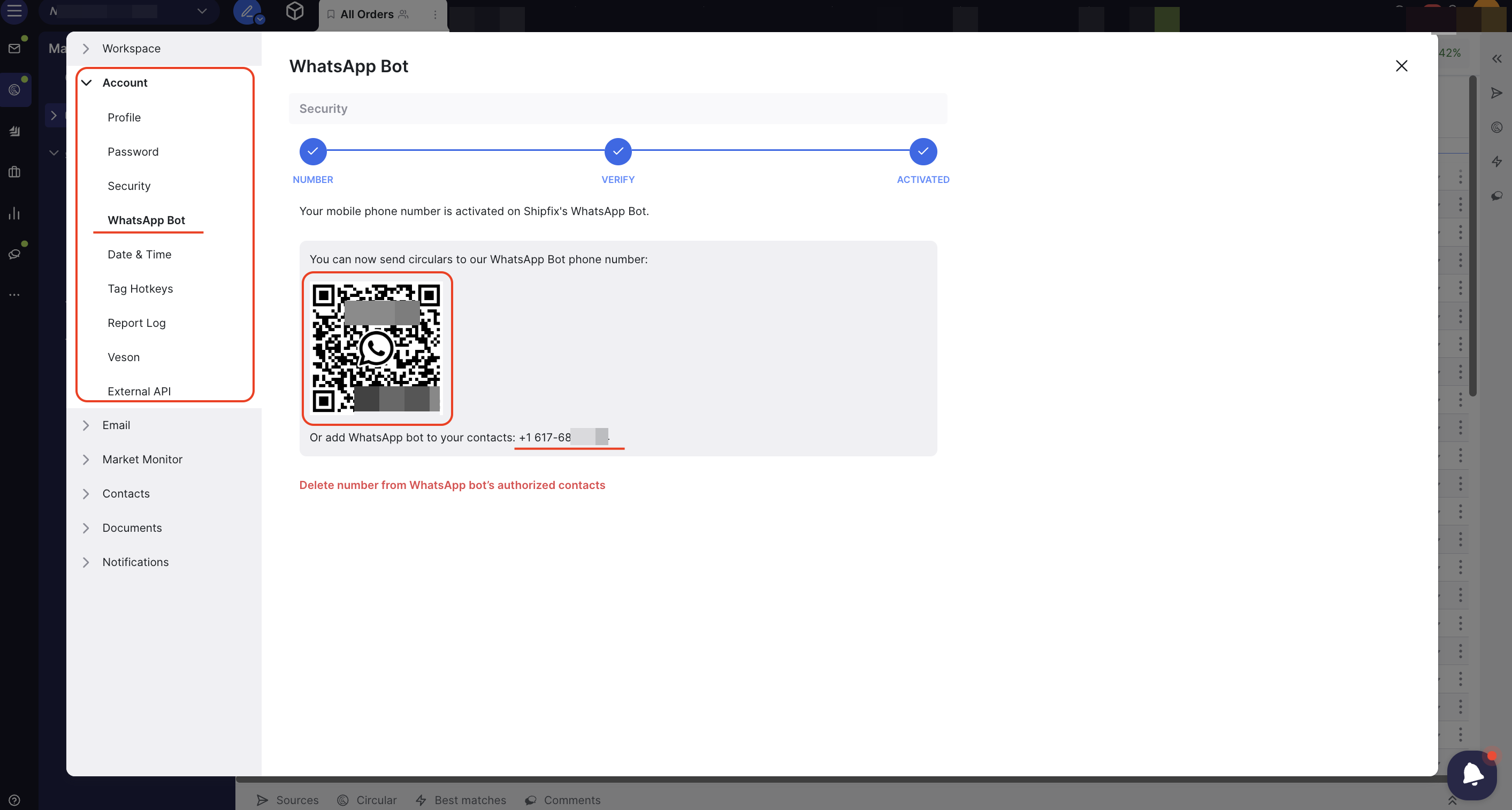
Click on “Account”
-
Click on “WhatsApp Bot”
-
Connect your phone number
-
Click on “Set up Shipfix's WhatsApp Bot”
-
Enter your phone number
-
Activate the connection by entering the verification code that will be sent to you
-
Add the Shipfix Bot Number to your Mobile contacts
-
Use the provided QR code or phone number to add the Shipfix chatbot to your WhatsApp contacts
-
Share Your circular Details
-
Simply forward (or copy paste, or write out) your order, tonnage, or fixture as a message to the Shipfix chatbot on your mobile phone
-
Automatic Processing
-
The chatbot will extract the details and create a circular in the appropriate market screens (the “source” will appear as 'WhatsApp')