
The Port Calls Enhanced view is the Veson Platform's native view of your IMOS port calls. Toggle it on to review a port call's cargo handlings, agents, and vessel details, share it with a counterparty, and work the forms tied to it — all from a single page. Your IMOS port calls are mirrored into the platform and kept in sync automatically.
Toggle the Enhanced view
In the Port Calls workspace, use the Enhanced view toggle in the header to switch between the classic IMOS view and the Enhanced view. Your choice is remembered per workspace for the rest of your session.
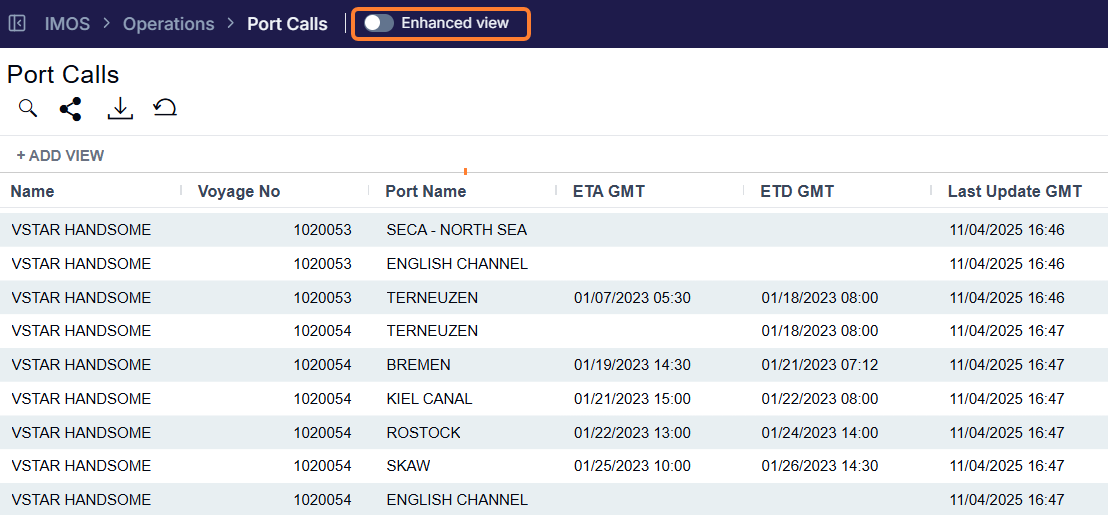
The Enhanced view is read-oriented: you review the port call here, while edits are made through Forms (see Related Forms) or in the classic IMOS view. The toggle is not shown on port calls that were shared to you by a counterparty.
Port Calls List
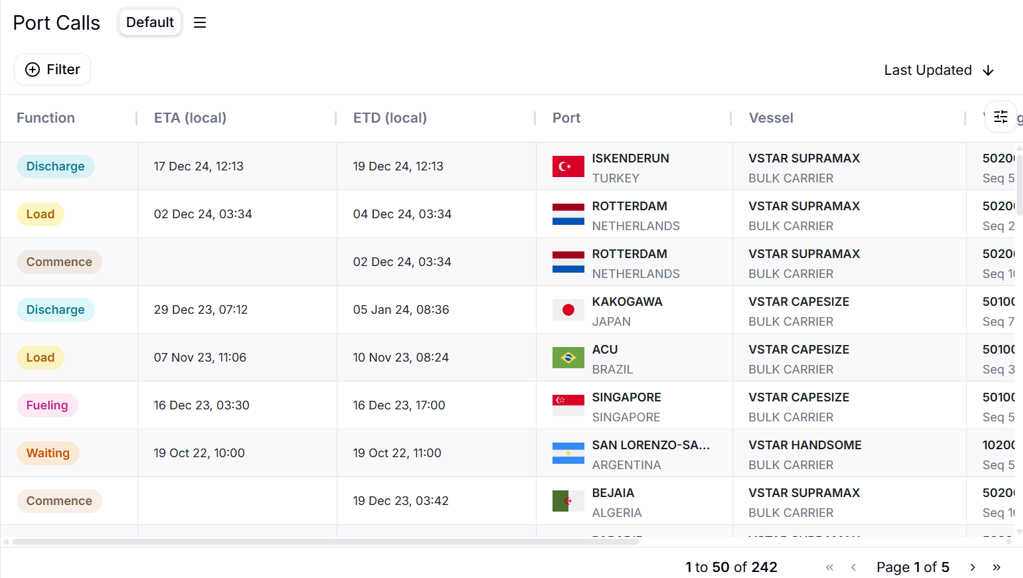
The Port Calls list shows your port calls with these columns: Function (the port function), ETA (local), ETD (local), Port, Vessel, Voyage (voyage number and sequence), Ops Contact, Last Updated, and Sharing. Choose your own columns and sort the list as needed.
Port Call Detail
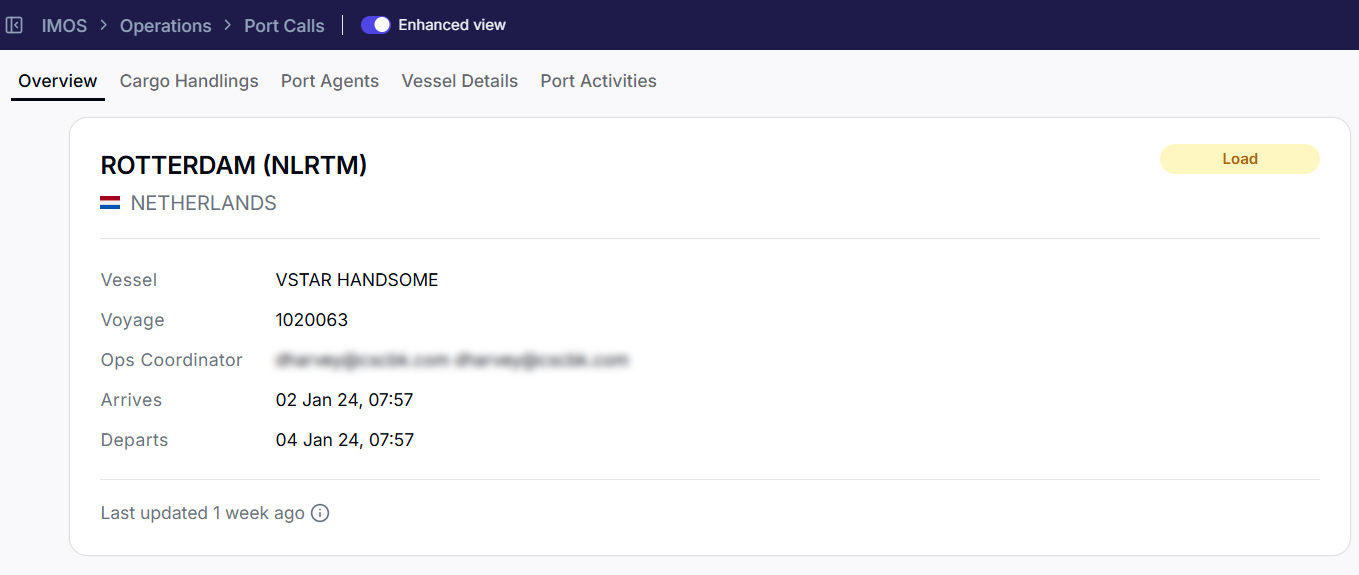
Select a port call to open its detail page, which is organized into the following sections.
Overview
A summary of the port call — the vessel, voyage and sequence, port, and the key dates and details for the call.
Cargo Handlings
The cargoes handled at this port call, with their quantities and handling details.
Port Agents
The agents appointed for the port call, including Currency, Phone, and Email details.
Vessel Details
Key particulars for the vessel on the port call.
Side panels
The port call detail page has a side-panel rail:
-
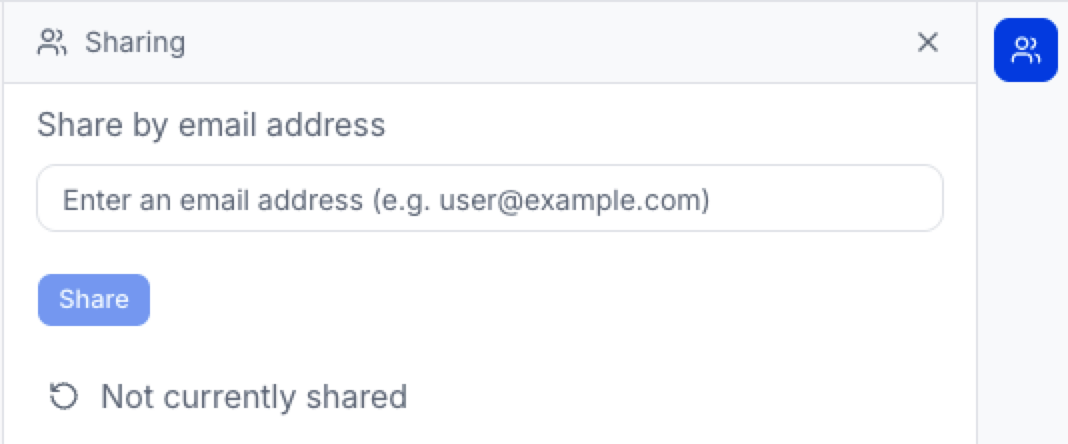
Sharing — you can share the port call with a counterparty's environment (visible only on port calls you own, with the right permissions). See Sharing in the Veson Platform for more details.
FAQs
Is the Enhanced view a different system from IMOS?
No. It's a native view of your existing IMOS port calls, kept in sync automatically. IMOS remains your system of record; edits route back to IMOS through forms.
Can I share a port call?
Yes. Port calls are a shareable document type. Open the Sharing panel on a port call you own to share it; sharing must be enabled for your organization and requires the sharing permission.