
This article describes the FuelEU offhire emissions invoicing workflows available in IMOS, including how to include offhire costs on Time Charter payments, rebill those costs to cargo charterers, and generate FuelEU pooling journals. For an overview of how offhire emissions are calculated and configured, see IMOS - Offhire Emissions.
Prerequisite: CFGEnableOffhireFuelEUPnl must be enabled.
FuelEU Offhire Emissions Invoicing Workflow
Use the FuelEU Offhire Emissions Invoicing workflow to capture and include offhire emission costs directly in Time Charter payments, ensuring they are accurately reflected in both the Voyage P&L and FuelEU pooling journals. The following workflow applies to TC In, TC Out, and Head Fixture contracts. The steps are the same across all three contract types; the example below uses a Time Charter contract.
When the CFGEnableOffhireFuelEUPnl flag is enabled, offhire emission costs can be included on TC invoices via Make Payment → Create/Add Details → FuelEU Penalty, where the offhire FuelEU Penalty appears in the Time Charter Payment. These same amounts are also factored in when generating FuelEU pooling journals.
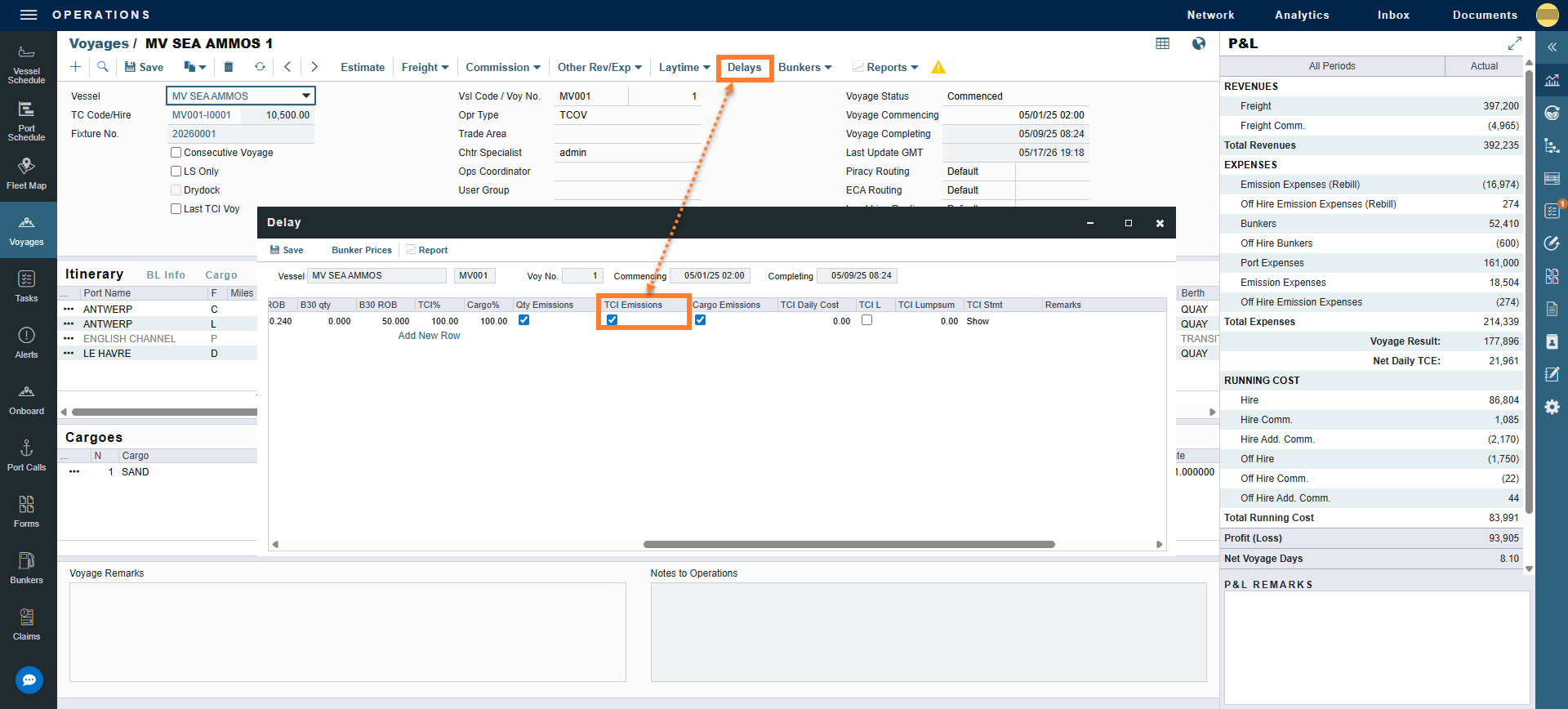
Step 1: Navigate to the Operations module → Voyage Manager → Delays.
-
The delay should already be entered on the Delays form. For details on configuring the delay, see Entering Offhire on the Delays Form.
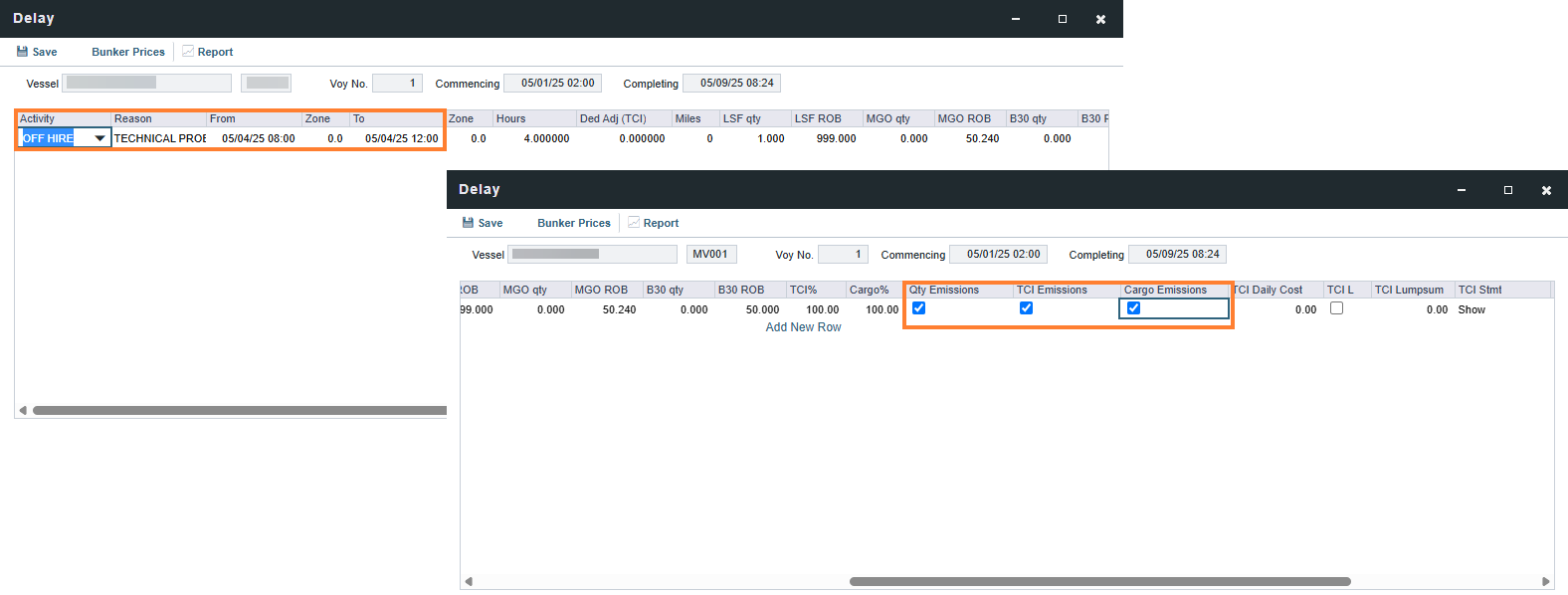
-
Confirm that the TCI Emissions check box is selected. This tells the system that the TC owner is responsible for the cost.
-
The delay should already be entered. For details on configuring the delay, see Entering Offhire on the Delays Form.
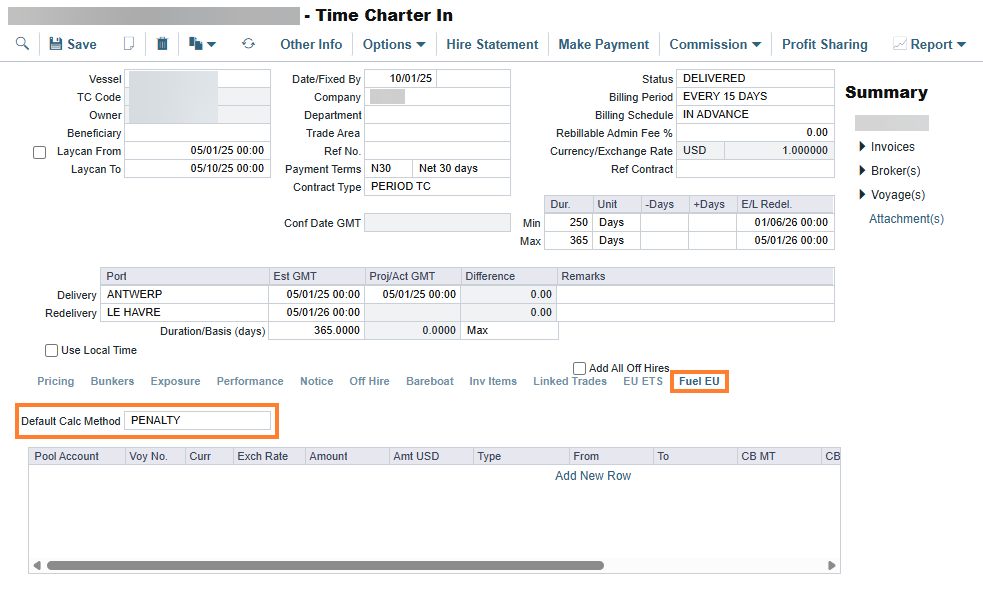
Step 2: Open the Time Charter contract and navigate to the FuelEU tab.
Step 3: Confirm that the Default Calc Method is set to PENALTY.
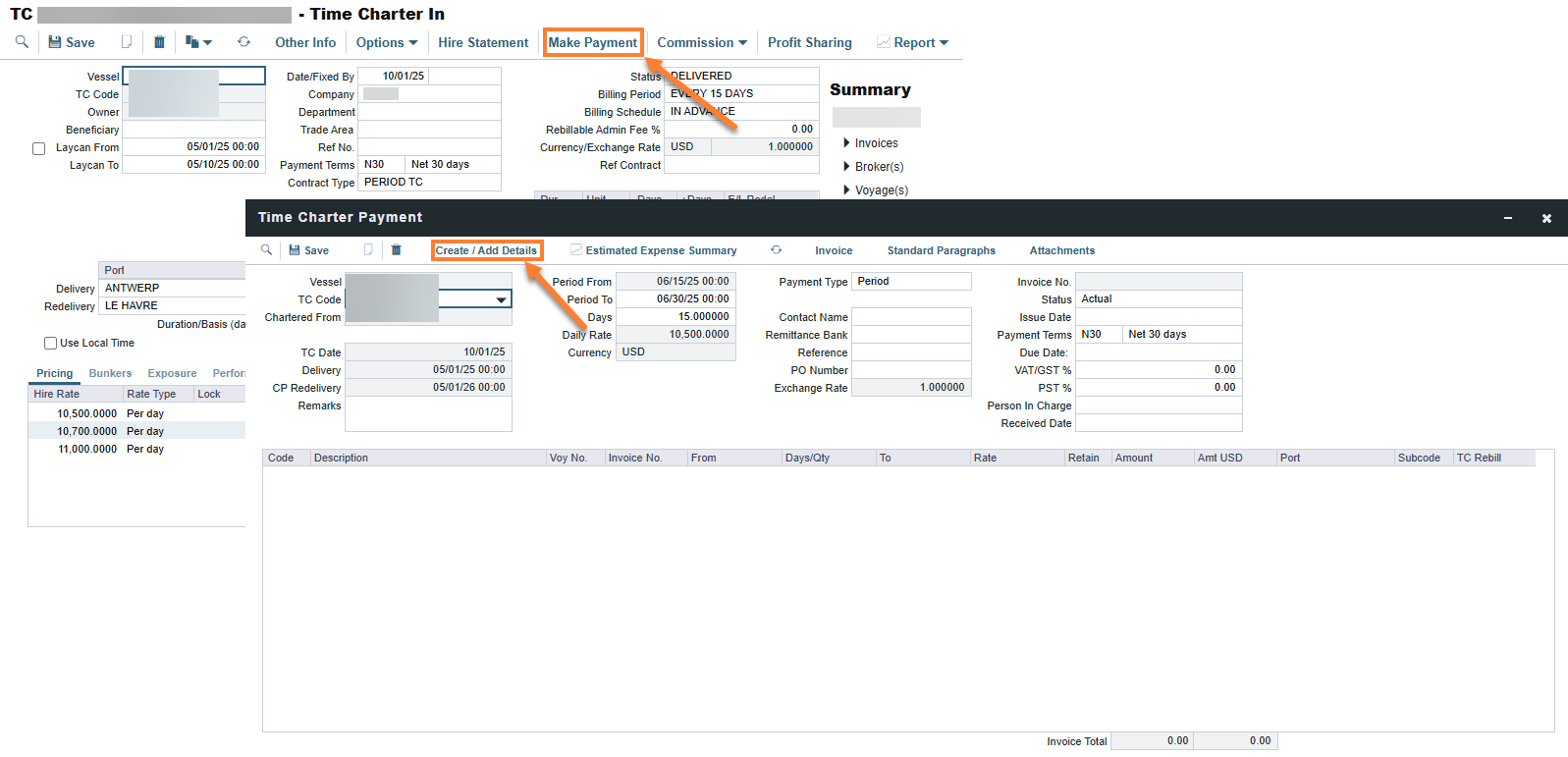
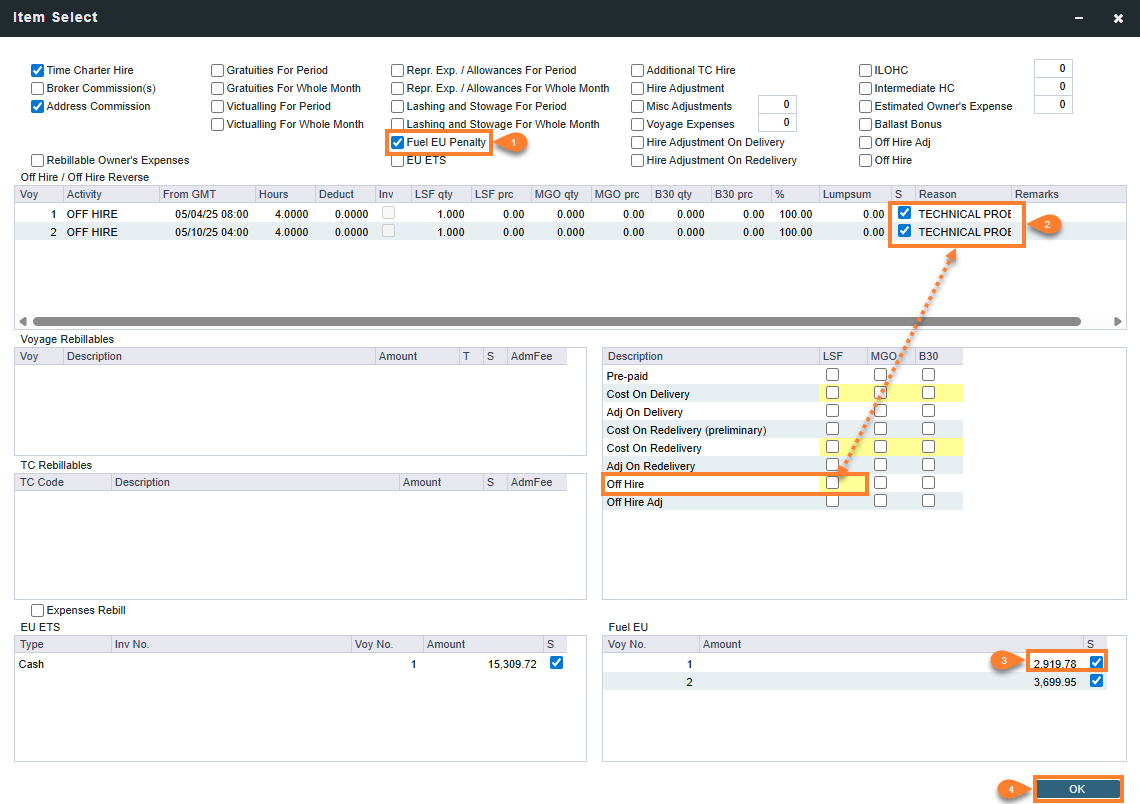
Step 4: From the TC contract, select Make Payment → Create / Add Details.
Step 5: Create the payment:
-
Select the FuelEU Penalty check box.
-
Select the offhire and offhire bunkers to include in the payment.
-
Select the FuelEU amount to include.
-
Select OK.
Step 6: Click Save. The invoice is ready to be approved and posted.
FuelEU Offhire Emissions Rebill Workflow
When a vessel incurs FuelEU penalty costs during an offhire period, those costs may need to be recovered from the responsible cargo charterer or VC In counterparty rather than absorbed by the owner. The following workflow describes how to rebill FuelEU offhire emissions costs against Cargo contracts and VC In contracts via the freight invoice and relet invoice. The steps are the same for both contract types; the example below uses the Cargo contract.
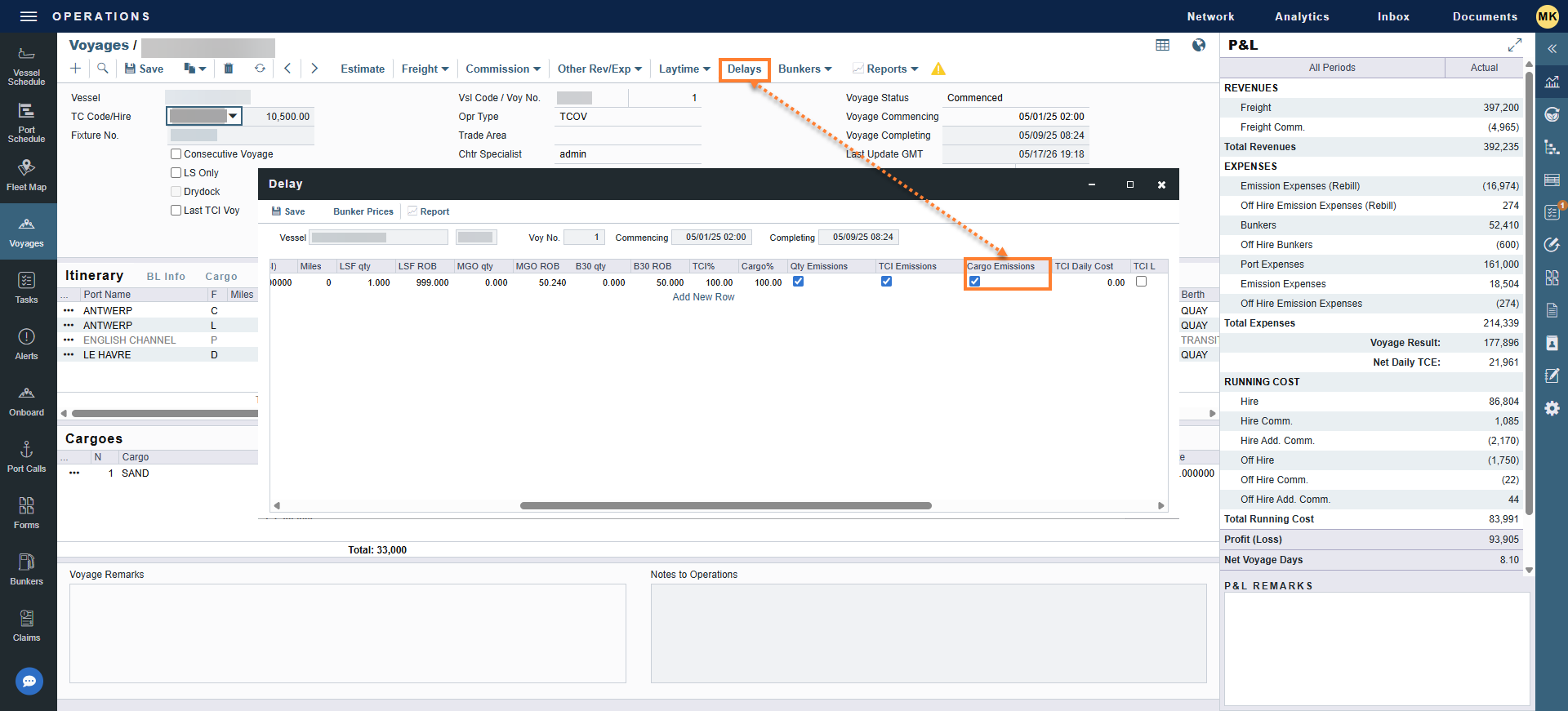
Step 1: Navigate to the Operations module → Voyage Manager → Delays.
-
The delay should already be entered.
-
Confirm that the Cargo Emissions check box is selected. This tells the system to deduct the cost from the cargo charterer as a rebill.
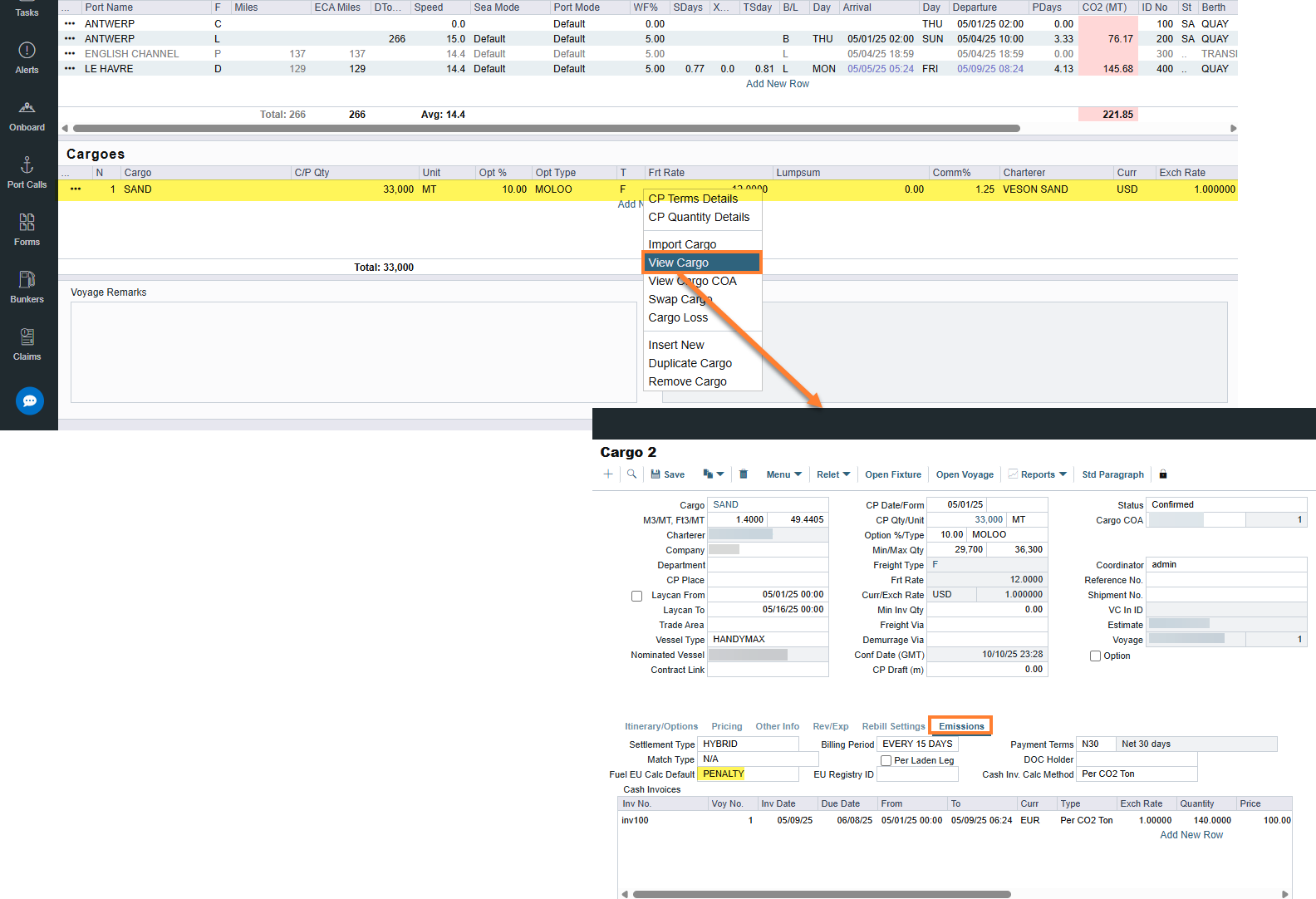
Step 2: Open the voyage's Cargo contract and select the Emissions tab.
Step 3: Confirm that the Default Calc Method is set to PENALTY.
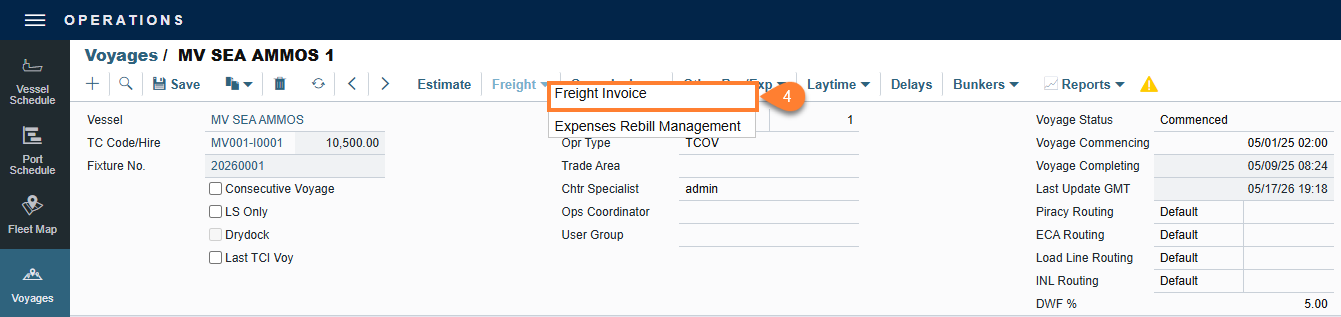
Step 4: In Voyage Manager, select Freight → select Freight Invoice.
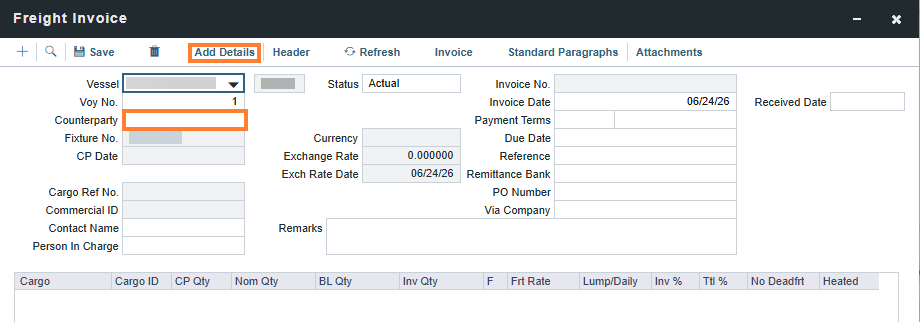
Step 5: Enter the Counterparty → select Add Details.
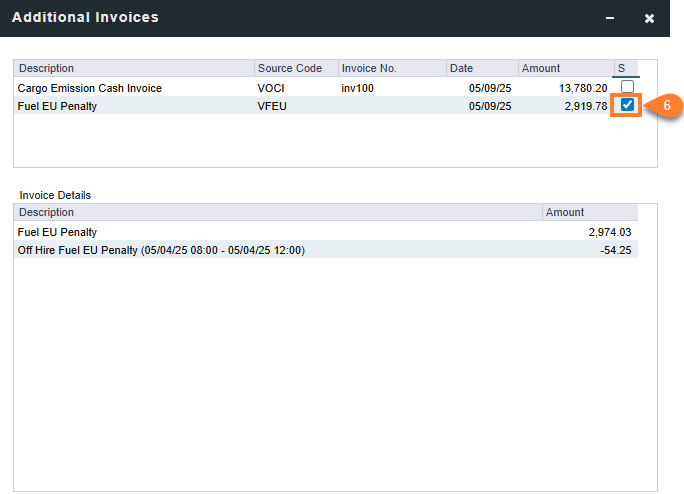
Step 6: Select the FuelEU check box to add the offhire and FuelEU penalty.
-
The invoice details display the FuelEU penalty rebill and the offhire amount being deducted from that cost.
Step 7: Review the invoice details and save the form.
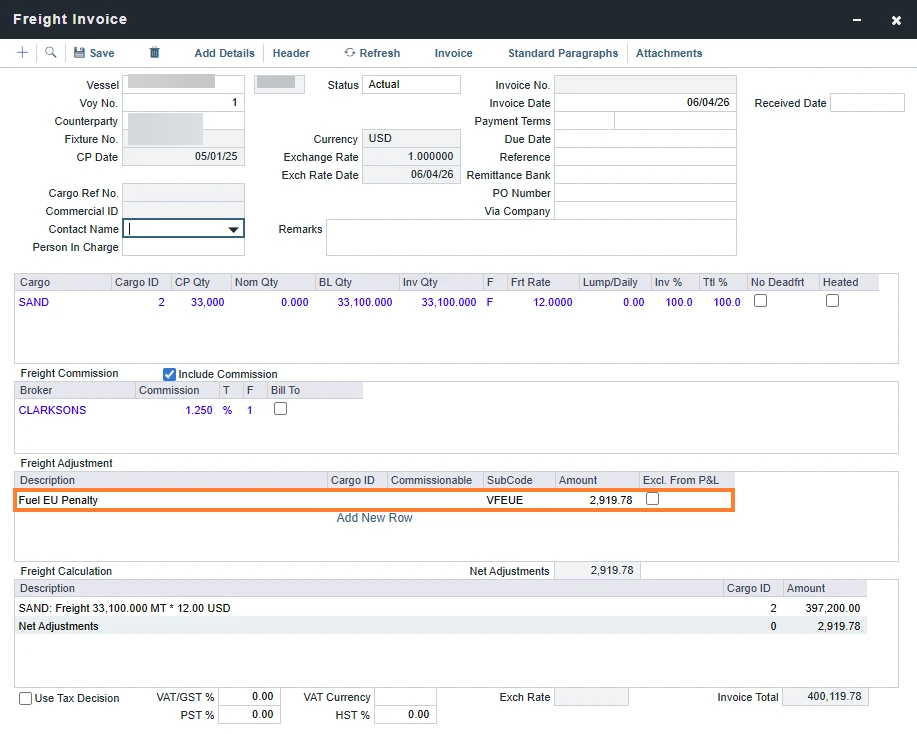
-
After completing these steps, the FuelEU amount on the invoice is reduced by the offhire amount.
This offhire deduction is not displayed to the cargo charterer on the invoice.
Step 8: Click Save. The invoice is now ready to be approved and posted.
FuelEU Pooling Journals
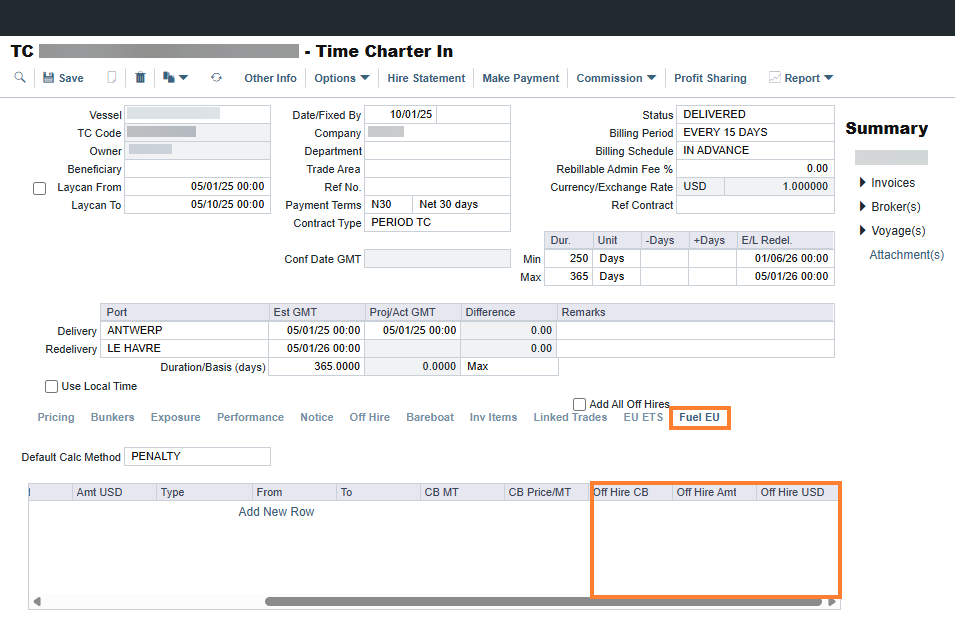
Offhire emissions are automatically included in FuelEU pooling journals. When creating a pooling journal using your standard workflow, set the journal type to Per Metric Ton. This journal type is required because offhire emissions are calculated and stored as a quantity in metric tons. Selecting a different journal type does not populate the offhire emissions columns, and those costs are excluded from the journal. The offhire emissions columns populate automatically.
Additional Considerations
The clarifications following considerations apply to FuelEU offhire emissions and financial processes.
-
Period-Based Restrictions: Offhire amounts are strictly period-based. After an invoice is generated for a specific timeframe, it cannot be re-invoiced for that same period.
-
Delay Dependency: A voyage with no recorded delays generates a clean FuelEU invoice without any offhire line items.
-
Itemized Granularity: If a voyage experiences multiple delays, each delay period appears as a separate line item on the invoice.