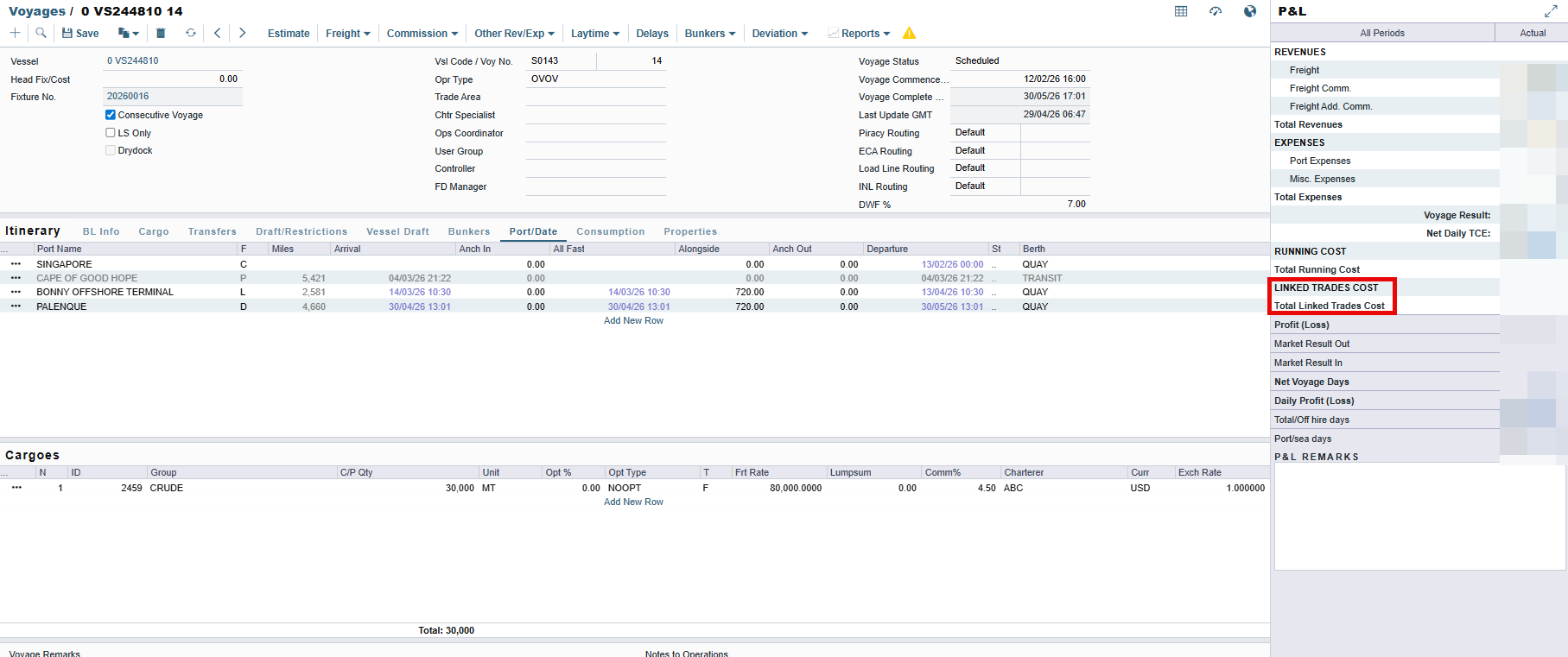
There is no fully automated way to insert paper trading positions into voyages. However, it is technically possible using the FFA Detail Import XML integration combined with cargo link
FFA Detail Import allows external systems to push FFA, Bunker Swap, Option, or Commodity trades directly into IMOS via a message handler. Full field-level documentation is available in the IMOS Messaging Service Manual
The process involves two steps:
-
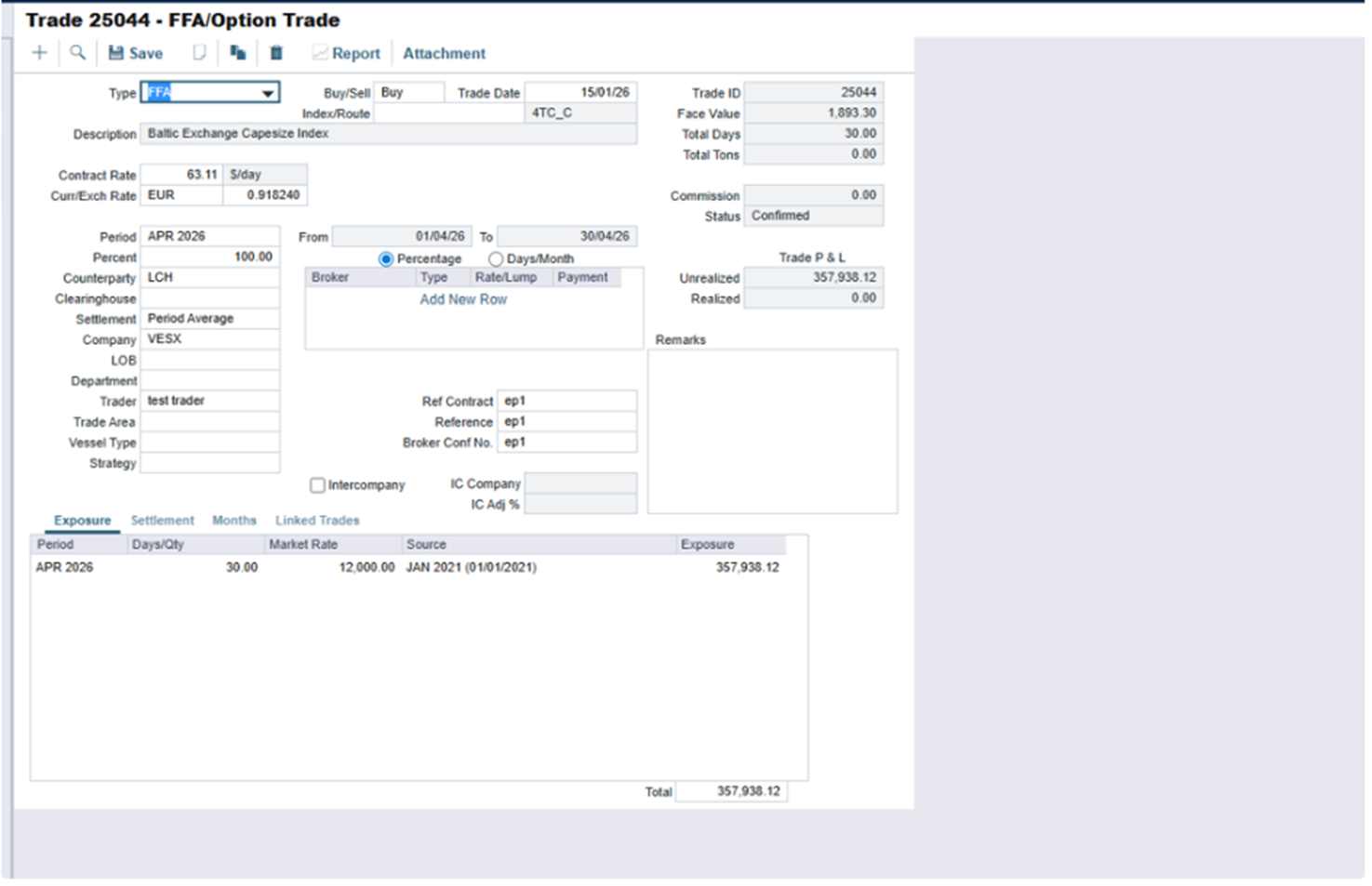
Import the FFA trade using the FFADetailImport XML message. An example XML message can be found below:
<FFADetailImport
xmlns:xsi="http://www.w3.org/2001/XMLSchema-instance"
xmlns:imosmsg="http://schemas.veson.com/2005/ImosMsg" imosmsg:action="update" IsBunkerSwap="0"
xmlns="http://schemas.veson.com/2005/ImosFFADet">
<FFADetail>
<Id />
<ReferenceContract />
<BrokerConfNo />
<Status>Confirmed</Status>
<Clearinghouse />
<TradeAreaNumber>0</TradeAreaNumber>
<Volume>1300</Volume>
<Portion>100</Portion>
<Currency>EUR</Currency>
<ExchangeRate>0.9182399177257033</ExchangeRate>
<ContractRate>63.11000000000001</ContractRate>
<Type>FFA</Type>
<Route>4TC_C</Route>
<LastUserName>test</LastUserName>
<Company>VESX</Company>
<RateType>F</RateType>
<BuySell>Buy</BuySell>
<Trader>test trader</Trader>
<CounterpartyType>O</CounterpartyType>
<Transferred>0</Transferred>
<TradeDate>2026-01-15T00:00:00.0000000</TradeDate>
<Reference></Reference>
<Counterparty>LCH</Counterparty>
</FFADetail>
<Commissions />
</FFADetailImport>
-
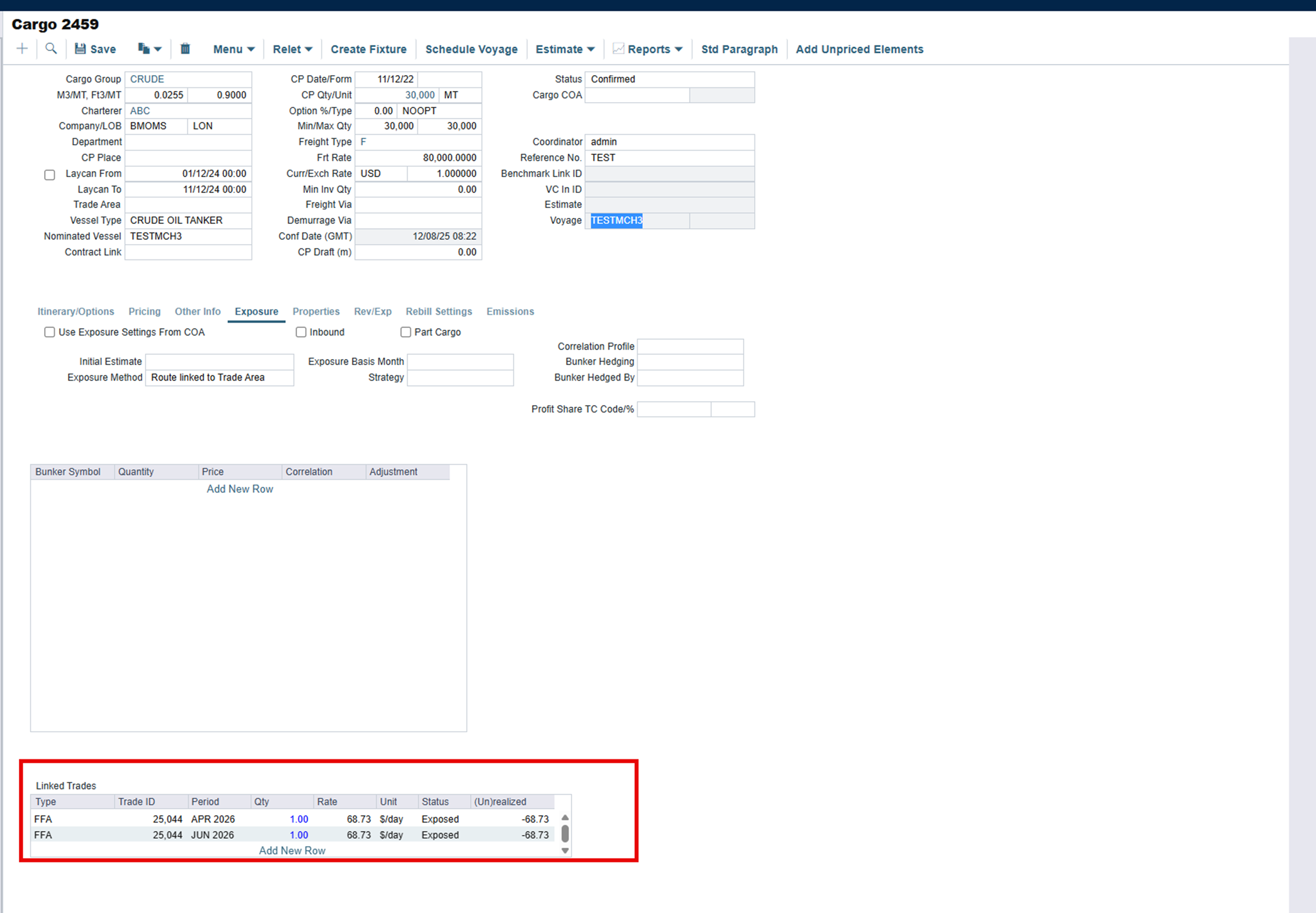
Link the trade to a cargo contract using the cargo XML message, referencing the trade via <linkedTrade>. An example xml is:
<cargo
    xmlns:xsi="http://www.w3.org/2001/XMLSchema-instance" p1:action="update"
    xmlns:p1="http://schemas.veson.com/2005/ImosMsg"
    xmlns="http://schemas.veson.com/2005/ImosCha">
    <cargo>CRUDE</cargo>
    <cpQty>30000</cpQty>
    <minQty>27000</minQty>
    <maxQty>33000</maxQty>
    <cargoUnit>MT</cargoUnit>
    <freightType>F</freightType>
    <freightRate>80000</freightRate>
    <laycanFrom>2024-12-01T00:00:00</laycanFrom>
    <laycanTo>2024-12-11T00:00:00</laycanTo>
    <contract>SALE</contract>
    <charterer>ABC</charterer>
    <externalRef>test</externalRef>
    <linkedTrade>
        <tradeId>25044</tradeId>
        <bunkerPurchaseId>0</bunkerPurchaseId>
        <monthIndex>4</monthIndex>
        <qty>1</qty>
    </linkedTrade>
    <linkedTrade>
        <tradeId>25044</tradeId>
        <bunkerPurchaseId>0</bunkerPurchaseId>
        <monthIndex>6</monthIndex>
        <qty>1</qty>
    </linkedTrade>
</cargo>
Once done and the cargo contract is added in a voyage, the added trade will appear in the voyage PnL