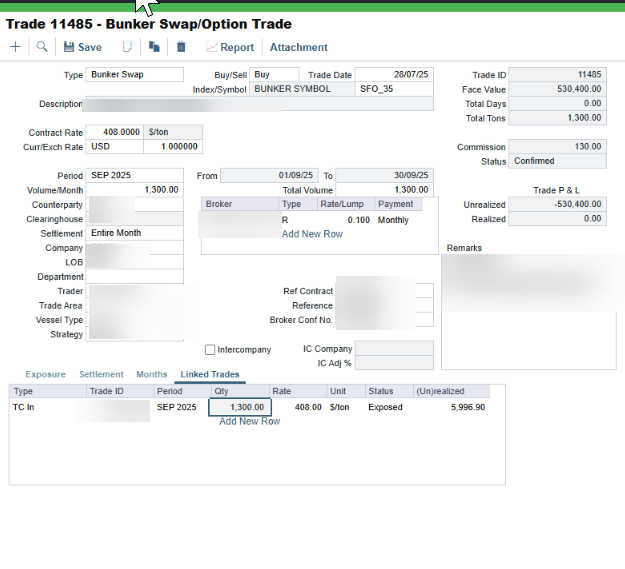
By default, IMOS links paper trades to physical contracts on a period basis. This means the system auto-populates the full quantity for the period and locks the Qty field, so only one linked trade is supported per bunker trade.
When a bunker trade is in Confirmed status and quantity-based linking is not enabled, the Qty on the Linked Trades tab is fixed to the full period quantity and cannot be edited or split across multiple voyages.
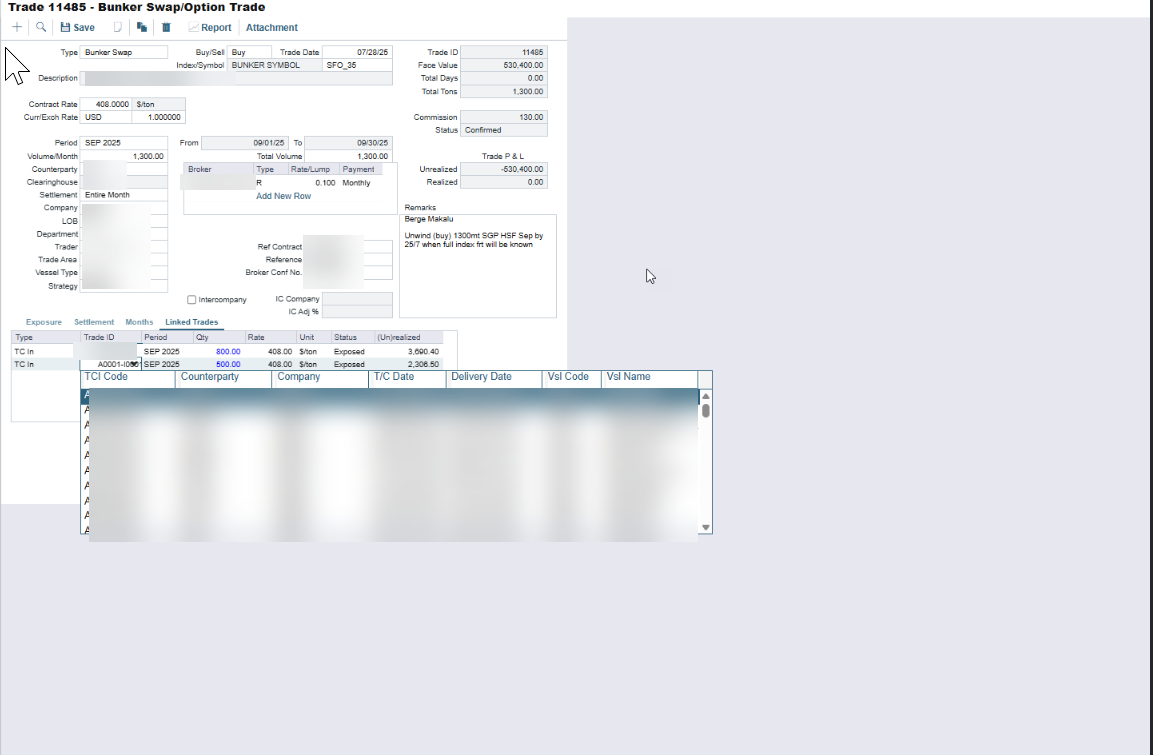
Once config flag CFGLinkPaperTradeQt is enabled linking behaviour changes so paper trades can be linked to physical contracts on a quantity basis within a period, rather than strictly period-to-period.The Qty field on the Linked Trades tab becomes editable. You can then split a single bunker swap/option trade across multiple voyages or cargoes by specifying a different quantity on each linked row.