
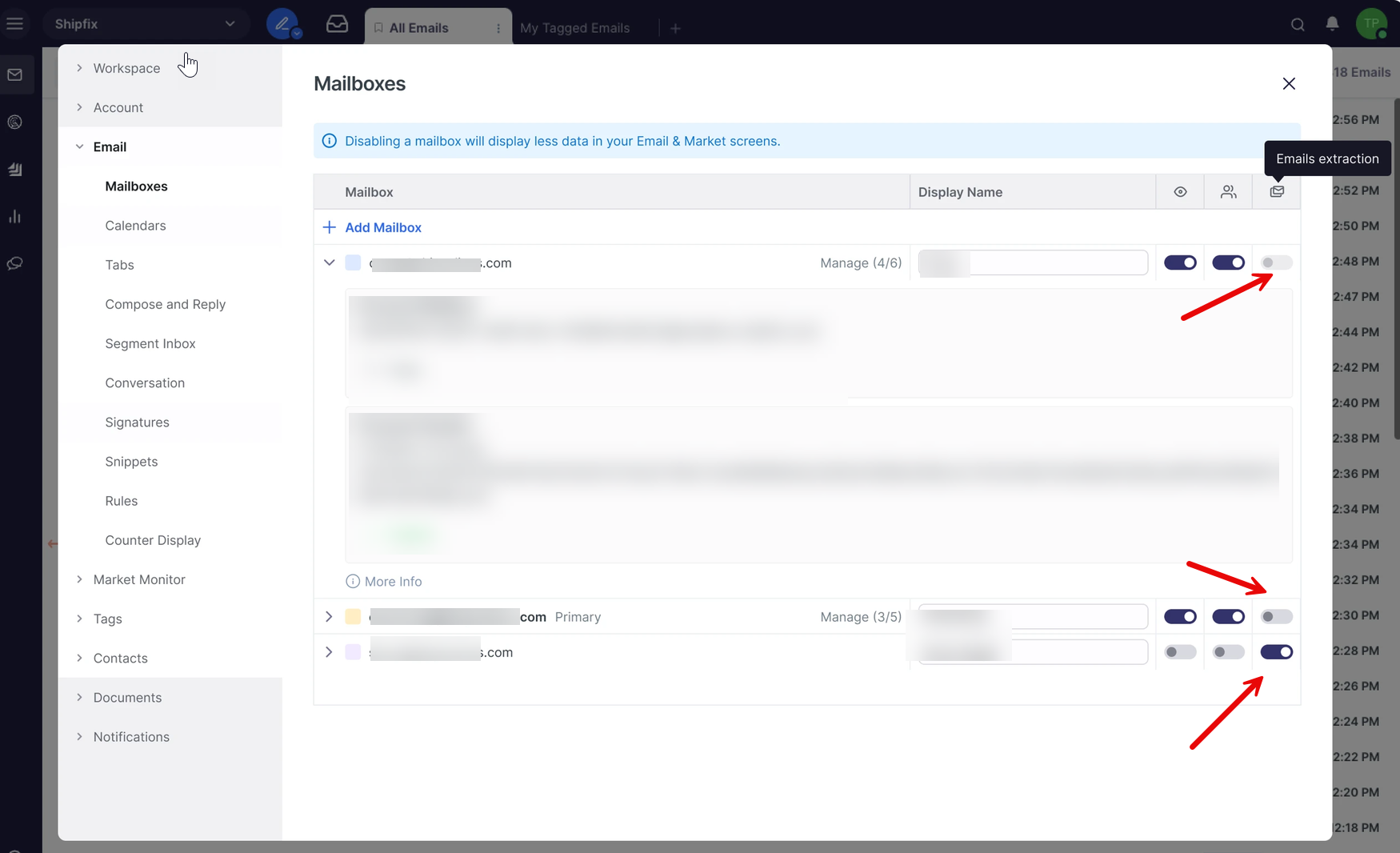
You can now control whether a mailbox's emails are extracted (i.e., processed and made available in Shipfix) by toggling an Email extraction setting per mailbox. This applies to both private and shared mailboxes.
Where do I find this setting?
Go to User Settings > Email > Mailboxes. Each mailbox listed there now has a third toggle labeled Email extraction, alongside its existing settings.
Who can turn this toggle on or off?
It depends on your relationship to the mailbox:
|
Your role on the mailbox |
Can you toggle Email extraction? |
|---|---|
|
Owner |
Yes |
|
Manager |
Yes |
|
Creator |
Yes |
|
Member (not the creator) |
No — the toggle is disabled/read-only |
If you're a member without owner, manager, or being the ‘creator’ (the person who first connected the mailbox), you'll still see the toggle, but it will be locked and simply reflect whatever the owner/manager/creator has chosen — you won't be able to change it yourself.
What happens when I turn extraction off?
When Email extraction is turned off for a mailbox, that mailbox's emails stop being extracted and processed by Shipfix.
As a result, any email rules that rely on extracted data — for example, filters based on extracted data, such as: vessel names, ports, etc. — will no longer apply to that mailbox's emails, since the underlying data is no longer being extracted.
Does this apply to shared mailboxes too?
Yes. The setting applies to all mailboxes — private and shared alike. On a shared mailbox, only the owner, manager, or creator can change the setting; other members will see it locked to whatever value has been set.