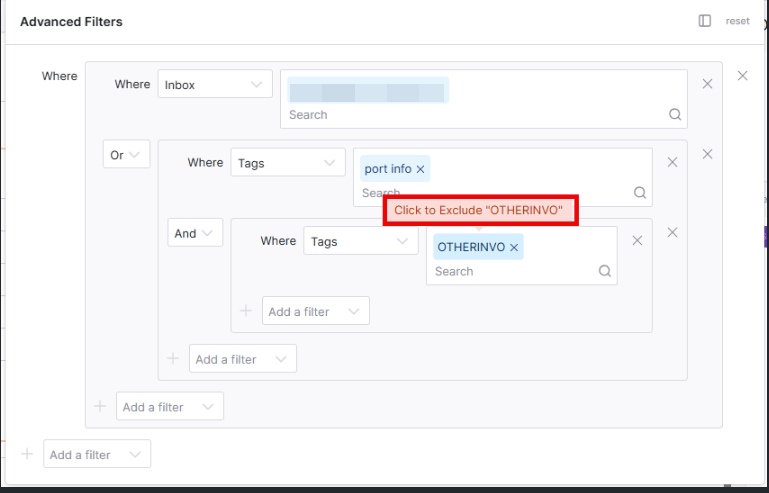
When setting up inbox filters, you may want to display messages that meet multiple conditions using a mix of OR and AND NOT logic — for example, showing all emails from a specific inbox or with a specific tag, while excluding messages that have certain other tags. Group Filters allow you to use multiple conditions under a combined AND/OR block, letting you mix logical operators within a single search.
For example, with the below group filters we are selecting emails that belong to a specific inbox or emails tagged as “port info”. From that list we are excluding emails that are tagged as “otherinvo”
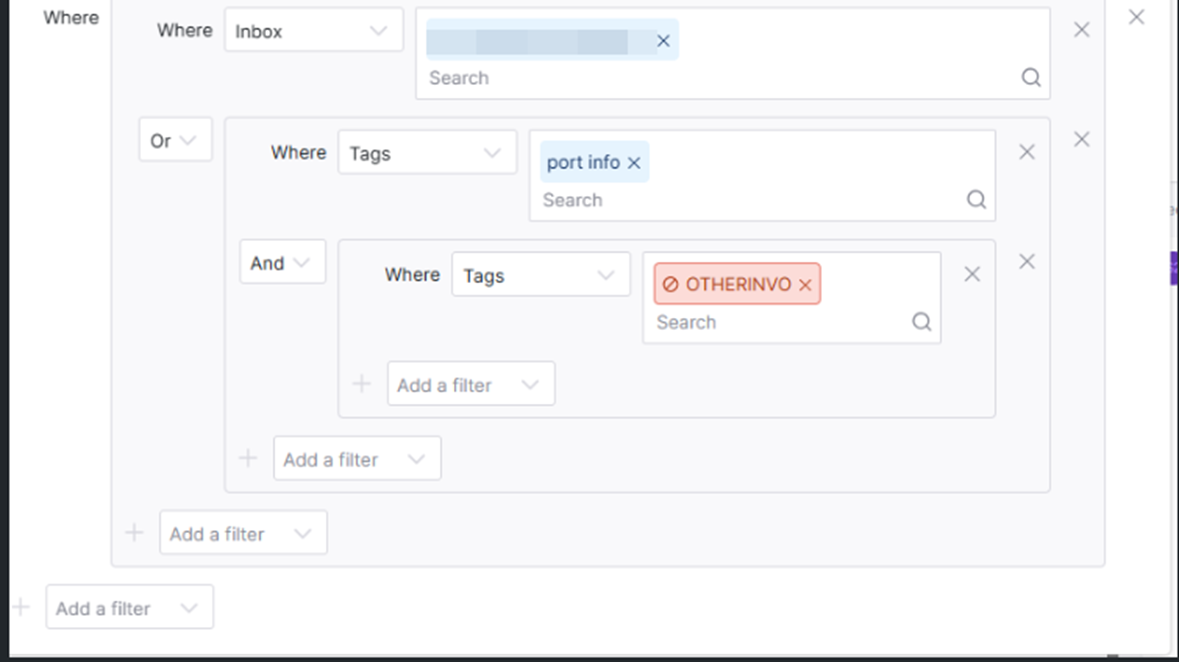
To exclude messages with a specific tag, add the tag as an exclusion by double-clicking on the tag you want to exclude.