
When you invoice voyages that have many cargoes, you can increase the number of cargo rows that appear on the Freight Invoice form before you need to scroll. This flag sets the maximum number of rows.
Flag details
|
Field |
Value |
|---|---|
|
Name |
Freight Invoice Add Cargo Grid Rows |
|
Flag |
CFGFrtInvAddCargoGridRows |
|
Description |
Specifies the number of cargo rows that appear in the cargo grid on the Freight Invoice form before scrolling is required. The minimum is 3, and the maximum is 25. |
|
Data Type |
Integer |
|
Default Value |
3 |
|
Possible Values |
3 to 25 |
How the flag works
-
If the flag is not set, the cargo grid shows 3 rows.
-
If you set a value, the cargo grid is sized to fit the cargoes on the invoice, up to that number of rows. For example, if you set the flag to 10 and the invoice has 6 cargoes, the grid shows 6 rows. If the invoice has 12 cargoes, the grid shows 10 rows and a scroll bar.
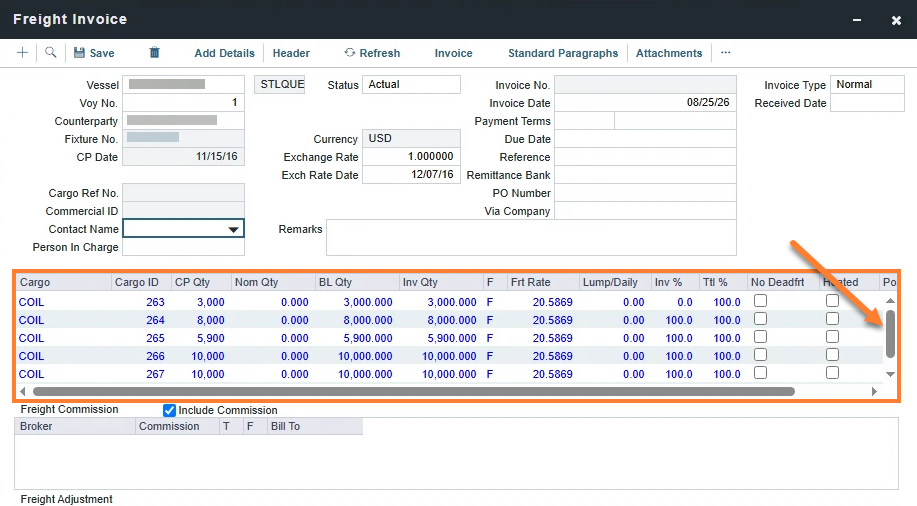
-
If an invoice has fewer than 3 cargoes, the grid shows 3 rows.
-
When you create a new invoice, the grid reserves space for the full number of rows. The cargoes load after you select a counterparty, so this makes sure a counterparty with many cargoes fits.
-
The Freight Commission, Freight Adjustment, and Freight Calculation sections, and the totals row, move down to make room for the larger grid. The Unpriced Components tab also grows with the grid.