
IMOS may prompt a warning message when you update the speed lines in the Speed Consumption Table (Data Center → Vessel List → Vessel Details → Speed Consumption Table). However, the warning does not appear for all vessels.
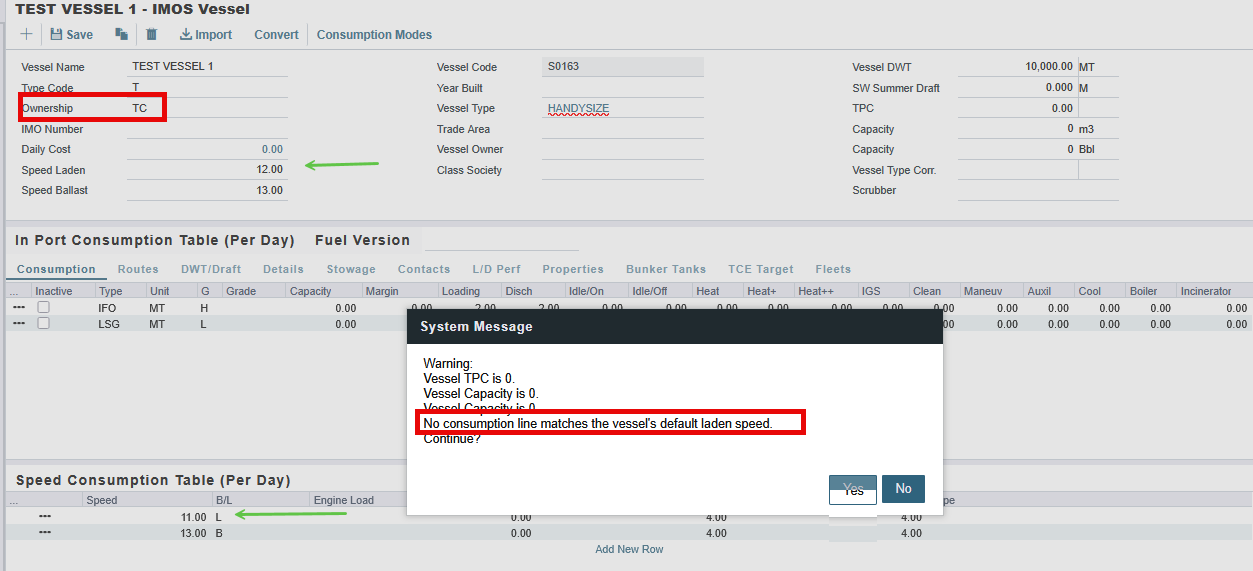
The warning depends on the Ownership type defined for each vessel. IMOS triggers the warning only for OV and TC Ownership because bunker consumption is crucial for these vessel types.
For example, in the screenshot below, the vessel is defined as TC. When changes are made in the Speed Consumption Table, IMOS displays the following warning message.
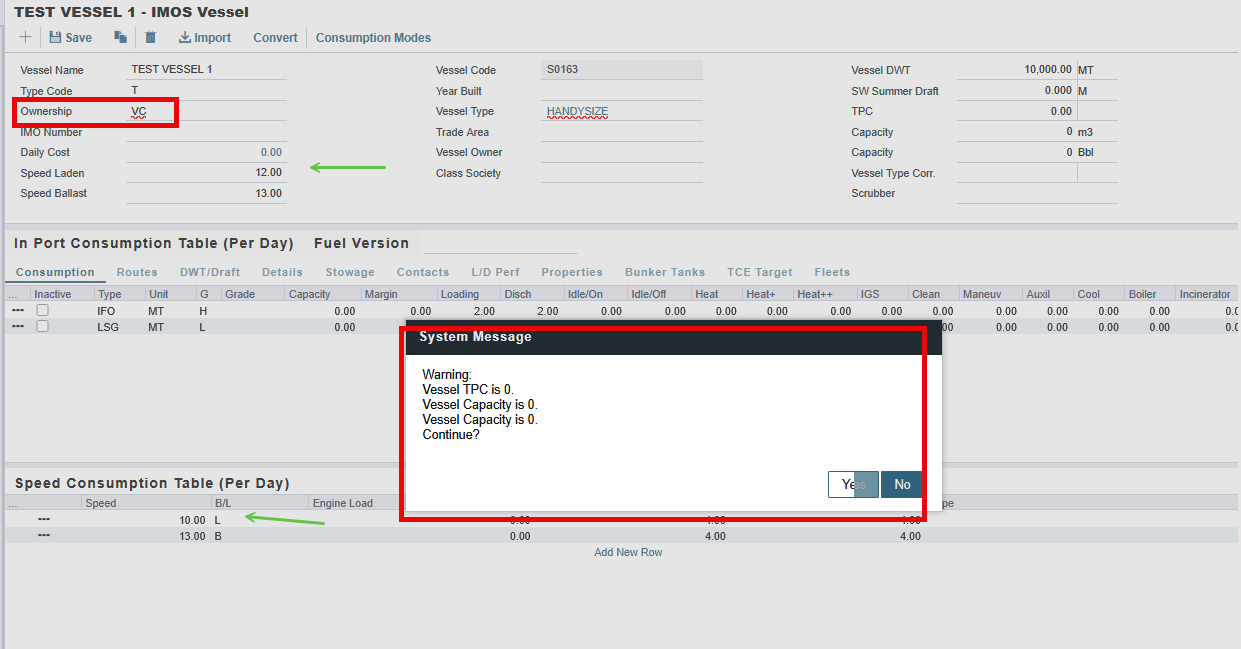
For Ownerships other than OV and TC, the warning message will not appear even when changes are made on the Speed Consumption Table.
Note: The Speed Laden and Speed Ballast fields at the top of the Consumption tab are not automatically updated when rows are added or removed from the Speed Consumption Table.
If you delete a speed from the table, the Speed Laden and Speed Ballast fields retain the old value and the estimate will calculate consumption using an invalid speed.
After making any changes to the Speed Consumption Table, always verify that the Speed Laden and Speed Ballast fields reflect a speed that still exists in the table. Update them manually if needed.