
Home > Operations > Allocating Expenses to a Voyage
Fuel is one of the largest costs in vessel operations, and since bunkers are usually bought in bulk and burned across more than one voyage, IMOS needs a way to split that cost fairly between voyages. That split happens automatically in the voyage's profit and loss (P&L), driven by the chosen Bunker Calculation Method.
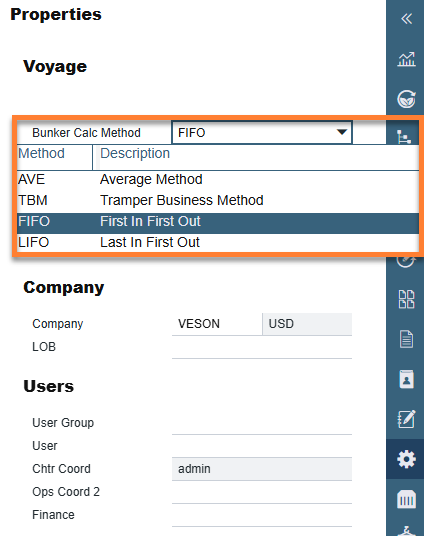
IMOS supports four methods: Average (AVE), Tramper Business Method (TBM), First In First Out (FIFO), and Last In First Out (LIFO). Each one values fuel on board differently, so the same purchases and consumption can produce different voyage costs depending on which method you use. This article covers how each method works, how bunker costs get posted to Financials, and what to look for in the bunker details on the Voyage Profit & Loss Report.
Bunkers
As fuel is generally used on more than one voyage, its cost must be allocated to each voyage. This allocation is an accounting decision that depends on the Bunker Calculation Method where the calculation happens automatically, as part of the profit and loss (P&L).
To select a bunker method, do one of the following:
-
From the Voyage Manager, select the Settings icon on the right panel → select the Bunker Calc Method drop-down method.
-
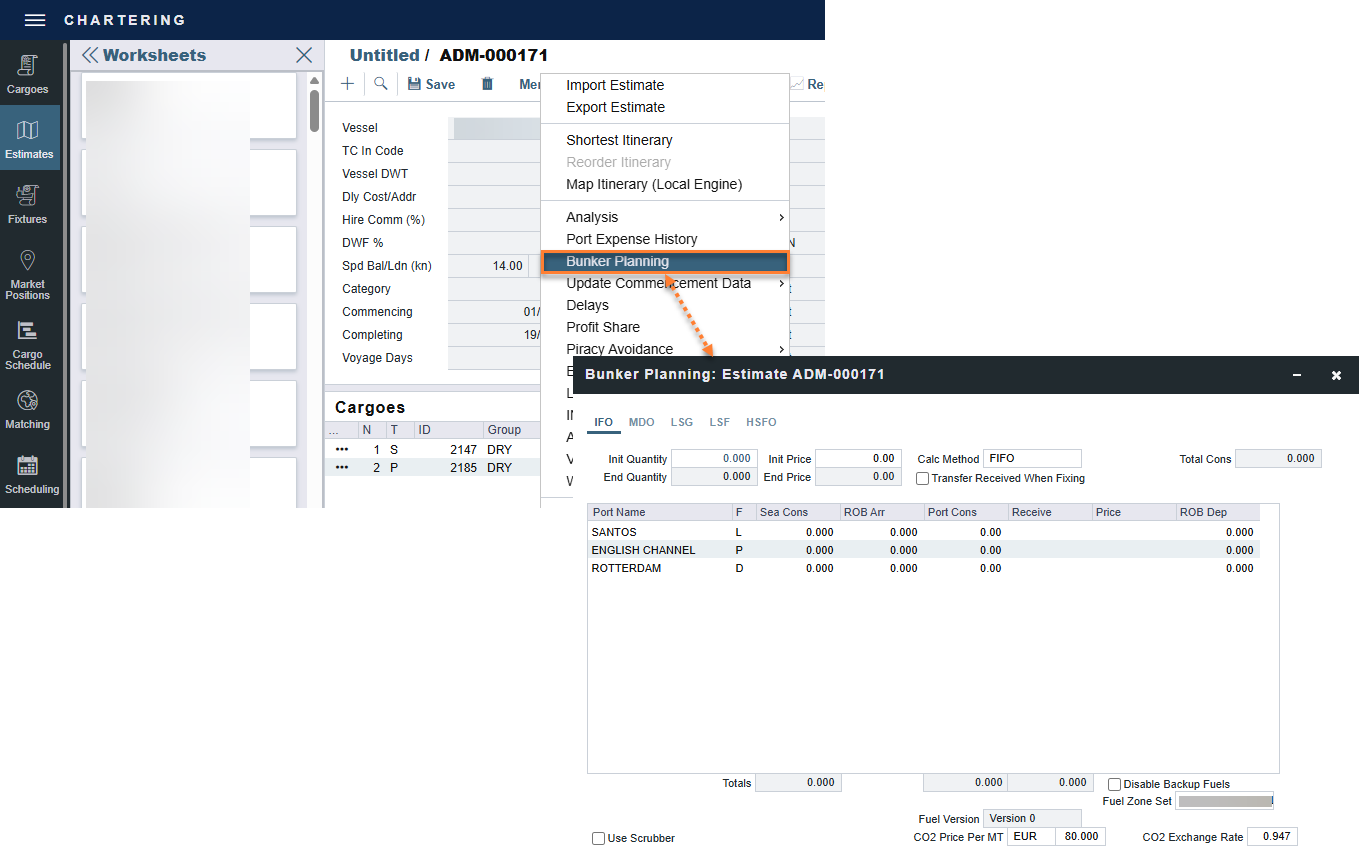
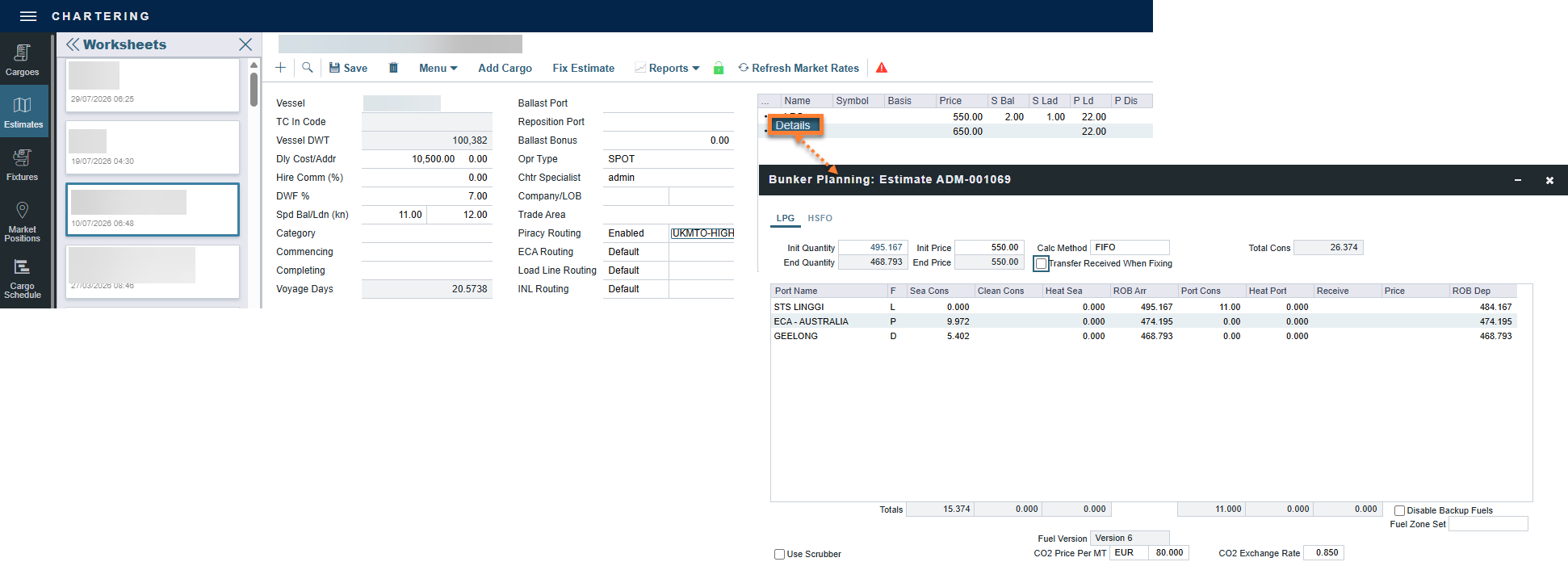
From the Voyage Estimate, select the three dot menu next to a fuel type → Details OR select Menu → Bunker Planning.
Warning: this setting should only be changed by system administrators.
To default a method for your entire organization, use the configuration flag BunkerMethod in Settings and set the Value to one of the following: 0 = AVE (Average), 1 = TBM, 2 = FIFO, or 3 = LIFO.
Example
You buy 1,000 MT of Very Low Sulphur Fuel (VLF) at $400 (= $400,000), then 600 MT at $500 (= $300,000). You consume 700 MT on a voyage. How are costs allocated to the voyage?
-
AVE = Average method: The weighted average cost is (Total Initial Bunker Cost + Total Lifted Bunker Cost) / (Initial Qty + Lifted Qty). In this scenario, $700,000 / 1600 = $437.50/MT. Multiplied by 700, your voyage bunker expense is $306,250. Many companies use this method.
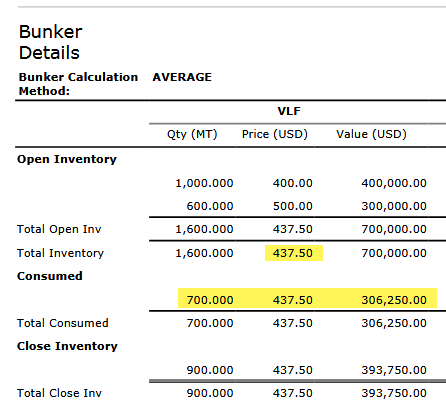
Average method
For LNG carriers (vessel type L), discharging LNG cargo functions as a negative lifting in the AVE calculation, that is, it removes quantity from the loaded LNG lot at the original loaded price. Because this reduces the denominator of the weighted average, the end-of-voyage ROB (Remaining On Board) price is higher than the standard formula predicts. This behavior is by design. If the ROB price after an LNG voyage appears unexpectedly high when using AVE, this calculation is the cause, not a system error.
-
TBM = Tramper Business Method: With this method, you buy all the inventory at the beginning of the voyage and sell all at the end, so you know the exact cost for the voyage. The consumption is calculated. You might use this method for a Time Charter In or Out that is delivered and redelivered with the same amount, or if you just want to override all values.
-
FIFO = First In First Out (default for new Voyage Estimates and Fixtures): FIFO treats bunkers as an asset and depletes the first asset before going on to the next. Starting with the oldest, you use 700 MT at $400/MT, for a total cost of $280,000. This is the most common method.
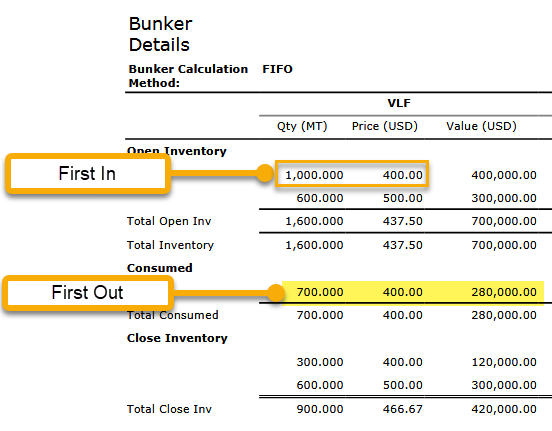
FIFO -
LIFO = Last In First Out: Starting with the most recent, you use all 600 MT at $500/MT (= $300,000) and 100 MT at $400/MT (= $40,000), for a total cost of $340,000.
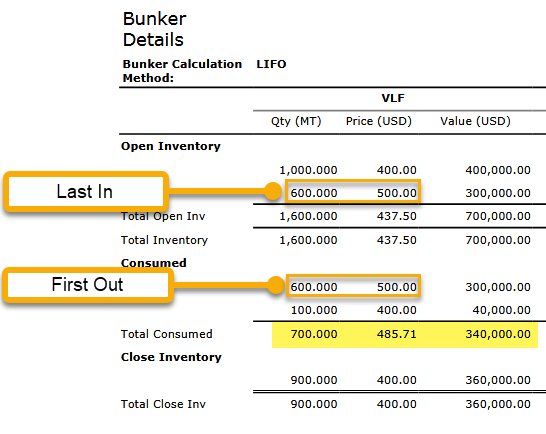
LIFO
As previous inventory carries forward from one voyage to the next, this is a continuous process. You never start a voyage empty. For this reason, you should set this option once and leave it unchanged, even though market swings might make a different method look more favorable at times.
As the voyage progresses, you might buy more fuel. If you do not use it on this voyage, it does not affect this voyage's costs. If you change the voyage, IMOS re-estimates the fuel needed. After the voyage is completed and you have changed the Voyage Status to Completed, the accounts can be reconciled.
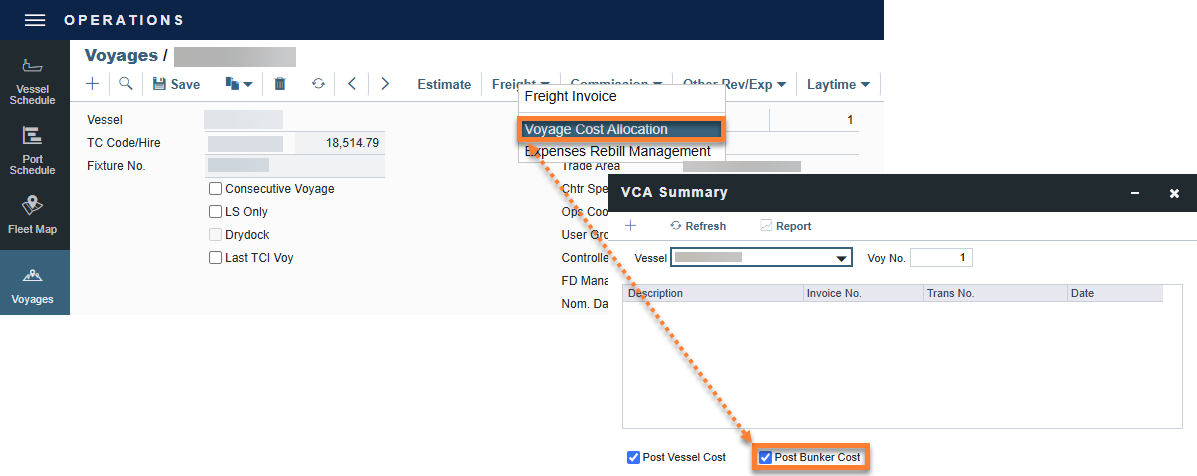
Then, navigate to Freight → Voyage Cost Allocation. On the Voyage Cost Allocation form (enabled by configuration flag CFGEnableVCA), select the Post Bunker Cost check box to send Financials a message, allocating the bunker costs to the voyage.
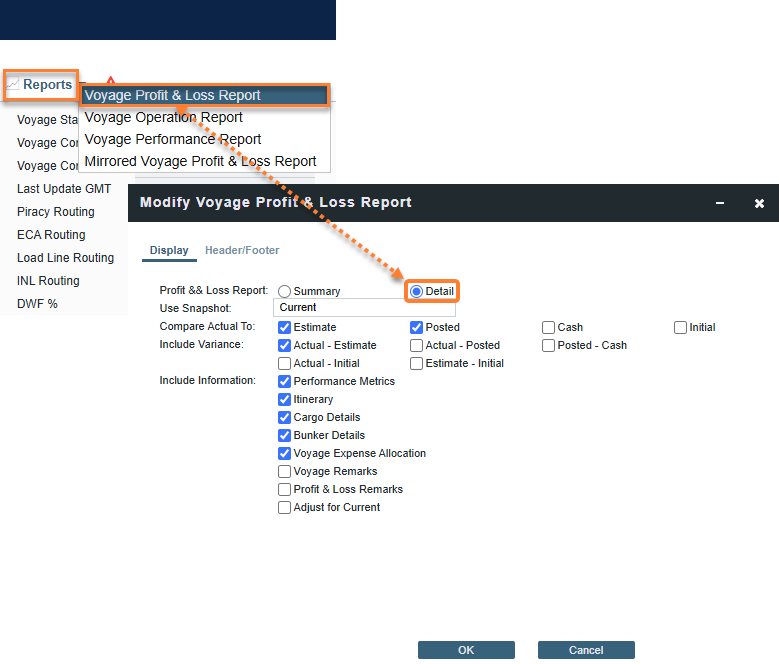
To get the most information about bunkers, see the Bunker Details on the Voyage Profit & Loss Report. In the Voyage Manager, select Reports → Voyage Profit & Loss Report → Details → Bunker Details → and then select OK.
Posting Bunker Costs
Your security access can be restricted with Module Rights where only Operators are able to post Voyage Bunker Period Journals. Contact your IMOS Security Administrator to confirm your access rights.
You can post bunker journals from Voyage Period Journals in Financials.
When posting bunker costs, all bunker types use a single Source Code: VBNK.
-
All bunker types share one Journal Entry, rather than several individual journals.
-
When configuration flag CFGItemizeBunkerJournal is enabled, bunker journals are generated at the breakdown level instead of aggregated per fuel type.
-
-
When you filter the Financials Lists and select Voyage Bunker Cost, all relevant records displays, regardless of the bunker type.
-
If Invoice Approval/Posting/Reject Types are enabled in User Properties (Object Rights tab), you do not need individual permissions per bunker type; one permission is enough.
When the Voyage Period Journal Entry is posted, it appears in the Posted column in the Voyage Manager under Bunker Expenses. If you change the voyage after bunker expenses are already posted, the system calculates the difference and posts it later.
Bunker Breakdown Example
|
|
Inv/Opr Qty |
Basic Price |
Prorated Port Price |
Total per MT Price |
|---|---|---|---|---|
|
IFO |
1,000 |
$10.00 |
$9.71 |
$19.71 |
|
MDO |
20 |
$10.00 |
$9.71 |
$19.71 |
|
LSG |
10 |
$10.00 |
$9.71 |
$19.71 |
|
Total MT |
1,030 |
|
|
|
|
Port Charges |
|
|
$10,000.00 |
|
|
Port Cost per MT |
|
|
$9.71 = $10,000.00 / 1,030 |
|