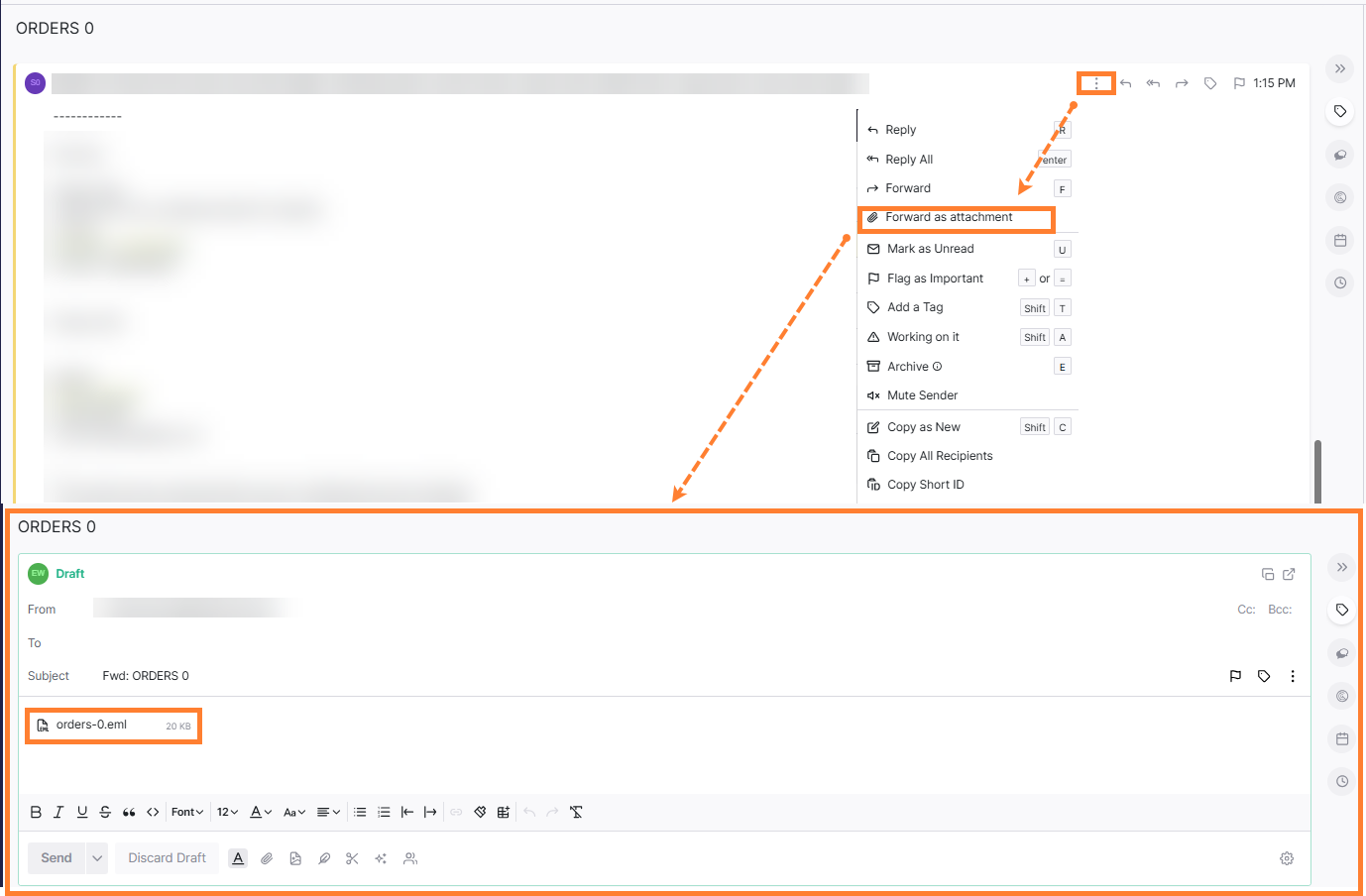
To attach a previous email to a new email please take the following steps:
Steps:
-
Open the email you want to attach.
-
Click on the three-dot menu.
-
Select Forward as attachment → a new email will be created with the selected email attached as an attachment.