The configuration flag CFGNewChartering enables multi-fleet functionality in the vessel. This flag also activates Market Insights and Action Cargoes.
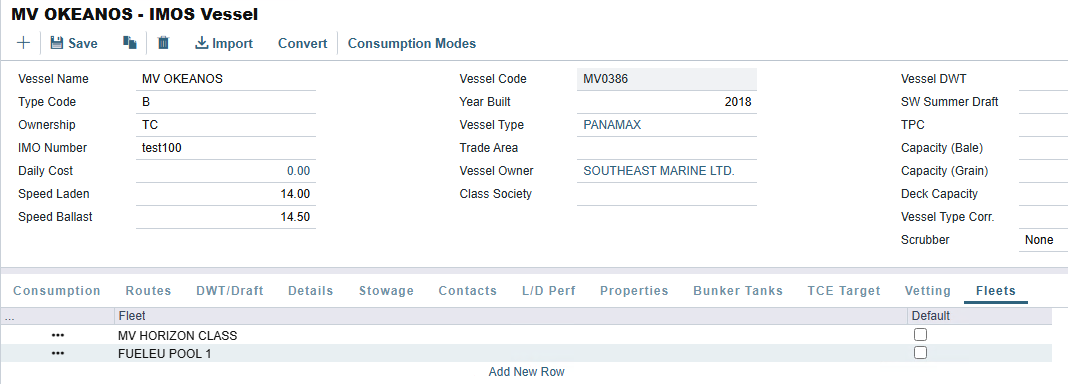
On the Vessel Fleet tab, you can associate multiple Fleets that were added to the IMOS - Vessel Fleets table in the Data Center.
-
Select Add New Row to add new fleets to the table.
-
Enable the Default column for the main vessel fleet.
-
This option defaults the selected Fleet in the Fleet field in Report Designer reports in the Analytics module.
-
To report on multiple fleets, select a one-to-many join from the Vessel table to the Vessel Fleet Member table in the Report Designer.
-