
Why Is the VFML Import Disabled?
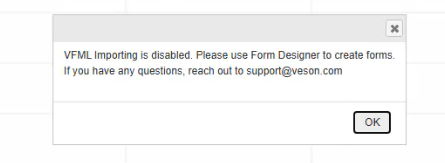
Due to security concerns, the VFML form import functionality has been disabled to prevent potential client-side code injection vulnerabilities. As a result, attempting to import a VFML file will trigger a “VFML Importing Disabled” error message.
Going forward, this task will be handled by the Veson team.
How Do I Request a Form Import?
If you need to import a VFML form, please follow these steps:
-
Prepare your form file: Ensure you have the complete VFML form package ready for import, including all necessary files in a ZIP format.
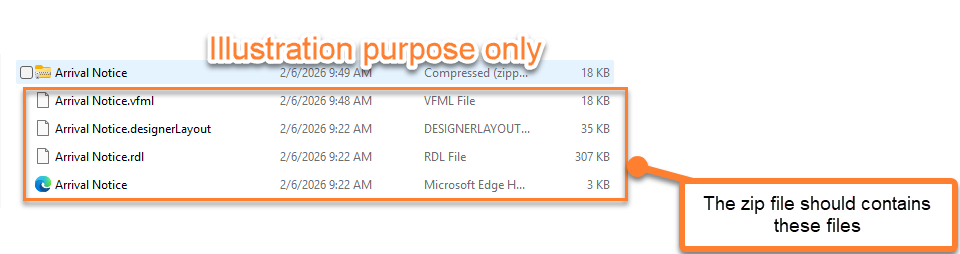
Complete VFML ZIP File Contents -
Submit your request: Please submit a support ticket through our Help Center OR through your Veson’s representative, including the following information:
-
Description of the form you wish to import
-
The complete ZIP file containing your VFML form
-
-
Grant permission: In your request, please include your explicit permission for the Veson team to import the file into your environment on your behalf:
-
Testing environment: We highly recommend importing the VFML form into your Test environment first, so you can thoroughly test and confirm that it behaves as expected and aligns with your requirements.
-
Production environment: Once the above has been validated in your Test environment, we can proceed with importing the VFML form into your Production environment upon receiving your final approval.
-