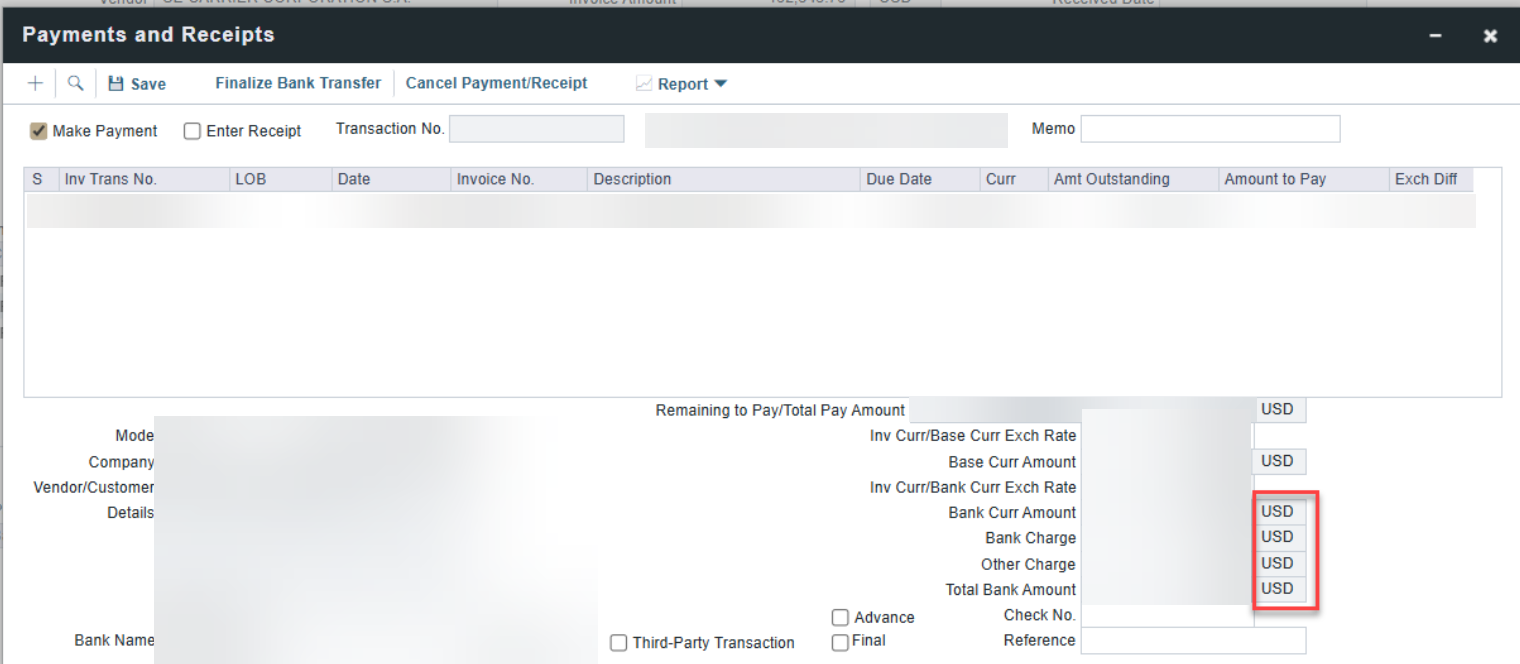
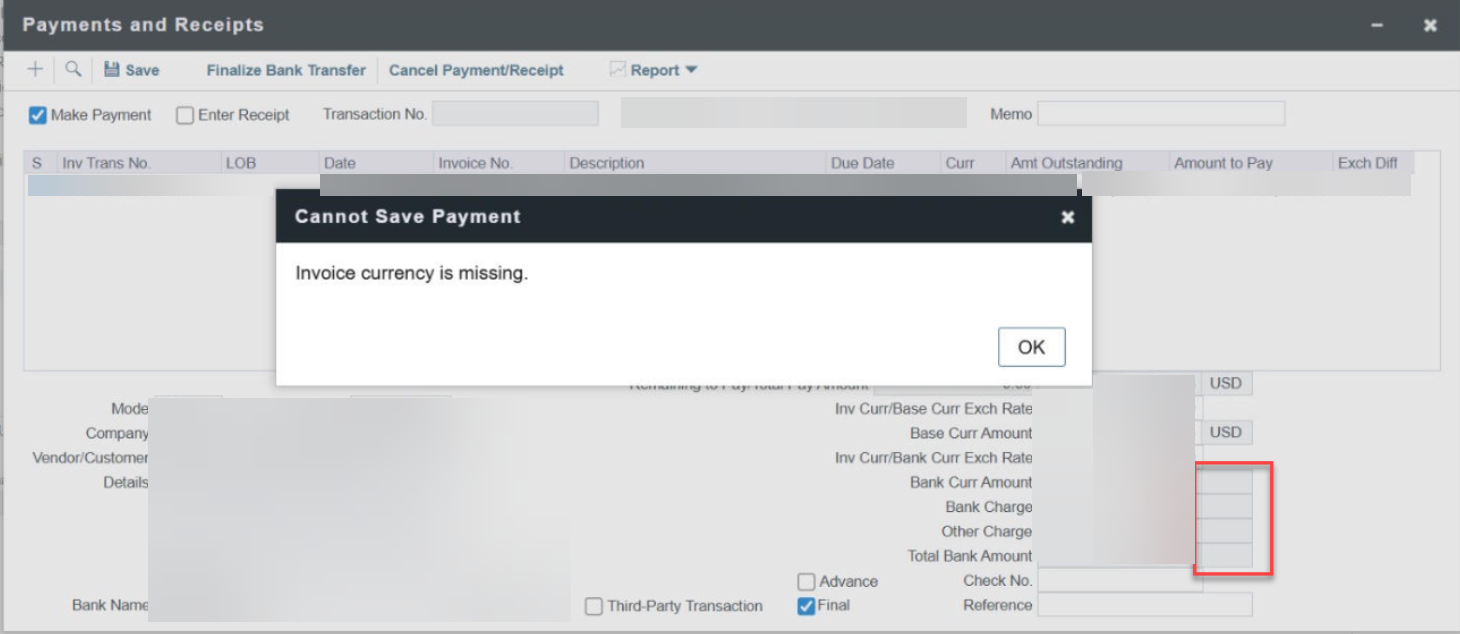
The error “Invoice Currency is Missing” occurs when the company’s remittance details in the Address Book do not include a valid currency.
Solution
-
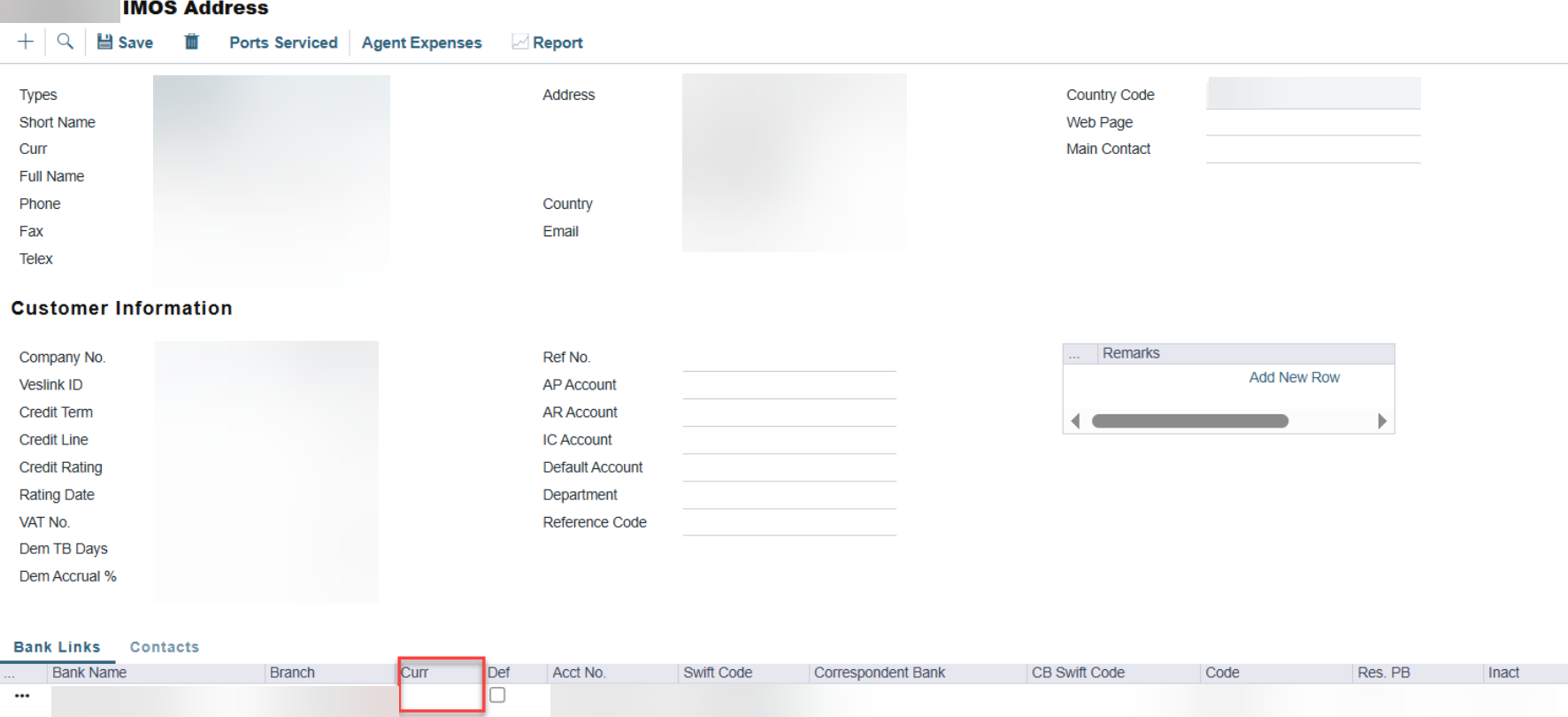
Open the company’s record in the Address Book.
-
Select the correct CURR (currency) in the remittance details.
-
Save the record.
When updating the CURR field, make sure to retain the Account Number and Swift Code. If not preserved, you may need to re-enter them after saving.
Once the currency information is available, the payment can be processed without issues.